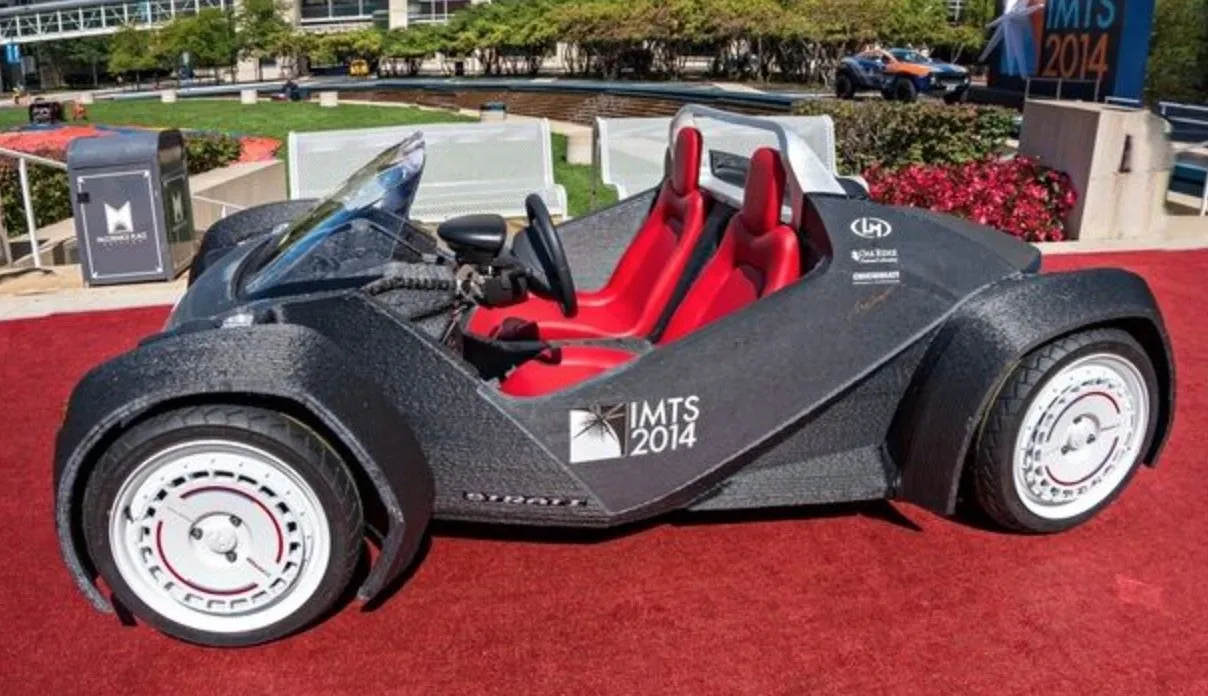
A 3D printing pen isn’t like anything in your desk drawer. Think of it as a handheld 3D printer — instead of ink, it pushes out heated filament that lets you draw solid shapes in mid-air or on pretty much any surface.
The creative possibilities are honestly wide open.
These pens have blown up in popularity over the last few years, and it makes sense. Artists are obsessed with them, but you definitely don’t need to be a professional to have a blast with one. If you want to round out your setup, our list of must-have 3D printer accessories pairs nicely with a good pen.
Give one a try and there’s a solid chance you’ll have a new hobby by the end of the week. Which specific pen you should grab depends on what you’re planning to make with it.
The hard part? Figuring out which one to buy when there are this many options.
It’s way too easy to end up with a pen that doesn’t live up to expectations. To save you that headache, here’s what actually matters when you’re shopping.
Power Supply
Most 3D pens need a wall outlet, but a few run on rechargeable batteries. If you’ll always be at a desk, corded is fine. If you want to draw on the couch or take it outside, cordless is the way to go.
Heating Mechanism
The majority of 3D pens use Fused Deposition Modeling (FDM) — they heat plastic filament and push it through a nozzle. A smaller number use photopolymer technology instead, extruding a cool ink that hardens under UV or visible light.
FDM gives you more material options. Photopolymer pens are safer since nothing gets hot. Knowing which type you want narrows the field fast.
Display
Some 3D pens have a built-in display, and honestly it matters more than you’d expect. Being able to glance at your flow speed, temperature, power status, and line thickness while you’re working makes a real difference in output quality.
If precision matters to you, prioritize a pen with an OLED or LCD screen.
Stealth Mode
Nobody wants a pen that whines like a mosquito or fills the room with the smell of melting plastic. Some models run nearly silent with barely any odor.
If you’re using yours in a shared space or around other people, this matters a lot. If you’re in a workshop by yourself, probably less so.
Filament Material
PLA and ABS are the two main filament types, and they’re pretty different. PLA melts at lower temps and is the safer choice for indoor use. ABS is stronger but needs more heat and can put off fumes you don’t want to breathe.
Some pens go beyond those two and handle specialty filaments like wood, bronze, or flexible materials. What you want to create will determine which pen makes sense.
Cost
You’ll find pens under $30 and others well past $100. As with most things, you tend to get what you pay for. Set a budget, but don’t be afraid to stretch a bit — spending an extra $15 upfront can save you a lot of frustration later.
User Reviews
Always read what real buyers have to say. User reviews surface the strengths and quirks that spec sheets conveniently leave out.
Be skeptical of reviews that sound too polished or universally positive. Check multiple sources to piece together the real picture.
A few more things to keep in mind: ergonomic design matters more than you’d think if you plan on using it for extended sessions. Button placement should feel natural to your hand — that directly affects your output quality. And brand reputation counts. Established names tend to have better support and readily available replacement parts.
With all of that covered, here are the 20 best 3D printing pens we’ve tested to help you find the right one.
Quick Comparison Chart
| # | 3D Pen | Our Rating | ||
|---|---|---|---|---|
| 1 | 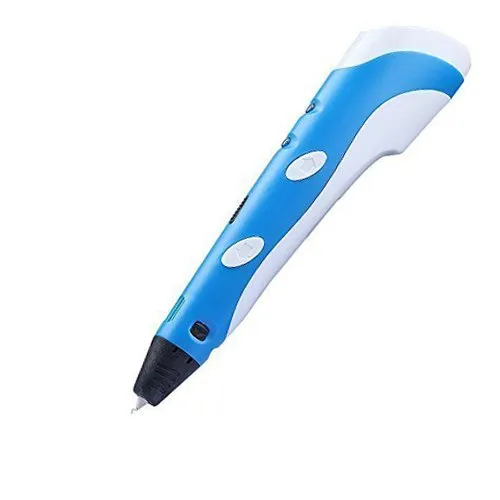 |
MYNT3D Professional | ★★★★★ | Check Price |
| 2 | |
3Doodler Create | ★★★★★ | Check Price |
| 3 |  |
SCRIB3D P1 3D Printing Pen | ★★★★★ | Check Price |
| 4 |  |
MYNT3D Super 3D Pen | ★★★★★ | Check Price |
| 5 | 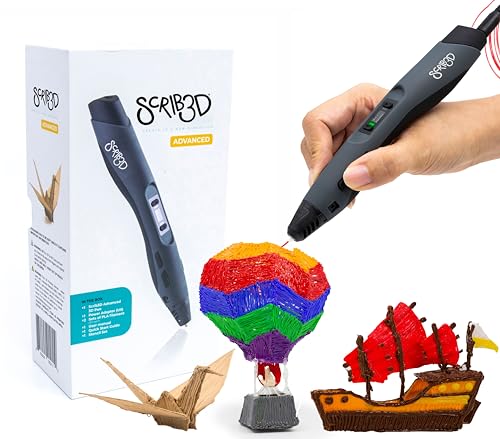 |
SCRIB3D Advanced 3D Printing Pen | ★★★★★ | Check Price |
| 6 |  |
3Doodler Flow 3D Printing Pen | ★★★★★ | Check Price |
| 7 |  |
LinkSpoX 3D Printing Pen | ★★★★★ | Check Price |
| 8 | 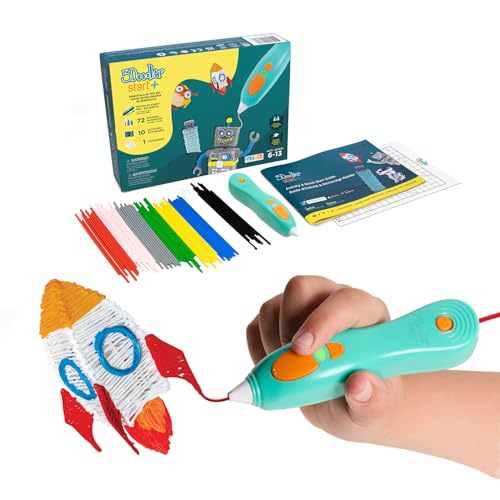 |
3Doodler Start+ Essentials 3D Pen | ★★★★★ | Check Price |
| 9 |  |
CreoPop | ★★★★★ | Check Price |
| 10 |  |
3Doodler PRO 2025 3D Printing Pen | ★★★★★ | Check Price |
| 11 |  |
XYZprinting Da Vinci | ★★★★★ | Check Price |
| 12 |  |
MYNT3D Pro 3D Pen Kit | ★★★★★ | Check Price |
| 13 |  |
SCRIB3D P1 3D Pen + Refill Pack | ★★★★★ | Check Price |
| 14 |  |
MYNT3D Super 3D Pen Kit | ★★★★★ | Check Price |
| 15 |  |
SCRIB3D Advanced 3D Pen + Refill Pack | ★★★★★ | Check Price |
| 16 |  |
3Doodler Start+ Bundle | ★★★★★ | Check Price |
| 17 |  |
3D Printing Pen Kit with LCD Display | ★★★★★ | Check Price |
| 18 |  |
LinkSpoX 3D Pen Kit (Blue) | ★★★★★ | Check Price |
| 19 |  |
LinkSpoX 3D Pen Kit (White) | ★★★★★ | Check Price |
| 20 |  |
LinkSpoX 3D Pen Kit (Purple) | ★★★★★ | Check Price |
1. MYNT3D Professional — Best Overall
MYNT3D Professional Printing Pen
Features an OLED display with stepless speed control and adjustable temperature from 130 to 240 degrees Celsius. Works with ABS, PLA, bronze, and wood filaments for maximum creative versatility.
Pros
- OLED display shows precise temperature with 1-degree adjustments
- Works with ABS, PLA, bronze, wood, and other exotic filaments
- Sleek ultra-thin design with maximum precision capability
- Hot end can be replaced instantly without tools
Cons
- Can produce noticeable noise during operation
- Extrusion speed is slower than some competitors
The MYNT3D Professional earned the top spot for good reason. The OLED display gives you real-time temperature readouts, and you can adjust by single-degree increments to dial in exactly the effect you’re going for.
Stepless speed control is a standout feature. You set the extrusion pace to match whatever you’re working on, whether that’s fine detail work or filling in larger areas.
The pen itself is thin, light, and comfortable to hold for extended sessions. It handles ABS and PLA filaments, plus specialty materials like bronze and wood.
Swapping the hot end takes seconds and doesn’t require tools, which is a nice touch.
On the downside, it does produce noticeable noise while running. Extrusion speed is a bit slower than some competitors, and the included instructions could be clearer. But for the overall drawing experience, nothing else we tested came close.
2. 3Doodler Create — Runner Up

3Doodler Create
The thinnest 3D printing pen on the market with a durable aluminum casing. Comes with interchangeable nozzles in different sizes and a drawing surface for practice.
Pros
- Thinnest 3D pen design on the market for precise control
- Durable aluminum casing enhances portability and longevity
- Interchangeable nozzle set with different sizes and shapes
- Complete accessory set including drawing surface
Cons
- Rectangular shape can be uncomfortable for extended use
- More expensive than most competing 3D pens
The 3Doodler Create is the thinnest 3D pen you can buy right now. Don’t let that slim profile fool you though. The aluminum casing is surprisingly solid and holds up well over time.
Extrusion is smooth and precise, making freehand drawing on any surface feel natural. The filament cools almost instantly, so you can build stable structures in mid-air without them collapsing.
What sets it apart is the interchangeable nozzle system. You get different sizes and shapes in the box, along with a practice drawing surface. The whole package feels well thought out.
It’s safe, non-toxic, and works in any direction. The one complaint people have is the rectangular shape, which can feel awkward during long sessions. It’s also pricier than most other pens on this list.
Still, if you want a complete starter kit with a premium feel, the 3Doodler delivers.
3. SCRIB3D P1 — Best Budget
SCRIB3D P1 3D Printing Pen
A beginner-friendly 3D pen with an LCD display for temperature control. Comes with three starter colors of PLA filament, a stencil book, and project guide.
Pros
- Easy-to-read LCD shows temperature and speed settings
- Ready-to-use kit includes filament and stencil book
- Works with both PLA and ABS filaments
Cons
- No wireless/rechargeable battery option
- Filament loading can be tricky for beginners
There’s a reason the SCRIB3D P1 keeps showing up in everyone’s recommendation lists. That LCD screen actually comes in handy — you can dial in your temperature without guessing, and they throw in enough PLA to get you started right away.
It handles both PLA and ABS at 1.75mm, so you’re not boxed into one material. The slim grip feels good even after an hour of drawing, and the stencil book is a nice touch for anyone who doesn’t know where to begin.
No wireless option and filament loading takes a little practice to nail down. Those are the trade-offs. But at this price, the P1 punches well above its weight.
4. MYNT3D Super — Best for Beginners
MYNT3D Super 3D Pen
A versatile 3D pen with stepless speed control for optimal material flow. Compatible with both PLA and ABS filaments at 1.75mm diameter.
Pros
- Stepless speed slider gives precise control over material flow
- Works with widely available 1.75mm PLA and ABS filaments
- Ultrasonic sealed nozzle prevents clogs
Cons
- No display screen for temperature readout
- Requires separate filament purchase
The MYNT3D Super keeps things simple with a stepless speed slider that gives you smooth control over material flow. It works with standard 1.75mm PLA and ABS filaments, so replacement material is easy to find and affordable.
The ultrasonic sealed nozzle is a nice touch that helps prevent the clogging issues common with cheaper pens. The lightweight ergonomic body feels natural in your hand, making it a solid choice for anyone just getting into 3D pen art.
There’s no display screen on this model, which means you’re adjusting by feel rather than reading exact temperatures. You’ll also need to buy filament separately since none comes in the box.
5. SCRIB3D Advanced — Best Display
SCRIB3D Advanced 3D Printing Pen
An upgraded 3D pen with OLED display and precise temperature control. Includes 20 feet of filament, stencil book, and project guide for immediate use.
Pros
- OLED screen shows exact temperature for precise adjustments
- Comes with filament and stencils to start creating right away
- Adjustable speed and temperature for different materials
Cons
- Higher price point than basic models
- Cord-powered only
The SCRIB3D Advanced is the upgraded version of the popular P1, and the OLED display is the biggest improvement. You can see your exact temperature setting at a glance, which makes dialing in the right heat for different materials much easier.
It comes with 20 feet of starter filament, a stencil book, and a project guide, so you’re creating within minutes of opening the box. Adjustable speed and temperature settings let you work with different materials and techniques without fighting the pen.
The higher price compared to the base P1 is the main downside, and it’s cord-powered only. But if you want precise temperature feedback while you work, the OLED screen on this model makes a real difference.
6. 3Doodler Flow — Best for Adults
3Doodler Flow 3D Printing Pen
Designed for teens and adults, the 3Doodler Flow uses proprietary plastic strands for smooth, consistent extrusion. Great for detailed creative projects.
Pros
- Smooth and consistent material flow for detailed work
- Purpose-built for creative projects and prototyping
- Includes free refill filament to get started
Cons
- Uses proprietary 3Doodler plastic strands
- More expensive than generic 3D pens
The 3Doodler Flow is designed specifically for teens and adults who want smooth, consistent extrusion for detailed creative projects. The dual speed settings give you enough control to handle both fine detail work and filling in larger areas.
It comes with free refill filament in the box, which is a nice touch since most pens at this level make you buy material separately. The extrusion quality is noticeably smooth compared to cheaper alternatives, making it well-suited for prototyping and art projects.
The main downside is that it uses proprietary 3Doodler plastic strands rather than standard filament. That limits your material options and costs more over time compared to pens that use generic 1.75mm filament.
7. LinkSpoX 3D Pen — Best Value Kit
LinkSpoX 3D Printing Pen
A feature-packed 3D pen kit with adjustable temperature, stepless speed control, and multiple filament colors included. Great value for beginners and hobbyists.
Pros
- Adjustable temperature lets you fine-tune for different materials
- Stepless speed slider for optimal flow control
- Complete kit with multiple filament colors included
Cons
- Brand is less established than MYNT3D or 3Doodler
- Build quality may not match premium options
The LinkSpoX 3D Printing Pen packs a lot of value into one kit. You get adjustable temperature control, a stepless speed slider, and multiple filament colors right in the box, so there’s nothing extra to buy before you start creating.
The LCD display keeps you informed on your current settings, and the speed regulation lets you fine-tune flow for both detail work and broader fills. For the price, the feature set competes with pens that cost significantly more.
The brand doesn’t have the same recognition as MYNT3D or 3Doodler, and the build quality reflects the lower price point. But if you want a complete starter kit without spending a lot, the LinkSpoX is hard to beat on value.
8. 3Doodler Start+ — Best for Kids
3Doodler Start+ Essentials 3D Pen
A safe, kid-friendly 3D pen that uses low-temperature plastic. No hot parts or sharp edges make it ideal for children ages 6 and up.
Pros
- Completely safe for children with no exposed hot parts
- Low-temperature plastic hardens quickly for instant results
- Simple one-button operation is easy for kids to learn
Cons
- Uses proprietary 3Doodler Start eco-plastic refills
- Lower detail capability than high-temperature pens
The 3Doodler Start+ Essentials is built from the ground up for kids ages 6 and older. There are no exposed hot parts and no sharp edges, which means parents don’t have to hover over every drawing session.
The low-temperature plastic hardens quickly for instant results, and the simple one-button operation makes it easy for young hands to pick up. Kids can go from unboxing to creating in minutes without needing help from an adult.
It does use proprietary 3Doodler Start eco-plastic refills, which limits your material options and costs more than generic filament. The detail level also can’t match what you’d get from a high-temperature pen. But for safety and ease of use with younger kids, nothing else comes close.
9. CreoPop — Safest for Kids
CreoPop
A cordless photopolymer pen with rechargeable batteries and cool ink solidified by LED light. No hot parts, no fumes, and zero burn risk for safe use around children.
Pros
- No heated end or molten plastic means zero burn risk
- Cordless with rechargeable battery via USB charging
- Cool ink solidifies instantly with no unpleasant smells
- Ink cartridges swap in seconds for quick color changes
Cons
- Ink cartridges run out faster than typical filament spools
- Battery life is shorter than ideal for longer projects
If safety around kids is your number one concern, the CreoPop is the clear winner. There’s no heated nozzle, no molten plastic, and no fumes. The cool ink solidifies instantly via LED light, so there’s zero burn risk.
It’s cordless with a rechargeable USB battery, so there are no cords to deal with while you work. Ink cartridges swap in seconds for fast color changes.
Three cartridges come in the box (blue, orange, and purple), and you can buy refills in a wide range of colors including glow-in-the-dark and magnetic ink. Each cartridge holds enough ink for roughly 45 feet of drawing.
The pen feels natural in hand, almost like a regular pen. It works on most surfaces, though you’ll want to avoid white or reflective ones since the light can cure ink prematurely.
The main complaints from users are that ink runs out quickly and battery life could be longer. It’s also slower than FDM pens, which is the trade-off you make for heat-free safety. But for younger users especially, the peace of mind is worth it.
10. 3Doodler PRO 2025 — Best Professional
3Doodler PRO 2025 3D Printing Pen
A professional-grade 3D printing pen built for designers, architects, and serious creators. Offers precise temperature control and works with multiple material types.
Pros
- Professional build quality with precision temperature settings
- Works with a wide range of 3D printing materials
- Excellent for prototyping and design applications
Cons
- Premium price point aimed at professionals
- Heavier than consumer-grade pens
The 3Doodler PRO 2025 is aimed squarely at designers, architects, and serious creators who need professional-grade tools. The build quality feels a step above consumer pens, and the precise temperature control lets you work with a wide range of materials without guesswork.
It’s a genuine prototyping and design tool, not just a toy. The multiple material compatibility means you can experiment with different filament types depending on what your project requires.
The premium price is the obvious barrier, and the pen is heavier than consumer-grade options. But if you’re using a 3D pen for professional work or serious creative projects, the PRO 2025 delivers the precision and build quality to justify the investment.
11. XYZprinting Da Vinci — Best PLA Only
XYZprinting Da Vinci
From the renowned XYZprinting brand, this FFF pen uses exclusively non-toxic PLA filament. Simple two-button controls with 11 available filament colors and maintenance tools included.
Pros
- Non-toxic organic PLA filament is safe for indoor use
- 11 filament color options for creative variety
- Simple two-button control for easy filament loading and unloading
- Standalone device requires no computer or software connection
Cons
- Only compatible with PLA filament limiting material options
- Heated nozzle still poses a burn risk for young children
XYZprinting is already a trusted name in 3D printers, so their Da Vinci 3D Pen benefits from that reputation. The controls are dead simple: two buttons handle filament loading and unloading. That’s it.
It works exclusively with PLA filament, which is non-toxic and made from organic materials. No ABS support here, but that also means no harsh fumes while you draw.
You get 11 filament colors to choose from, all in the standard 1.75mm size. The pen is corded and needs a power source, but it doesn’t require any computer or software connection. Just plug in, load filament, and start drawing.
It’s a standalone device that handles both small detailed work and larger projects across different surfaces. Maintenance and cleaning tools come in the box.
The reviews for this one are almost entirely positive. The main caution is the heated nozzle, which can burn young hands. With that in mind, adult supervision is a good idea for younger users. For the price and simplicity, it’s hard to beat.
12. MYNT3D Pro Kit — Best Complete Kit
MYNT3D Pro 3D Pen Kit
A complete 3D pen kit featuring the MYNT3D Pro pen with OLED display, 10 colors of PLA filament, and a DesignPad mat for creating on a flat surface.
Pros
- OLED display shows exact temperature for precise control
- Complete kit with 10 colors and design mat included
- Professional-quality pen with smooth extrusion
Cons
- Higher price than pen-only options
- Design mat could be larger
The MYNT3D Pro 3D Pen Kit bundles the professional-grade MYNT3D Pro pen with 10 colors of PLA filament and a DesignPad mat. The OLED display shows your exact temperature, giving you the precision control that serious creators need.
The DesignPad provides a flat, non-stick surface for creating flat pieces and tracing stencils. Having 10 filament colors ready to go means you can jump between projects without ordering more material.
It does cost more than buying just the pen, and the included design mat could stand to be larger for bigger projects. But as an all-in-one package, this kit saves you the hassle of sourcing accessories separately.
13. SCRIB3D P1 + Refill — Best Starter Kit
SCRIB3D P1 3D Pen + Refill Pack
The popular SCRIB3D P1 bundled with a 20-color PLA refill pack. LCD display for temperature control and enough filament for hours of creative projects.
Pros
- Massive 20-color refill pack provides hours of creative time
- LCD display makes temperature adjustment easy
- Excellent value with pen, filament, and stencils all included
Cons
- Same pen as the base P1 model
- PLA refills are standard quality
This bundle pairs the popular SCRIB3D P1 pen with a 20-color PLA refill pack, giving you hours of creative time before you need to reorder. The LCD display makes temperature adjustment straightforward, and the included stencil book helps if you’re not sure where to begin.
Twenty assorted colors is a generous amount of filament for the price. You can tackle multi-color projects right away without worrying about running out mid-session.
It’s the same P1 pen as the standalone model, so you’re not getting any hardware upgrades here. The PLA refills are standard quality. But the sheer volume of included filament makes this bundle a strong value if you know you’ll be using the pen regularly.
14. MYNT3D Super Kit — Best Bundle Deal
MYNT3D Super 3D Pen Kit
Bundled kit with the MYNT3D Super pen, 10 colors of PLA filament, and a DesignPad mat. The stepless speed control makes it great for both beginners and experienced users.
Pros
- Complete starter kit with everything you need to begin
- Stepless speed slider provides optimal material control
- Compatible with both PLA and ABS at 1.75mm
Cons
- No temperature display on the pen itself
- Mat is relatively small for larger projects
The MYNT3D Super 3D Pen Kit bundles the Super pen with 10 colors of PLA filament and a DesignPad mat. The stepless speed control slider works well for both beginners learning the ropes and experienced users pushing for finer detail.
The kit covers everything you need to start drawing immediately. Compatible with both PLA and ABS at 1.75mm, the Super pen gives you material flexibility that many starter kits lack.
There’s no temperature display on the pen itself, so you’re adjusting by feel. The included mat is also on the small side for larger projects. But as a complete bundle deal, it’s a convenient way to get started without piecing together accessories from different sellers.
15. SCRIB3D Advanced + Refill — Best Extended Kit
SCRIB3D Advanced 3D Pen + Refill Pack
The SCRIB3D Advanced pen with OLED display paired with a refill pack. Precise temperature control and extra filament for extended creative sessions.
Pros
- OLED display provides precise temperature readings
- Extra refill pack means more creative time before reordering
- Advanced features at a reasonable bundle price
Cons
- Bundle may include colors you do not need
- Corded operation only
The SCRIB3D Advanced paired with a refill pack gives you the OLED-equipped pen plus extra filament for extended creative sessions. The precise temperature readings on the display take the guesswork out of switching between materials.
The extra refill pack means you won’t run out of filament halfway through a project. Combined with the included stencil book, it’s a solid bundle for anyone who plans to use their pen frequently.
The bundle may include some colors you don’t end up using, and you’re still limited to corded operation. But the combination of advanced features and extra material at a reasonable bundle price makes this a practical choice for regular users.
16. 3Doodler Start+ Bundle — Best for Families
3Doodler Start+ Bundle
A bundled set with the 3Doodler Start+ pen and extra refill packs. Completely safe for kids with no hot parts, making it the ultimate gift for young creators.
Pros
- Safe for kids with zero exposed hot parts
- Bundle includes plenty of extra refill material
- Simple operation that children can master quickly
Cons
- Only works with proprietary 3Doodler eco-plastic
- Not suitable for detailed adult projects
The 3Doodler Start+ Bundle combines the kid-safe Start+ pen with extra refill packs, making it an ideal gift for young creators. With zero exposed hot parts, parents can feel confident letting kids ages 6 and up use it independently.
The one-button operation is simple enough that children master it quickly. The extra refill material in the bundle means you won’t be placing a reorder within the first week of use.
It only works with proprietary 3Doodler eco-plastic, and the detail level won’t satisfy adults working on intricate projects. But for family creative time with younger kids, the safety features and included materials make this bundle a smart pick.
17. LCD Display Pen Kit — Best Budget Kit
3D Printing Pen Kit with LCD Display
A budget-friendly 3D pen kit with LCD display and 10 starter filament colors. Adjustable temperature and speed settings make it suitable for various skill levels.
Pros
- Excellent value with 10 filament colors and LCD display
- Adjustable temperature works with multiple filament types
- Affordable entry point for beginners
Cons
- Build quality not as refined as premium brands
- Generic brand with limited customer support
This budget-friendly 3D pen kit comes with an LCD display and 10 starter filament colors, making it one of the more affordable ways to get into 3D pen drawing. The adjustable temperature and speed settings give you enough control to work with different filament types and techniques.
Ten colors out of the box is generous at this price point. The LCD display shows your current settings so you’re not guessing about temperature, which is a feature often missing from budget pens.
The build quality isn’t as refined as what you’d get from MYNT3D or SCRIB3D, and customer support from a generic brand can be limited. But as a low-cost entry point for beginners who want to try 3D drawing without a big investment, the value is hard to argue with.
18. LinkSpoX Kit (Blue) — Best Color Option
LinkSpoX 3D Pen Kit (Blue)
A colorful 3D pen kit with adjustable temperature and stepless speed control. Comes in a sleek blue color with multiple filament refills for creative projects.
Pros
- Attractive blue color option appeals to creative users
- Full temperature and speed adjustment capabilities
- Comes with filament refills to start creating immediately
Cons
- Same base pen as other LinkSpoX models
- Less established brand recognition
The LinkSpoX 3D Pen Kit in blue offers the same reliable temperature and speed controls as the rest of the LinkSpoX lineup, wrapped in a sleek blue color that stands out from the typical black or white options. Filament refills come included so you can start creating right away.
Full temperature and speed adjustment capabilities give you the flexibility to work with different materials and styles. It’s the same core pen as other LinkSpoX models, just in a more eye-catching color.
Brand recognition is still limited compared to bigger names, and the hardware is identical to the other LinkSpoX color variants. But if you want a functional 3D pen kit in a color you actually like, the blue model delivers solid performance at a reasonable price.
19. LinkSpoX Kit (White) — Best Everyday Pen
LinkSpoX 3D Pen Kit (White)
A versatile 3D pen kit in white with LCD display, adjustable temperature, and stepless speed. Includes filament refills for an all-in-one creative experience.
Pros
- LCD display shows real-time temperature for precision
- Stepless speed control adapts to your creative pace
- All-in-one kit gets you started without extra purchases
Cons
- Corded operation limits mobility
- Filament quantity may run out quickly
The LinkSpoX 3D Pen Kit in white features a clean design with the same LCD display and stepless speed control found across the LinkSpoX range. The complete starter kit includes filament refills, so you don’t need to make any additional purchases before getting started.
The LCD shows real-time temperature for precise adjustments, and the stepless speed control lets you adapt your extrusion pace to whatever you’re working on. It’s a no-frills, reliable pen for everyday creative use.
Corded operation limits your mobility, and the included filament quantity may run out faster than expected on larger projects. But for a dependable everyday pen that gets the job done without fuss, the white LinkSpoX kit holds its own.
20. LinkSpoX Kit (Purple) — Best Compact Design
LinkSpoX 3D Pen Kit (Purple)
A stylish purple 3D pen kit with the same reliable LinkSpoX features: adjustable temperature, stepless speed control, and included filament refills.
Pros
- Eye-catching purple design stands out from standard options
- Same reliable temperature and speed controls as other models
- Includes filament so you can start creating right away
Cons
- Identical functionality to other LinkSpoX color variants
- May be harder to find replacement parts
The LinkSpoX 3D Pen Kit in purple rounds out the color lineup with a stylish design and the same proven features. Adjustable temperature and stepless speed control give you full command over your creative output, and filament comes included.
The purple colorway stands out on a desk or in a gift box. Under the hood, the temperature and speed controls work identically to the other LinkSpoX models, so you know what you’re getting in terms of performance.
The functionality is identical to the blue and white variants, so you’re really choosing this one for the color. Replacement parts may be harder to track down for a smaller brand. But if purple is your color and you want a reliable 3D pen kit, this one checks the boxes.
Frequently Asked Questions
Think of it as a handheld 3D printer. Instead of ink, it pushes out heated plastic filament (or UV-cured resin) that hardens almost immediately, so you can literally draw 3D objects in the air or on any surface.
It depends on the type. FDM pens have hot nozzles that can definitely burn skin, so kids under 12 should only use them with adult supervision. If safety's a big concern, photopolymer pens like the CreoPop use cool ink hardened by UV light, no hot parts at all. The 3Doodler Start+ is another safe option designed specifically for kids.
PLA is plant-based and biodegradable. It melts at lower temps, smells less, and is generally safer to use. ABS is petroleum-based, needs higher temperatures, and can produce fumes you probably don't want to breathe in. If you're just starting out, PLA is the way to go.
A typical 10-meter strand of 1.75mm filament will get you about 15 to 30 minutes of continuous drawing, depending on how fast you're extruding. Most pens come with some starter filament, and refills in multi-color packs are easy to find online.
Most FDM pens take standard 1.75mm filament and handle PLA and ABS just fine. Some can also work with specialty stuff like wood, bronze, or flexible materials. Just double-check your pen's specs before buying filament to make sure it's compatible.
FDM pens melt plastic filament through a hot nozzle, straightforward and effective. Photopolymer pens use a cool ink that hardens under UV light instead. The UV pens are safer since nothing gets hot, but you won't have as many material choices.
Final Thoughts
Worth noting: there are other solid 3D pens out there that aren’t on Amazon and didn’t make this list. The market moves fast, and new options pop up all the time.
That said, the 20 pens covered here are among the best we’ve tested for fun, education, or serious creative work. Take your time comparing them and pick the one that actually fits how you’ll use it. If you want to level up your technique, our list of the best 3D printing books for beginners covers everything from fundamentals to advanced skills.
A quick safety reminder: FDM pens have hot nozzles that can burn skin, so keep them away from young children unless the pen is specifically designed for kids. And never touch the nib while the pen is heated. Common sense, but worth saying out loud.