

Here’s what most beginners don’t realize: the printer itself is only half the equation. The right accessories can take a mediocre setup and turn it into something that prints consistently well, project after project.
I’ve put together the 25 most useful 3D printer accessories every maker should own. We’re talking measurement tools, maintenance gear, post-processing essentials, and storage solutions.
Doesn’t matter if you just cracked open your first printer or you’ve been doing this for years. These tools save time and prevent headaches. And most of them cost less than a single spool of filament. If you like hands-on creating, you might also want to check out the best 3D printing pens for freehand sculpting and quick repairs.
Quick Comparison Chart
| # | Accessory | Our Rating | ||
|---|---|---|---|---|
| 1 |  |
Digital Caliper | ★★★★★ | Check Price |
| 2 | |
3D Printer Tool Kit | ★★★★★ | Check Price |
| 3 |  |
Borosilicate Glass Build Plate | ★★★★★ | Check Price |
| 4 |  |
Raspberry Pi | ★★★★☆ | Check Price |
| 5 |  |
Tweezers Set | ★★★★☆ | Check Price |
| 6 |  |
Sandpaper Set | ★★★★☆ | Check Price |
| 7 | 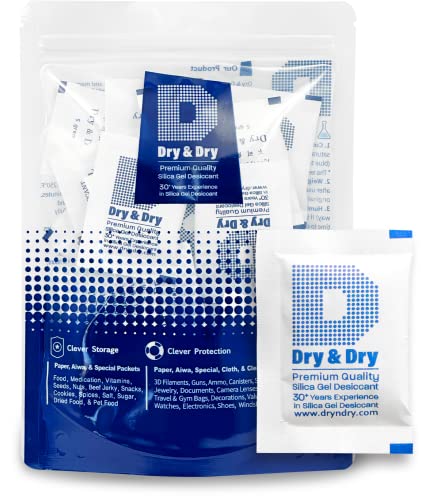 |
Desiccant Packets | ★★★★☆ | Check Price |
| 8 |  |
Kapton Tape | ★★★★☆ | Check Price |
| 9 | 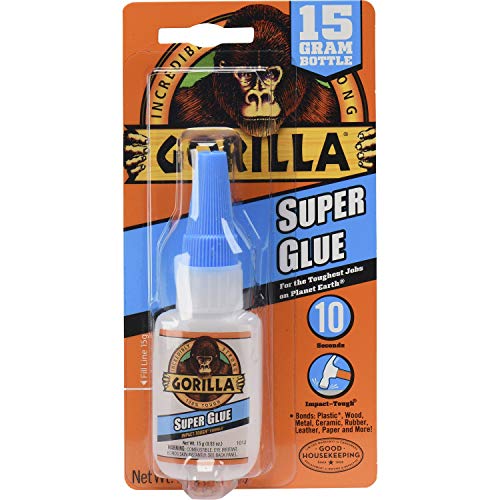 |
Super Glue | ★★★★☆ | Check Price |
| 10 | 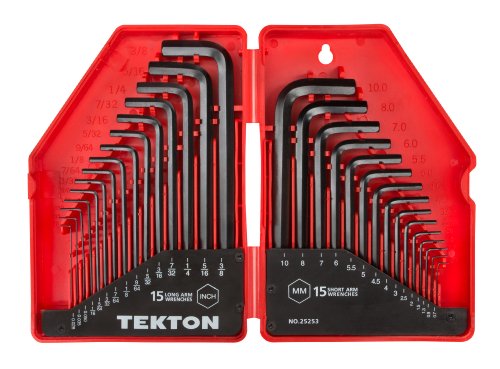 |
Hex Key Wrench Set | ★★★★☆ | Check Price |
| 11 |  |
Needle-Nose Pliers | ★★★★☆ | Check Price |
| 12 |  |
ABS Juice | ★★★★☆ | Check Price |
| 13 |  |
MakerBot PLA Filament | ★★★★☆ | Check Price |
| 14 |  |
Masking Tape | ★★★★☆ | Check Price |
| 15 |  |
Single-Edged Razor Blades | ★★★★☆ | Check Price |
| 16 |  |
10-Piece Palette Knife Set | ★★★★☆ | Check Price |
| 17 |  |
Acetone | ★★★★☆ | Check Price |
| 18 |  |
Nozzle Cleaning Kit | ★★★★☆ | Check Price |
| 19 |  |
X-ACTO Knife | ★★★★☆ | Check Price |
| 20 |  |
Dremel Rotary Tool | ★★★★☆ | Check Price |
| 21 |  |
BuildTak | ★★★★☆ | Check Price |
| 22 |  |
Laser Thermometer | ★★★★☆ | Check Price |
| 23 | 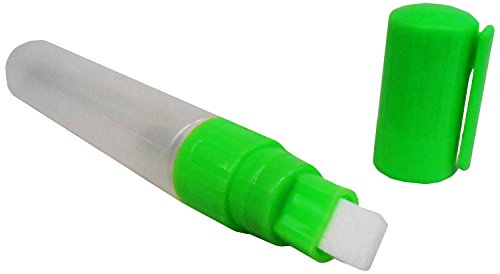 |
ABS Smoothing Pen | ★★★★☆ | Check Price |
| 24 |  |
Permanent Marker | ★★★★☆ | Check Price |
| 25 | 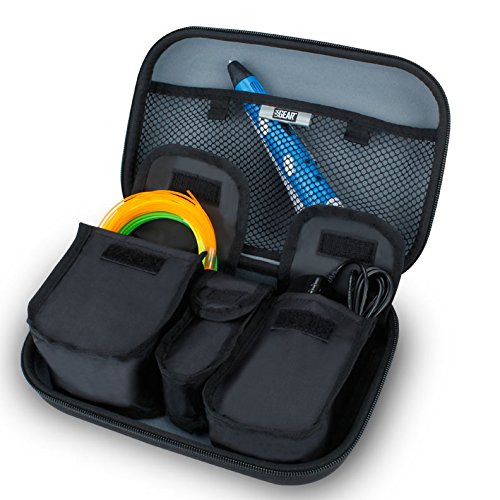 |
Carrier Case | ★★★★☆ | Check Price |
1. Digital Caliper — Best Overall
Digital Caliper
A stainless steel electronic caliper for measuring parts, checking print accuracy, and verifying filament diameter. Converts between inches, millimeters, and fractions instantly.
Pros
- Measures parts for CAD replication with extreme precision
- Checks print accuracy and verifies filament diameter consistency
- Converts between inches, millimeters, and fractions instantly
- Affordable price point for a must-have measurement tool
Cons
- Battery needs occasional replacement
- Plastic case can feel flimsy compared to premium models
Gun to my head, if I could only pick one accessory from this entire list, it’s the digital caliper. You need one to measure parts for CAD replication, and it’s the fastest way to verify whether your prints are dimensionally accurate.
I also use mine to spot-check filament diameter. The number on the label isn’t always what you get, and even tiny inconsistencies can mess with your print quality in ways you wouldn’t expect.
2. 3D Printer Tool Kit — Best Value

3D Printer Tool Kit
A comprehensive 25-piece tool kit with needle-nose pliers, glue stick, steel knife, print removal tool, utility tools, and clean-up tweezers all in one package.
Pros
- Includes 25 different tools and accessories in one convenient package
- Every tool is designed specifically for 3D printing tasks
- Much cheaper than buying each tool individually
- Great starter kit for beginners getting into 3D printing
Cons
- Individual tool quality may not match standalone premium options
- Some tools may duplicate what experienced users already own
Why hunt down a dozen individual tools when you can get them all in one box? This kit includes 25 different tools and accessories that are genuinely useful for 3D printing. No random filler items.
Needle-nose pliers, glue stick, steel knife, print removal tool, clean-up tweezers, the works. If you’re just starting out, this is hands down the most cost-effective way to kit out your workbench.
3. Borosilicate Glass Build Plate — Best Bed Upgrade
Borosilicate Glass Build Plate
A 235x235mm borosilicate glass bed that provides an ultra-flat printing surface. Compatible with Ender 3 series and other popular 3D printers with matching bed size.
Pros
- Borosilicate glass withstands extreme heat bed temperatures
- Ultra-flat surface dramatically improves first layer adhesion
- Compatible with Ender 3, Ender 3 Pro, Ender 3 V2, and Ender 5
Cons
- Adds weight to the print bed which can affect print speed
- May need clips or thermal pads to secure properly
There really aren’t many bed materials that compete with borosilicate glass. It handles extreme temperatures without cracking (it’s tempered), and the perfectly flat surface gives you smooth bottom layers every single time.
You can finally ditch the hairspray and other sketchy adhesion hacks. These plates fit most popular printers, and for what they cost, the improvement to your first layers is absolutely worth it.
4. Raspberry Pi — Best Tech Upgrade
Raspberry Pi
A compact single-board computer that runs OctoPrint for wireless printer control. Monitor and manage prints remotely through any web browser from anywhere.
Pros
- Runs OctoPrint for complete wireless control of your 3D printer
- Monitor prints remotely with a connected webcam from anywhere
- Manage print queues and settings through any web browser
- Affordable one-time investment that transforms your printing workflow
Cons
- Requires some technical setup knowledge for first-time users
- Needs a separate power supply, SD card, and case
A Raspberry Pi might seem like a weird pick for a 3D printing accessories list, but hear me out. Set it up with OctoPrint and you’ll never go back to the old way. You can control your printer from any computer through a web browser, as long as they’re on the same network.
Add a webcam and you can check on prints from anywhere. Those 12-hour overnight jobs or prints running while you’re at work? Being able to peek in remotely is a total game-changer.
5. Tweezers Set — Best for Precision
Tweezers Set
A premium stainless steel tweezers set with multiple grip styles. Essential for handling hot filament, cleaning nozzles, and removing support material safely.
Pros
- Multiple grip styles handle every precision task in 3D printing
- Safely removes oozing filament from the extruder nozzle
- Different sizes let you work on prints of any scale
- Stainless steel construction resists heat and corrosion
Cons
- Tips can bend if used with excessive force
- May need a case to prevent damage during storage
You don’t think about tweezers until you’ve burned your fingers trying to clear oozing filament from a 200-degree nozzle. Then suddenly they seem pretty important. A proper set with different grip styles saves your skin. Literally.
They’re also invaluable for cleanup, especially when you’re picking support material out of tight spaces on a finished print. Multiple sizes mean you’ve always got the right tool at hand.
6. Sandpaper Set — Best for Finishing
Sandpaper Set
A 3M assorted-grit sandpaper pack for post-processing 3D prints. Multiple grits let you start rough and progress to a polished finish on any material.
Pros
- Assorted grits handle everything from rough shaping to fine polishing
- 3M brand quality lasts longer than cheaper alternatives
- Essential for professional-looking post-processed prints
- Works on PLA, ABS, PETG, and most other printing materials
Cons
- Wears down with heavy use and needs regular replacement
- Cheap alternatives wear out much faster and cost more long-term
An assortment of sandpaper grits is non-negotiable for post-processing. Prints come off the bed rough, and sandpaper is how you turn them into something presentable.
Stick with a reputable brand like 3M. I’ve tried the cheap stuff and it disintegrates so fast you end up spending more in the long run.
Good sandpaper lasts longer and gives you a noticeably smoother, more consistent finish.
7. Desiccant Packets — Best for Storage
Desiccant Packets
Silica gel desiccant packets that absorb moisture to keep filament dry during storage. Prevents bubbling, stringing, and poor layer adhesion caused by moisture absorption.
Pros
- Prevents moisture absorption that causes bubbling and stringing
- Essential for hygroscopic materials like nylon and PVA
- Reusable after drying out in an oven
- Inexpensive bulk packs last for months of filament storage
Cons
- Need to be regenerated periodically by oven drying
- Require an airtight container to work effectively
Most people have no idea filament can go bad. Plastics absorb moisture right out of the air, and that moisture leads to bubbling, stringing, and weak layer adhesion.
Drop some silica gel desiccant packets into your storage containers and the problem virtually disappears.
PVA and nylon are especially prone to moisture absorption. If you’re using either material, desiccant packets aren’t optional. They’re mandatory for anything close to decent print quality.
8. Kapton Tape — Best Bed Adhesion
Kapton Tape
A polyimide adhesive tape that handles high bed temperatures far better than masking tape. Improves adhesion and prevents severe corner warping on ABS prints.
Pros
- Handles much higher temperatures than standard masking tape
- Prevents severe warping on ABS and other high-temp materials
- Provides a consistent adhesion surface for reliable first layers
- Lasts significantly longer than masking tape alternatives
Cons
- More expensive than masking tape for budget-conscious users
- Can leave residue on the bed if not removed carefully
ABS users, this one’s for you. Kapton tape is a must-have. Regular masking tape works in a pinch, but it can’t take the higher bed temperatures and wears out quickly.
Kapton sticks properly, handles heat without flinching, and fights that annoying corner warping ABS is so famous for. Masking tape is fine for PLA on a budget, but for high-temp work, Kapton pays for itself fast.
9. Super Glue — Most Versatile
Super Glue
Gorilla Super Glue for filling gaps, repairing broken parts, and bonding multi-part assemblies. Works with both ABS and PLA for strong, lasting bonds.
Pros
- Fills gaps, repairs parts, and bonds assemblies with one product
- Works effectively with both ABS and PLA printed parts
- Different viscosities available for filling holes or delicate bonding
- Sets quickly for fast repairs between prints
Cons
- Can bond skin instantly if not handled carefully
- Not ideal for parts that need flexibility or high heat resistance
Super glue gets more use than you’d think. Gap filling, repairing cracked parts, bonding multi-piece assemblies. It handles all of it.
Thicker viscosity is better for filling holes. Thinner formulas work best for delicate joins where you don’t want excess squeeze-out.
It bonds ABS and PLA really well, and the bonds hold up long-term. Keep a couple different viscosities on hand and you’re covered for basically any situation.
10. Hex Key Wrench Set — Best for Maintenance
Hex Key Wrench Set
A 30-piece hex key wrench set in SAE and metric sizes. Covers every bolt size on 3D printers for assembly, maintenance, and tightening loose components.
Pros
- Covers every bolt size found on virtually any 3D printer
- Essential for initial assembly and ongoing maintenance
- Tightens bolts that loosen from printer vibration over time
- Both SAE and metric sizes in one affordable set
Cons
- Smaller sizes can strip if used on the wrong bolt
- Some sizes may never be needed for your specific printer
3D printers vibrate. Constantly.
All that vibration gradually loosens bolts. If you don’t catch it early, print quality starts degrading and you’ll be scratching your head trying to figure out why.
A complete hex key wrench set means you always have the right size ready, whether it’s for periodic tightening or initial assembly on a kit printer.
11. Needle-Nose Pliers — Best for Cleanup
Needle-Nose Pliers
Precision needle-nose pliers for reaching tight areas, cutting filament, and removing stuck prints. Narrow tips access areas that fingers and other tools cannot reach.
Pros
- Narrow tips reach tight areas of the printer and prints
- Essential for cutting filament and installing new spools
- Fixes jams by gripping and pulling stuck filament
- Removes ABS prints stuck firmly to the print surface
Cons
- Can leave marks on prints if gripped too tightly
- Not suitable for very delicate or thin-walled prints
Needle-nose pliers reach the tight spots your fingers can’t. I grab mine constantly for cutting filament, loading new spools, and clearing jams mid-print.
They’re a lifesaver when ABS prints decide to bond permanently to the bed. A firm grip with the pliers pops them off without scratching or gouging the surface.
12. ABS Juice — Best Adhesion Solution
ABS Juice
WolfBite premium heatbed adhesion solution designed specifically for ABS printing. Prevents corner warping and improves first-layer adhesion better than hairspray.
Pros
- Designed specifically for ABS printing adhesion challenges
- Prevents corner warping that ruins long ABS prints
- Outperforms traditional hairspray solutions by a wide margin
- Easy to apply and clean from the print bed surface
Cons
- Only useful for ABS printing, not needed for PLA
- More expensive than DIY hairspray or glue stick methods
If you print ABS, you already know about corner warping. It’s the bane of every ABS user’s existence.
ABS Juice goes after this problem directly with a formula built specifically for heated bed adhesion.
Hairspray can work in a pinch, but this stuff was engineered for the job. Apply it before printing and you’re solving adhesion problems proactively instead of cleaning up failed prints afterward.
13. MakerBot PLA Filament — Best Filament
MakerBot PLA Filament
Premium PLA filament with consistent diameter throughout the entire spool. Less brittle than competitors, rarely tangles, and produces reliably smooth prints.
Pros
- Consistent thickness throughout the entire spool length
- Less brittle filament resists tangling and breaking during prints
- Spools rarely arrive tangled, saving time on installation
- Produces reliably smooth and accurate prints every time
Cons
- Higher price than generic PLA filament brands
- Limited color selection compared to some competitors
MakerBot PLA costs a bit more than generic brands, but you’re paying for genuine consistency. Diameter holds steady from the first pull to the very end of the spool.
It’s noticeably less brittle too, which means fewer tangles and snaps during prints. If you’ve ever had filament break 8 hours into a 10-hour job, you know exactly how infuriating that is.
Small detail that matters more than you’d think: MakerBot spools almost never ship tangled. That saves setup time and kills one of the most common reasons for failed prints.
14. Masking Tape — Budget Bed Adhesion
Masking Tape
3M ScotchBlue painter's tape for improving print bed adhesion on a budget. Recommended by major 3D printer manufacturers as a simple adhesion solution.
Pros
- Recommended by major 3D printer manufacturers for bed adhesion
- Makes finished prints much easier to remove from the bed
- Protects the print bed surface from scratches and damage
- Extremely affordable compared to specialty adhesion products
Cons
- Not suitable for high-temperature ABS printing
- Needs frequent replacement after just a few prints
Sometimes the simplest fix is the right one. A roll of masking tape on your print bed improves adhesion, protects the surface from scratches, and makes getting prints off the bed dramatically easier.
Multiple major printer manufacturers actually recommend it in their official documentation.
Don’t overthink this one. For PLA on an unheated bed, basic painter’s tape delivers solid results at a tiny fraction of what specialty adhesion products cost.
15. Single-Edged Razor Blades — Best Removal Tool
Single-Edged Razor Blades
Industrial single-edged razor blades for safely removing prints from the bed. Slides underneath thin prints that would bend or snap with other removal methods.
Pros
- Slides under thin prints without bending or breaking them
- Inexpensive when purchased in bulk packs of 100
- Thin profile reaches underneath prints no other tool can access
- Industrial quality blades maintain their edge through many uses
Cons
- Requires careful handling to avoid cuts and injuries
- Can scratch unprotected print bed surfaces if used carelessly
Razor blades are dirt cheap and they solve a real problem. Thin prints especially will bend or crack if you try to muscle them off the bed.
Sliding a single-edged blade underneath lifts them cleanly. No damage, no drama.
Buy in bulk. You’ll go through them faster than you think, and running out mid-project is the worst. A 100-pack costs practically nothing.
16. 10-Piece Palette Knife Set — Best for Print Removal
10-Piece Palette Knife Set
A 10-piece stainless steel palette knife set with flexible spatula blades in various shapes. Perfect for removing stuck prints and cleaning fine details.
Pros
- Ten different shapes handle any print removal situation
- Flexible stainless steel blades pry prints without damaging the bed
- Also useful for cleaning adhesion residue and finishing details
Cons
- Flexible blades can bend permanently with excessive force
- Not as precise as a dedicated razor scraper for very thin prints
Palette knives are way more useful for 3D printing than you’d guess. They pry stuck prints off the bed, scrape adhesion residue, and help finesse details during post-processing.
Ten different shapes for under ten bucks. For how often you’ll reach for these, that might be the best value on this entire list.
17. Acetone — Best for Smoothing
Acetone
Automotive-grade acetone for vapor smoothing ABS prints to a polished, professional finish. Creates results that 3D printers alone cannot achieve.
Pros
- Creates a polished finish impossible to achieve with printing alone
- Vapor smoothing eliminates visible layer lines on ABS prints
- Automotive grade ensures consistent quality and purity
- Large 32-ounce bottle lasts through many smoothing sessions
Cons
- Only works on ABS and certain other materials, not PLA
- Requires proper ventilation and careful handling due to fumes
Even the best printer in the world won’t give you a truly polished finish straight off the bed. Acetone vapor smoothing changes that. It melts away visible layer lines on ABS prints and leaves behind a professional, almost injection-molded surface.
Big caveat: acetone only works on ABS and a few other solvent-sensitive materials. It won’t touch PLA.
Always test on a scrap piece first, and work somewhere with good ventilation. The fumes are no joke.
18. Nozzle Cleaning Kit — Best for Nozzle Care
Nozzle Cleaning Kit
A precision drill bit set sized for 0.4mm MakerBot and standard nozzles. Clears clogged filament and debris to maintain consistent extrusion over time.
Pros
- Clears clogged nozzles to restore proper extrusion flow
- Regular cleaning extends the useful life of your hot end
- Sized specifically for standard 0.4mm printer nozzles
- Prevents costly nozzle replacements with simple maintenance
Cons
- Drill bits are very small and easy to lose or break
- Requires careful handling to avoid damaging the nozzle bore
Nozzle maintenance is one of those tasks everyone ignores until something goes wrong. Excess material accumulates inside over time, and eventually your extrusion gets inconsistent or clogs up completely.
A cleaning kit clears that buildup before it becomes a problem. At just a few dollars, it’s one of the highest-return maintenance investments on this list.
19. X-ACTO Knife — Best Precision Blade
X-ACTO Knife
A precision craft knife with exchangeable blades for trimming filament strings, removing plastic blobs, and cleaning up print imperfections with surgical accuracy.
Pros
- Removes strings of filament and plastic blobs in seconds
- Exchangeable blades let you pick the right edge for each job
- Safety cap prevents accidents during storage and transport
- Ergonomic grip provides precise control for detailed cleanup
Cons
- Replacement blades add ongoing cost over time
- Extremely sharp blade requires careful handling around children
Even with a perfectly tuned printer, you’ll get the occasional filament string or plastic blob on a finished print. An X-ACTO knife cleans those up in seconds with more precision than anything else in your toolkit.
The exchangeable blades are a big plus since different cleanup jobs need different edges. This is one of those tools that earns a permanent spot next to your printer.
20. Dremel Rotary Tool — Best Power Tool
Dremel Rotary Tool
A cordless rotary tool with 15 accessories for sanding, grinding, cutting, and carving 3D prints. Dramatically speeds up post-processing work that takes ages by hand.
Pros
- Multiple accessories handle sanding, grinding, cutting, and carving
- Cordless design provides freedom of movement while working
- Dramatically speeds up post-processing compared to hand tools
- Useful for countless other projects around the house
Cons
- Higher price point than most other accessories on this list
- Battery life limits continuous use on larger projects
A Dremel is more “nice to have” than “must-own,” but once you start using one, good luck going back to hand tools. Sanding, grinding, cutting, carving. It speeds up every tedious post-processing task.
Think of it as the X-ACTO knife’s bigger, faster cousin. A decent Dremel lasts years, and you’ll end up reaching for it on projects that have nothing to do with 3D printing.
21. BuildTak — Best Build Surface
BuildTak
A durable square build surface sheet that sticks to your print bed. Provides consistent adhesion and makes print removal effortless, especially paired with glass.
Pros
- Provides consistent adhesion across the entire build surface
- Durable enough to be reused for many consecutive prints
- Makes print removal easy without bed damage
- Works well in combination with a glass bed underneath
Cons
- Surface eventually wears out and needs replacement
- Can be tricky to apply without air bubbles
BuildTak is a plastic sheet that sticks right to your print bed. A lot of users swear it gives the best adhesion of any surface out there. Pair it with a glass plate underneath and your first layers become nearly foolproof.
The sheets hold up through many prints before needing replacement. Cleanup between projects is faster too, which adds up when you’re running back-to-back jobs.
22. Laser Thermometer — Best Safety Tool
Laser Thermometer
A non-contact infrared thermometer for verifying bed and nozzle temperatures from a safe distance. Great for troubleshooting and teaching safety around hot surfaces.
Pros
- Verifies actual temperatures without touching hot surfaces
- Helps diagnose temperature-related print quality issues
- Great teaching tool for showing children hot-surface dangers
- Wide temperature range covers all 3D printing scenarios
Cons
- Readings can vary slightly depending on surface material
- Battery-powered design adds occasional battery replacement cost
If kids are anywhere near your printer, a laser thermometer is a smart safety tool. They can point and check temperatures from a safe distance and see firsthand just how hot those surfaces really get.
It’s also surprisingly useful for troubleshooting. When a print goes sideways, comparing the actual surface temperature to what the display reports can help you spot the issue before it ruins another print.
23. ABS Smoothing Pen — Best Detail Tool
ABS Smoothing Pen
A spring-activated pen that applies acetone precisely to rough ABS surfaces for targeted smoothing. Safer and more controlled than open-container vapor methods.
Pros
- Applies acetone precisely to targeted areas without over-smoothing
- Spring-activated tip prevents accidental acetone release
- Safer alternative to open-container vapor smoothing methods
- Translucent body shows remaining acetone level at a glance
Cons
- Only works on ABS and acetone-soluble materials
- Small reservoir requires frequent refilling on larger projects
When vapor smoothing feels too heavy-handed for the job, a smoothing pen gives you pinpoint control. Press the tip against a rough ABS surface and the acetone dissolves just the outer layer, leaving a clean, polished finish behind.
The spring-activated tip only releases acetone when you apply pressure, so there’s no risk of accidental spills or over-application. And the translucent body lets you check the fill level at a glance. Nice little detail.
24. Permanent Marker — Best Labeling Tool
Permanent Marker
A Sharpie Magnum permanent marker for labeling prints, marking settings, and organizing prototypes. Essential when testing multiple settings on the same model.
Pros
- Labels prints with settings used for easy comparison later
- Writes clearly on PLA, ABS, and most printing materials
- Essential for teachers labeling student projects and prototypes
- Bold tip produces easily readable marks on any surface
Cons
- Permanent ink is difficult to remove if mistakes are made
- Large magnum size may be too big for very small prints
While dialing in your printer settings, you’ll often print the same object multiple times with different configurations. Labeling each version with a permanent marker so you can track what worked (and what tanked) saves you from a surprising amount of head-scratching later.
Teachers will especially appreciate this for writing student names on finished projects. Dead simple tool, real practical value.
25. Carrier Case — Best Organization
Carrier Case
A padded carrying case with multiple pockets for organizing all your 3D printing tools. Keeps everything in one place and prevents small items from getting lost.
Pros
- Keeps all accessories organized in one convenient location
- Prevents small items like drill bits from getting lost
- Padded construction protects delicate tools during transport
- Portable design is perfect for makerspaces and classrooms
Cons
- Does not directly improve print quality or performance
- May not fit all accessories as your collection grows
Alright, this one won’t improve a single print. But if your workbench looks like a tornado hit it and tools are scattered everywhere, a carrier case fixes that overnight.
Those tiny nozzle cleaning drill bits? They’ll disappear into the void without proper storage. Ask me how I know.
A case with multiple pockets keeps everything organized and makes it painless to bring your full toolkit to a makerspace, classroom, or a buddy’s garage.
How We Evaluated
Every accessory was ranked based on how much it genuinely improves your prints, how often you’ll actually reach for it, build quality, price-to-value ratio, and whether both beginners and experienced makers will get real use from it.
Buying Guide
Essential Tools vs. Nice-to-Haves
Don’t try to buy everything at once. Start with a digital caliper, tweezers, hex key wrench set, and sandpaper.
Those four tools cover measurement, precision work, maintenance, and post-processing. That’s enough to handle nearly any situation you’ll run into.
Bed Adhesion Solutions
PLA on an unheated bed? Masking tape does the job for cheap. Once you move to heated beds and ABS, step up to Kapton tape or a BuildTak sheet. Our full guide to the best glue for 3D printer beds covers all the options.
For the absolute flattest, smoothest surface, nothing beats a borosilicate glass plate.
Post-Processing Essentials
Sandpaper, acetone, and an X-ACTO knife handle most post-processing jobs. If you do a lot of ABS work, add a smoothing pen for more targeted acetone application.
Once hand-sanding starts eating up too much of your afternoon, a Dremel is worth the investment.
Filament Storage
Moisture destroys filament. Store your spools in airtight containers with desiccant packets, and be especially careful with hygroscopic materials like nylon and PVA.
Put it this way: replacing one ruined spool costs more than a lifetime supply of silica gel packets.
Remote Monitoring
A Raspberry Pi running OctoPrint turns even a bare-bones printer into a network-connected smart machine. Start prints, watch progress via webcam, manage queues from any browser. It’s one of those upgrades that completely changes how you interact with your printer.
Frequently Asked Questions
At minimum, you need a digital caliper for measuring, tweezers for handling hot filament, sandpaper for finishing, and a palette knife or razor blade for print removal. A hex key wrench set is also essential for printer maintenance and assembly.
Store filament in airtight containers with silica gel desiccant packets. PVA and nylon filaments are especially prone to moisture absorption. Keeping filament dry prevents print defects like bubbling, stringing, and poor layer adhesion.
A palette knife or single-edged razor blade works best for removing prints from the bed. Slide the blade underneath the print at a shallow angle. Using a glass bed or BuildTak surface also makes removal much easier.
A Raspberry Pi is not required but is highly recommended. Running OctoPrint on a Raspberry Pi lets you control your printer remotely via a web browser, monitor prints with a webcam, and manage print queues from anywhere in the world.
Clean your nozzle every 200 to 400 print hours or whenever you notice signs of clogging like under-extrusion, inconsistent flow, or stringing. Regular cleaning with a nozzle cleaning kit extends the life of your hot end significantly.
Kapton tape handles much higher temperatures than masking tape, making it better for ABS printing and heated beds. Masking tape is cheaper and works well for PLA on unheated beds. Kapton tape is a better long-term investment for serious hobbyists.
Final Thoughts
That’s the full list. 25 accessories that genuinely make a difference in your printing. Even if you grabbed every single item here, you’d still spend less than a mid-range 3D printer costs.
And every one of them pays for itself through better prints or time saved.
Start with the essentials: digital caliper, sandpaper, hex wrench set. Then add bed adhesion solutions and post-processing tools as your projects get more ambitious.
The right accessories don’t just make your prints look better. They protect your printer, reduce frustration, and help you produce results that actually look like they came from a professional shop. For even more ways to level up your game, our guide to the top 3D printing books digs into maintenance, design, and troubleshooting.
Well worth a few extra bucks.


