

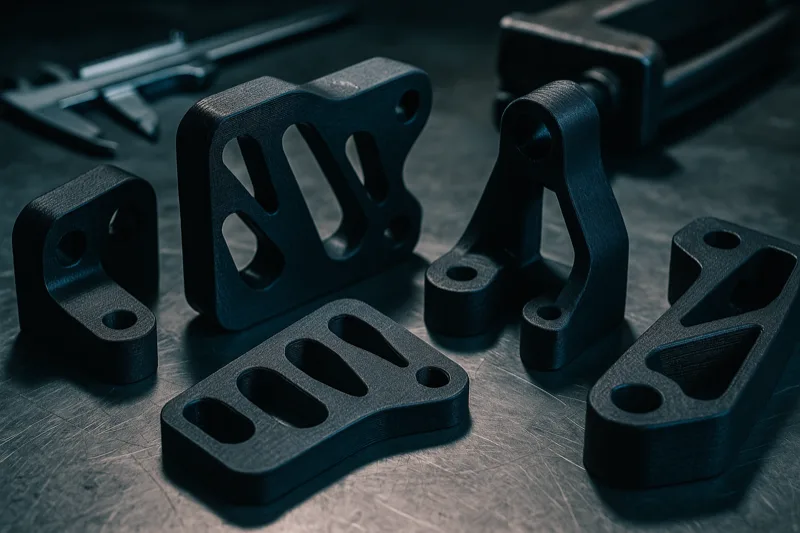
I’ve spent years breaking 3D printed parts on purpose. Twisting them, hitting them with hammers, dangling weights from them until they crack.
Partly because I genuinely like smashing things. But mostly because I wanted to figure out which filaments can actually handle real abuse. The gap between a part that holds and one that explodes is often just a matter of which spool was on the printer.
Most “strongest filament” lists just regurgitate manufacturer data sheets. That’s not what this is.
I’ve ranked these 10 materials based on real tensile strength data, impact testing, and hands-on experience across way too many projects. Every material here was judged by how it actually performs once it’s off the printer - not by whatever optimistic number the spec sheet claims.
If you need a part that won’t let you down, this guide will steer you to the right material. Let’s get into it.
Understanding Filament Strength
Before we rank anything, let’s get one thing straight: “strength” isn’t a single number. A filament can be incredibly tough in one way and shockingly weak in another.
I’ve seen forum posts where somebody picked carbon fiber nylon because it had the highest tensile number they could find - then watched the part shatter the first time they dropped it. Carbon fiber adds stiffness, not impact toughness. Totally different problem, totally different material.
Getting this stuff straight upfront will save you from buying the wrong filament for your project.
Four key metrics define how strong a printed part actually is. Understanding them keeps you from grabbing a material that aces one test but bombs the one you actually care about.
Here’s what each one means, with real numbers so you can compare properly.
Tensile Strength (MPa)
This is how much pulling force a material handles before it snaps apart. Measured in megapascals (MPa), and it’s the number most people picture when they hear “strong.”
For reference, standard PLA sits around 37-50 MPa. Polycarbonate hits 55-75 MPa. Industrial PEEK can blow past 100 MPa.
Higher MPa means a part holds more load before it fractures. This is the metric you care about most for brackets, mounts, and anything under constant tension.
But here’s the thing - 3D printed tensile strength is always lower than injection-molded tensile strength for the same material. Layer lines create built-in weak points, especially along the Z-axis.
Realistically, expect your prints to hit about 60-85% of the data sheet tensile rating. That gap shrinks with good print settings (higher temps, more walls, slower speeds) and gets worse with rushed prints running default profiles.
Tensile strength is tested using dog-bone shaped specimens pulled apart in a testing machine. You can actually print these test pieces yourself and check them with a bathroom scale and some basic math if you want to verify your settings are dialed in.
Impact Strength (kJ/m²)
Impact strength is about how well a material handles sudden, sharp forces without cracking. Think dropping a part on concrete or a gear tooth slamming into an unexpected jam.
Measured in kilojoules per square meter (kJ/m²). Standard PLA scores a sad 3-5 kJ/m², which explains why PLA parts shatter like glass on impact.
Nylon and polycarbonate? They’re up at 30-80+ kJ/m². Good luck cracking those with a single hit.
If your part needs to survive drops, vibrations, or sudden jolts, this number matters way more than tensile strength. Too many people obsess over tensile ratings and end up with parts that can hold static weight all day but explode the moment they hit the floor.
The relationship between tensile and impact isn’t linear either. Some materials score high on tensile but low on impact (carbon fiber composites), while others do the reverse (TPU).
That’s exactly why you need to know which type of strength your specific use case actually demands.
Flexural Strength (MPa)
Flexural strength is resistance to bending. Put force on a beam supported at both ends, and flexural strength tells you when it’ll snap.
It’s different from tensile because the forces are distributed differently. A material can have great tensile strength but terrible flexural strength if it’s brittle.
Carbon fiber composites tend to crush it here, with flexural ratings around 100-150+ MPa.
For clips, snap-fit enclosures, and anything that bends during normal use, flexural strength is what you should be checking. Same goes for shelf brackets, cantilever designs, and parts that stick out unsupported from a wall mount.
Most filament manufacturers don’t list flexural strength on their product pages, but you can usually find it in their technical data sheets (typically a PDF link buried somewhere on their site). Worth the extra click before you start a project where bending is the main concern.
Heat Deflection Temperature (HDT)
HDT tells you when a material starts going soft and warpy under load at higher temperatures. Measured in degrees Celsius under a standardized load (usually 0.45 MPa or 1.8 MPa).
PLA fails at a pathetic 50-60C, meaning a part left in a hot car is basically toast. ABS holds to about 90-100C. Polycarbonate pushes past 120-140C.
If your part will ever see heat - from friction, sunlight, electronics, whatever - HDT is what keeps it from becoming a melted blob.
Here’s a practical benchmark: the inside of a car on a summer day can easily hit 60-80C. PLA dashboard mounts will warp. ABS will be fine. Polycarbonate won’t even flinch.
Always think about the actual temperature extremes your part will face in the real world.
The two standard HDT tests (0.45 MPa and 1.8 MPa load) spit out different numbers for the same material. Always check which test is being reported.
The 0.45 MPa number is always higher and gets listed more often, but the 1.8 MPa number is more conservative and closer to how things actually perform.
Glass transition temperature (Tg) is a related spec you’ll see on data sheets. It’s where the material goes from rigid to rubbery, and it’s always lower than HDT.
Quick rule of thumb: assume your part starts getting soft about 5-10C below whatever HDT is listed.
Also, printed parts can warp well below their official HDT if they’re under constant load. A PLA part under continuous compression might start warping at 45C, even though the data sheet says 55C.
Always leave yourself a temperature buffer.
Strength Comparison Table
| Rank | Material | Tensile Strength | Impact Resistance | Print Difficulty | Best For |
|---|---|---|---|---|---|
| 1 | Polycarbonate (PC) | 55-75 MPa | Very High | Hard | Maximum strength builds |
| 2 | Nylon (PA) | 40-85 MPa | Very High | Hard | Gears & functional parts |
| 3 | PA-CF (Carbon Fiber Nylon) | 70-110 MPa | Moderate | Hard | Stiff, lightweight structures |
| 4 | PETG-CF (Carbon Fiber PETG) | 55-65 MPa | Moderate | Moderate | Rigid parts, easy to print |
| 5 | ABS | 35-50 MPa | Moderate | Moderate | Heat-exposed parts |
| 6 | ASA | 40-55 MPa | Moderate | Moderate | Permanent outdoor use |
| 7 | PETG | 45-55 MPa | High | Easy | Strong everyday parts |
| 8 | PLA+ (PLA Pro) | 45-60 MPa | Moderate | Very Easy | Fast, strong prototypes |
| 9 | TPU (75D Shore) | 30-50 MPa | Very High | Moderate | Shock-absorbing parts |
| 10 | PEEK | 90-120 MPa | High | Very Hard | Aerospace & medical grade |
1. Polycarbonate (PC) - Strongest Overall
Polycarbonate is king. Full stop. This is the same material in bulletproof glass, riot shields, and aircraft canopies - and those applications exist for a very good reason.
With tensile strength from 55-75 MPa and impact resistance north of 60 kJ/m², PC parts absorb punishment that would shatter anything else on this list. I’ve printed PC brackets that held over 50 lbs of static load without even flinching.
HDT sits around 120-140C, so PC parts don’t care about hot environments. That’s more than double PLA’s limit, and well above ABS and PETG.
Engine bay mounts, electronics enclosures near heat sources, outdoor fixtures baking in direct sun - none of that phases polycarbonate. I’ve had PC parts sitting on a running stepper motor for months with zero warping.
Printing it isn’t easy though. You need a nozzle at 260-310C, a bed at 100-130C, and an enclosed build chamber. Not optional.
Without an enclosure, warping and delamination will wreck your part’s strength. Learned this the hard way on my first PC print - watched a 6-hour job peel right off the bed at hour four because my open-frame printer couldn’t hold a consistent ambient temp.
Bed adhesion can be a pain too. PEI sheets and Magigoo PC adhesive on glass give me the best results.
Hairspray works okay for small stuff, but anything bigger than 100x100mm really needs proper PC adhesive. Costs more than a can of Aqua Net, but it eliminates those random mid-print detachments that can ruin a 10-hour build.
The other headache is moisture. PC isn’t as thirsty as nylon, but it still needs to stay dry.
Printing wet polycarbonate creates steam bubbles between layers that absolutely kill part strength.
I dry my PC at 80C for 4-6 hours before every print session. The difference in surface quality and layer bonding between dried and undried PC is impossible to miss.
For the filament itself, I’ve had great luck with Polymaker PolyMax PC. It’s formulated for better impact resistance than standard PC and prints more consistently than most brands I’ve tried.
The PolyMax version uses a nano-reinforcement tech that Polymaker says bumps impact resistance by up to 10x over standard PC filaments. In my testing, the toughness difference versus generic PC brands is legit.
If your printer can handle it, polycarbonate gets you the closest thing to injection-molded strength from a desktop machine. It’s not the friendliest material to work with, but nothing else touches it for raw strength.
Layer fan settings matter here too. Most PC guides say run the part cooling fan off or at very low speed (10-20%).
Cranking the fan cools layers too fast, which wrecks the bond between them.
Some printers marketed as “polycarbonate capable” technically reach the nozzle temps but don’t have real enclosed chambers. If your chamber isn’t holding at least 45-50C ambient, expect warping and delamination on anything larger than a calibration cube.
One thing I’ve noticed across multiple PC brands: print speed matters more than most people think. Slower speeds around 30-40mm/s give layers extra bonding time and produce significantly stronger parts than running at 60-80mm/s.
For max-strength PC, patience is non-negotiable.
Flexural strength sits around 90-100 MPa, meaning it resists bending almost as well as pulling. For brackets and mounting hardware, that combo is exactly what you want.
PC really earns its spot with mechanical jigs, structural brackets, tool handles, and any part where failure isn’t an option. If you’re building something that carries loads or lives in harsh conditions, start here.
One more thing: polycarbonate is naturally transparent in its raw form. Ever looked through a clear riot shield? That’s PC.
Some brands sell transparent PC filament, which can be handy for light guides and indicator windows on functional parts.
2. Nylon (PA) - Toughest All-Rounder
Nylon (polyamide) is what I reach for when a part needs to survive real-world abuse over a long period. Tensile strength ranges from 40-85 MPa depending on the grade, but where nylon really shines is fatigue resistance and raw toughness.
Where polycarbonate is stiff and unyielding, nylon has just enough give to absorb energy without cracking. Impact strength sits at 30-80+ kJ/m², meaning nylon parts bend before they break.
I’ve printed nylon hinges that went through 10,000+ cycles with no visible wear.
HDT depends on grade. Standard PA6 holds to about 70-80C, while PA12 stretches up to 90-100C.
Not as impressive as PC, sure, but more than enough for most functional parts. And unlike polycarbonate, nylon keeps its toughness at those higher temperatures instead of turning brittle.
Nylon’s secret weapon is its low friction coefficient. Gears, bushings, sliding mechanisms, bearing surfaces - they all perform beautifully in nylon.
I’ve printed replacement gear trains in nylon that actually outlasted the original injection-molded parts. The self-lubricating properties mean these moving parts run smoother and quieter than stock, even without grease.
Chemical resistance is another big plus. Nylon handles oils, greases, fuels, and plenty of industrial chemicals without breaking down.
That makes it a great fit for automotive, workshop, and industrial settings where other plastics would fall apart.
Now for the bad news: moisture absorption. Nylon is seriously hygroscopic. Leave a spool out for a day or two and you’ll hear it popping and crackling from steam as it prints.
You need a filament dryer or a sealed drybox. No exceptions.
Wet nylon doesn’t just look bad - it prints weak. Moisture creates micro-voids between layers that slash tensile strength by 20-30%.
I’ve tested this directly by printing the same part with freshly dried vs. two-day-exposed nylon. The dry version was measurably stronger in every direction.
Print settings call for 240-270C at the nozzle and 60-80C on the bed. An enclosed chamber helps a lot with warping, though it’s less critical than with PC.
For adhesion, PEI works well, as does a glue stick on glass. Some folks swear by Garolite (G10/FR4) build surfaces, and honestly the adhesion is insanely strong.
Fair warning though - nylon bonds so well to Garolite that you can rip up your build plate pulling parts off if you don’t wait for full cooldown.
Speed-wise, I get my best nylon results at 40-50mm/s for walls and 50-60mm/s for infill.
Pushing faster tends to produce stringing and weak layer bonds, especially with higher-grade PA6 filaments.
I’ve been running Taulman Alloy 910 Nylon for years and it’s still my go-to. It’s a co-polymer that splits the difference between standard nylon and polycarbonate, with tensile strength around 82 MPa and excellent layer adhesion.
That slight flex in nylon parts is actually an advantage in many cases. Parts that deal with vibrations or repeated loading last way longer in nylon than in rigid stuff like PC or carbon fiber composites.
Different nylon grades behave pretty differently too, so know your options. PA6 has the highest strength but drinks the most moisture.
PA12 is easier to print with less warping and lower moisture pickup, but not quite as strong. Co-polymers like the Taulman 910 split the difference.
If you want a budget-friendly way to try nylon, OVERTURE Nylon puts up respectable numbers at a lower cost per spool. Good way to get your nylon settings dialed in before spending on specialty grades.
Post-processing nylon is straightforward. Sands well, takes dyes easily, and bonds with cyanoacrylate (super glue) or epoxy.
You can also anneal parts at 70-80C to bump up crystallinity and improve both strength and heat resistance.
For gears, snap-fit enclosures, cable clips, living hinges, and anything that needs to flex without snapping, nylon is the right choice. It’s harder to print than PETG or PLA, but the results justify the extra work.
3. Carbon Fiber Nylon (PA-CF) - Stiffest
Carbon fiber nylon composites are what you get when you take an already strong base material and pack it with chopped carbon fibers. The result? The stiffest filament you can run on a desktop machine, with tensile strength pushing 70-110 MPa.
PA-CF filaments contain roughly 10-20% short carbon fibers in a nylon matrix. Those fibers add massive rigidity and dimensional stability while reducing the warping and moisture problems that plague regular nylon.
There’s a weight advantage too. Carbon fiber is lighter than nylon, so the composite ends up roughly 10-15% lighter than solid nylon at the same volume.
For weight-sensitive stuff like drone parts, that reduction is a big deal.
Flexural strength is where PA-CF absolutely dominates. At 100-150 MPa, it beats every other desktop filament by a wide margin.
If you need a part that simply cannot flex or deflect under load, this is your material.
The trade-off? Reduced impact resistance compared to pure nylon. Those carbon fibers add stiffness but also brittleness.
Impact strength drops to around 8-15 kJ/m², so PA-CF parts can crack under sharp sudden forces where pure nylon would just flex and bounce right back.
Heat resistance gets a solid bump too. Most PA-CF filaments hold shape up to 130-160C depending on the nylon base, putting them well above standard nylon and on par with polycarbonate.
Dimensional stability across temperature swings also improves. Carbon fibers have near-zero thermal expansion, which counteracts nylon’s tendency to grow and shrink with temperature changes.
Your parts hold their exact dimensions across a wide temp range.
Printing PA-CF requires a hardened steel nozzle. Not optional.
Those carbon fibers will eat through a brass nozzle in just a few prints, widening the bore and trashing your dimensional accuracy. A 0.4mm hardened nozzle runs about $15 and lasts practically forever.
Nozzle temps sit around 260-290C, bed at 70-100C. An enclosed chamber is strongly recommended.
You still need to keep the filament dry, though PA-CF absorbs less moisture than pure nylon. The carbon fibers reduce total nylon content per unit volume, which naturally cuts down on moisture uptake.
Still hygroscopic. Just less annoyingly so.
Print speed should stay moderate at 30-45mm/s. Carbon fibers add viscosity to the melted filament, and going too fast causes underextrusion or inconsistent layers.
Slow and steady wins the strength race here.
My top pick is Polymaker PolyMide PA6-CF. The PA6 base gives it higher strength than PA12-CF alternatives, and print quality is consistently great when you keep it dry.
For drone frames, jigs, fixtures, tooling, and structural parts that need to be stiff and light, PA-CF is unbeatable. Just don’t use it for anything that’ll take sudden impacts - grab pure nylon or PC for that.
Surface finish on PA-CF has this distinctive matte black look that honestly looks great. The carbon fibers give prints a professional, almost machined appearance right off the bed.
No painting or finishing needed for most uses.
If you want a different price point, eSUN ePA-CF is a solid alternative at a lower cost per spool. Not quite as strong as the Polymaker PA6-CF, but it prints reliably and the stiffness jump over standard nylon is still dramatic.
One practical tip: keep your first PA-CF prints small and simple. Dial in temperature and retraction on a test cube before committing to a 12-hour structural part.
Saves a lot of wasted filament and swearing.
If you want the carbon fiber look without the difficulty of PA-CF, keep reading. The next material might be a better fit.
4. Carbon Fiber PETG - Strong and Easy
Carbon fiber PETG splits the difference between the extreme stiffness of PA-CF and the easy printability of standard PETG. You get tensile strength of 55-65 MPa with noticeably better rigidity than regular PETG, and it’s way more forgiving to print than carbon fiber nylon.
The 10% short carbon fiber content adds stiffness and dimensional stability without making the material brittle. Impact strength sits around 15-20 kJ/m² - lower than pure PETG but still respectable.
Parts feel rigid and solid, with a nice matte black finish. That matte texture hides layer lines better than glossy filaments too, so your parts look cleaner even at thicker layer heights.
HDT lands around 70-80C, a step up from standard PETG’s 65-75C. Won’t survive extreme heat, but for most functional use at room temp and slightly above, it’s plenty.
The carbon fibers also cut down on thermal expansion, so parts hold tighter tolerances across temperature swings than straight PETG. Handy for precision assemblies and jigs.
The big win over PA-CF? You don’t need an enclosed printer. PETG-CF prints beautifully on open-frame machines at 240-260C nozzle temp with a 70-80C bed.
Warping is minimal, and bed adhesion is easy on PEI or blue tape.
You’ll still need a hardened steel nozzle for the carbon fibers. Non-negotiable with any CF composite.
But beyond that hardware swap, PETG-CF prints almost as easy as standard PETG.
Moisture sensitivity is way lower than PA-CF too. PETG is naturally less hygroscopic than nylon, so even the carbon fiber version doesn’t demand the obsessive dry storage that nylon composites need.
A sealed bag with desiccant between prints usually does the trick. I’ve left PETG-CF spools sitting out for a week in moderate humidity and still gotten good prints - something that would absolutely destroy a spool of PA-CF.
I’ve had consistently solid results with SUNLU Carbon Fiber PETG. Fiber distribution is even, stringing is minimal, and the matte finish looks professional straight off the bed.
Weight-wise, the carbon fiber content makes PETG-CF roughly 10-15% lighter than standard PETG at the same dimensions. Meaningful reduction for drone parts, camera mounts, and portable tool fixtures.
One thing I really appreciate about PETG-CF is how much less it warps compared to nylon composites. Where PA-CF can curl off the bed if your chamber temp isn’t right, PETG-CF sticks reliably and stays flat.
That predictability saves hours of troubleshooting, honestly.
Print speed can be a bit higher than PA-CF too. I comfortably run 40-50mm/s with great results, compared to the 30-40mm/s I need for nylon composites.
Faster prints, easier setup, less frustration.
The material won’t accept acetone smoothing like ABS, but the matte carbon fiber finish looks good enough that you don’t really need post-processing. For bonding parts together, standard CA glue or two-part epoxy grabs PETG-CF surfaces just fine.
For anyone who wants a real strength upgrade from regular PETG without jumping into the deep end of nylon composites, carbon fiber PETG is the smart middle ground. It’s the material I recommend most often to people who want strong, rigid parts without a brutal learning curve.
5. ABS - The Classic Workhorse
ABS (Acrylonitrile Butadiene Styrene) has been the default strength material since desktop 3D printing was born. Its tensile strength of 35-50 MPa isn’t the highest on this list, but it earns its ranking through sheer versatility and heat resistance.
HDT of 90-100C is what keeps ABS relevant even now. LEGO bricks, automotive interior parts, power tool housings - all ABS, for exactly this reason.
Your prints can handle the same environments.
Impact strength sits around 15-30 kJ/m² depending on settings, which puts it solidly in the moderate range. ABS can take reasonable hits without cracking, though it’s noticeably less tough than nylon or PC.
Glass transition temperature is about 105C, giving it real thermal headroom over PLA and PETG. Parts keep their shape in environments where those materials would go soft and useless.
The killer feature? Acetone vapor smoothing. Exposing your print to acetone fumes melts the surface layers together, sealing gaps between layer lines and creating a smooth, glossy finish.
This isn’t just cosmetic either - vapor smoothing measurably increases part strength by eliminating layer boundaries as weak points. The surface essentially fuses into one continuous shell instead of stacked layers.
Free strength boost from a chemical that costs a few bucks a bottle. Hard to argue with that.
Printing ABS needs 220-260C at the nozzle and 90-110C on the bed. An enclosed printer makes a massive difference.
ABS contracts as it cools, and without an enclosure, that thermal gradient causes the legendary warping and corner lifting that gives ABS its reputation.
Ventilation matters too. ABS gives off styrene fumes during printing, and you don’t want to be breathing that stuff.
An enclosed printer with an air filter, or at bare minimum a well-ventilated room, is important. For regular long ABS prints, look into a HEPA + activated carbon filter system.
Your lungs will thank you.
For the filament, SUNLU ABS gives you consistent results at a fair price. Dimensional accuracy is tight, and the black especially prints with minimal issues.
ABS is still a solid pick for parts needing moderate strength and heat resistance without the premium of PC or nylon. Automotive parts, electrical enclosures, anything near a heat source - all great ABS territory.
The material’s been around forever, which means there’s a massive community knowledge base for troubleshooting. Whatever problem you hit, someone’s already fixed it and posted the solution online.
ABS also bonds brilliantly to itself using acetone as a solvent weld. Brush a thin layer on two mating surfaces, press together, and you get a bond nearly as strong as the part itself.
Makes multi-piece assemblies practical in ways other materials can’t match.
For larger prints, ABS warping can be managed with an 8-10mm brim and a heated chamber at 45-60C. Getting these settings nailed transforms ABS from “frustrating” to “reliable,” and the heat resistance payoff makes learning it worthwhile.
Flexural strength runs about 60-75 MPa, which is respectable. Combined with excellent machinability (drills, taps, and sands beautifully), ABS remains a legitimate engineering material despite all the newer options.
6. ASA - ABS but Better
ASA (Acrylonitrile Styrene Acrylate) is basically ABS’s upgraded cousin. Tensile strength of 40-55 MPa with one massive bonus - UV resistance.
ABS degrades and yellows in sunlight. ASA doesn’t care.
The chemistry difference is that ASA swaps ABS’s butadiene rubber component for an acrylic rubber. That swap makes ASA naturally stable against UV radiation, so printed parts can sit outdoors for years without turning chalky, yellow, or brittle.
Standard ABS shows visible UV degradation within 3-6 months of sun exposure. ASA, under accelerated weathering testing, keeps its mechanical properties through the equivalent of 5+ years outdoors.
That gap is huge.
Impact strength is comparable to ABS at 15-25 kJ/m², and HDT is slightly higher at 95-110C. On every measurable spec, ASA matches or beats ABS while throwing in weather resistance for free.
I’ve had ASA parts mounted outside - camera housings, sensor enclosures, garden markers - that look basically identical after two full years of sun, rain, and temperature swings. That kind of durability just isn’t possible with ABS, PLA, or PETG.
Even PETG, which does okay outdoors short-term, goes brittle and chalky after 6-12 months of UV. ASA was specifically built to resist this, making it the only real option for permanent outdoor installations.
Print settings are nearly identical to ABS. Nozzle at 240-260C, bed at 90-110C, enclosed chamber strongly recommended.
ASA warps, though in my experience it’s a bit more predictable than ABS warping.
Same fume concerns apply. ASA releases styrene during printing just like ABS, so ventilation is a must.
An enclosed printer with a carbon filter is the ideal setup for both.
I’ve been running Polymaker PolyLite ASA for all my outdoor projects. Layer adhesion is excellent, UV stability does exactly what it promises, and it takes acetone vapor smoothing just like ABS.
If you’re printing anything that’ll live outside, ASA is the obvious choice. Using ABS for exterior parts when ASA exists at only a slight price premium just doesn’t make sense.
Outdoor electronics housings, garden tools, vehicle accessories, signage - all natural ASA territory.
The only time I’d pick ABS over ASA is if price is the absolute top priority and the part will never see the sun. Every other scenario, ASA wins.
One underappreciated ASA property is dimensional stability in changing weather. Parts don’t swell or shrink with humidity changes the way nylon does.
For precision outdoor fixtures where dimensions need to stay consistent, that’s a real benefit.
Flexural strength sits around 65-80 MPa, slightly edging out ABS. Layer adhesion tends to be very good, making ASA parts strong in the Z-axis where 3D prints are typically weakest.
Color retention is another ASA win. ABS prints fade and yellow after months in the sun. ASA holds its color impressively well.
If you’re making parts that need to look presentable outdoors for years, aesthetics matter almost as much as strength.
Water resistance is strong with ASA too. It doesn’t absorb moisture easily, so parts keep their dimensions and mechanical properties even through prolonged rain, humidity, and morning dew.
Big advantage over nylon for outdoor work.
7. PETG - Best Strength-to-Ease Ratio
PETG (Polyethylene Terephthalate Glycol) hits the sweet spot most people are actually searching for - genuinely strong parts without the printing headaches of engineering filaments. Tensile strength at 45-55 MPa is stronger than ABS and not far behind polycarbonate.
Impact resistance is where PETG really overperforms. At 30-50 kJ/m², it’s in nylon territory for absorbing sudden forces.
I’ve dropped PETG parts on concrete from waist height with zero damage. ABS would crack. PLA would shatter.
HDT of 65-75C isn’t amazing, but it handles most indoor applications. Just don’t leave PETG parts in a hot car or near an oven.
For room temperature through about 60C, PETG is perfectly fine. That covers the vast majority of indoor functional printing - workshop tools, desk organizers, equipment mounts, cable management.
Printing PETG is almost as simple as PLA. Nozzle at 220-250C, bed at 70-80C, no enclosure needed.
Runs great on open-frame machines with just a PEI surface or blue tape. Actually, PETG bonds almost too well to PEI - use a glue stick as a release agent unless you want to rip chunks of PEI off the bed removing your print.
Chemical resistance is a hidden advantage. PETG handles oils, solvents, and weak acids without breaking down.
Great for tool holders, chemical-adjacent applications, and food-related items (with food-safe certified brands).
The downside? Stringing. PETG loves to leave thin whiskers between travel moves.
Dialing in retraction helps, and a quick pass with a heat gun cleans up the rest. It’s cosmetic, not structural.
I typically run 5-7mm retraction at 40mm/s on Bowden, or 2-3mm on direct drive, and that kills most of the stringing.
Most of my functional parts are printed in Hatchbox PETG. Consistently reliable, dimensionally accurate, and the price per kilo is very competitive.
I’ve gone through dozens of spools without a single bad batch.
PETG has a slight flex to it, which helps with impact resistance. Parts have a small amount of give before they crack, unlike rigid materials that just fail without warning.
Makes PETG ideal for phone cases, tool organizers, and parts that occasionally take accidental bumps.
Layer adhesion with PETG is exceptionally strong, giving printed parts great Z-axis strength compared to other easy-to-print materials. I’ve had parts fail in the infill rather than along layer lines, which tells you how well the layers actually fuse.
PETG is also naturally translucent in clear formulations. Handy for light diffusers, indicator windows, and anything where you want to see inside.
Not many other engineering-grade materials offer that.
Shelf life for PETG spools is excellent too. Way less hygroscopic than nylon or even ABS, so spools stored in a reasonably dry spot stay printable for months without a dryer.
That convenience factor really adds up.
Creep resistance is one of PETG’s less-talked-about strengths. Under sustained static loads, PETG deforms less over time than PLA or ABS.
Great for shelf brackets, hooks, and wall-mounted organizers that hold weight 24/7.
For the vast majority of functional printing where you need real strength but don’t want to fight your printer, PETG is the answer. It’s the filament I tell everyone to try when they’re stepping up from PLA and want something tougher.
8. PLA+ (PLA Pro) - Strongest Easy-Print
PLA+ (also called PLA Pro) is standard PLA that’s been toughened with impact modifiers and additives to fix PLA’s biggest flaw - it shatters. Tensile strength jumps to 45-60 MPa, and impact resistance increases roughly 5-10x over regular PLA.
Standard PLA breaks like a ceramic mug when it fails. PLA+ bends and flexes first, which is a massive improvement for anything functional.
I’ve printed PLA+ clips that flex open and snap shut over and over without cracking - totally impossible with standard PLA. The failure mode shifts from “brittle” (snapping without warning) to “ductile” (bending and deforming first), making it far safer and more predictable.
Print settings are basically the same as regular PLA. Nozzle at 200-220C, bed at 50-60C, no enclosure, barely any warping.
If you can print PLA, you can print PLA+ with zero adjustment. You can literally swap in a PLA+ spool and start printing with your existing PLA profile.
No tuning required. The material is that forgiving.
Heat resistance is still PLA’s Achilles heel. HDT sits around 50-60C, same as regular PLA.
PLA+ parts can warp on a hot dashboard, near a sunny window in summer, or sitting on top of warm electronics. You can push HDT up to about 80-90C by annealing (baking at 60-70C for an hour), but expect slight dimensional changes from the process.
Surface quality and detail match regular PLA, which means they’re excellent. PLA+ prints come out crisp, clean, and need almost no post-processing.
For prototypes and display-quality functional parts, it’s really hard to beat.
Cost is only marginally higher than standard PLA - typically $2-4 more per kilo. For the strength bump you get, that’s a ridiculous value.
Honestly, there’s no good reason to buy regular PLA anymore. Every major filament brand has a PLA+ now, and they all outperform standard PLA by a noticeable margin.
It’s become my default suggestion for anyone buying their first spool.
My go-to is OVERTURE PLA Pro (PLA+). The tangle-free winding actually works, dimensional accuracy is within 0.02mm, and the toughness improvement over standard PLA is instantly obvious when you try flexing a printed part.
PLA+ is what I recommend for anyone who wants stronger prints without changing a single thing about their setup. Same profiles, same bed surface, same temps - just measurably better parts.
Bridging performance matches standard PLA, which means it’s excellent. Makes it viable for overhangs and complex geometries that would need supports in fussier materials.
The environmental angle is a nice bonus too. PLA+ comes from renewable resources like corn starch, making it biodegradable under industrial composting conditions.
If sustainability matters to you, it’s one of the few strong filaments with a green story.
Color selection with PLA+ is just as wide as standard PLA. Every color under the sun, plus special finishes like matte, silk, and marble.
None of the engineering filaments higher on this list come in anything besides black, white, and natural.
Dimensional accuracy of PLA+ prints is excellent, typically within 0.1-0.2mm of the CAD model. That precision makes it viable for prototyping mechanical assemblies where parts need to fit together before committing to something more expensive.
For quick prototypes, jigs, organizers, tool holders, and any indoor part that doesn’t see extreme heat, PLA+ gives you great strength with zero headaches. It’s the pragmatic choice for 90% of printing.
9. TPU (High Shore) - Strongest Flexible
TPU (Thermoplastic Polyurethane) at 75D Shore hardness is the toughest thing you can print when surviving abuse is the whole point. Tensile strength at 30-50 MPa isn’t the headline number here - impact resistance is. Many TPU formulations literally can’t be broken by standard impact testing machines.
The 75D Shore rating means this isn’t the soft, squishy TPU you’d use for phone cases. It’s a rigid-flex material that feels like hard rubber.
Think work boot soles or power tool bumpers. Flexes under extreme force, then springs right back to its original shape.
At rest it feels almost rigid. Hit it hard enough and it shows its true nature, absorbing energy that would destroy any brittle filament on this list.
Abrasion resistance is another TPU superpower. NinjaTek’s data shows 90% higher abrasion resistance than nylon and 84% better than PLA.
For parts that grind against other surfaces - rollers, wheels, conveyor guides - nothing lasts longer.
Fatigue resistance is essentially infinite for any practical purpose. I’ve printed TPU vibration dampeners that ran continuously for months with zero degradation.
The material just absorbs energy and keeps going. Kind of amazing, honestly.
Elongation at break is another standout. Rigid filaments break at 3-10% elongation. 75D TPU? It stretches to 300-500% before it fails.
That extreme elongation is what makes it basically impossible to break with sudden impacts.
Printing high-shore TPU is more forgiving than the softer grades. At 75D, the filament is stiff enough for Bowden tube setups, though direct drive still gives better results.
Nozzle at 210-240C, bed at 40-60C. Some people skip the heated bed entirely and just use blue painter’s tape.
I still run a heated bed at 50C for consistency, but it’s one of the few materials where cold works fine.
Print speed matters a lot here. Go too fast and you’ll get underextrusion or filament buckling in the feed path.
I keep it at 20-30mm/s for the first layer and 30-40mm/s after that. Patience pays off with clean, strong parts.
Rushing TPU is the fastest route to a clogged extruder and a ruined print.
The best rigid TPU I’ve used is NinjaTek Armadillo TPU (75D Shore). Specifically designed as a rigid, abrasion-resistant material rather than a bendy one.
Layer adhesion is superb, and the finished parts feel nearly indestructible.
TPU isn’t right when you need stiffness or precise dimensional accuracy under load. It’ll deform under sustained compression where rigid materials won’t.
But for absorbing impacts, damping vibrations, and resisting wear? Nothing else is even close.
Retraction settings need careful attention to avoid jams. I run 0.5-1.5mm retraction distance on direct drive, or disable it entirely on Bowden setups.
Less is more - aggressive retraction tangles the soft filament in the feed path.
Layer adhesion is one of TPU’s underrated strengths. The material bonds to itself incredibly well, so Z-axis strength is much closer to XY-axis strength than with rigid filaments.
Orientation matters less for TPU, which simplifies your print planning.
Post-processing TPU is limited but doable. Doesn’t sand well (the rubber surface gums up sandpaper), but you can trim flash with a sharp blade and it takes paint reasonably well with a flexible primer coat.
Perfect for protective bumpers, phone cases, robot wheels, vibration mounts for electronics, and any part that needs to absorb punishment over and over. It’s a specialty material, but it fills a gap nothing else can.
10. PEEK - Industrial Beast
PEEK (Polyether Ether Ketone) sits at the absolute top of the polymer food chain. Tensile strength of 90-120 MPa - it outperforms every other printable plastic and starts competing with some metals.
This is genuine aerospace and medical-grade stuff.
HDT is staggering - 150-250C depending on crystallinity. PEEK parts can operate in environments that would melt everything else on this list combined.
Automotive engine parts, industrial machinery, aerospace brackets - all PEEK territory.
Chemical resistance is equally wild. PEEK shrugs off nearly every solvent, acid, and chemical compound except concentrated sulfuric acid.
For harsh chemical environments, it’s often the only polymer that works. Industrial process equipment, chemical handling fixtures, lab tooling - they all lean on PEEK’s near-total chemical inertness.
Impact strength at 40-80 kJ/m² is surprisingly high for something this rigid. Combined with the tensile and flexural numbers, PEEK offers a property combination nothing else printable can match.
Flexural modulus hits 3.5-4.5 GPa, putting it in the same stiffness range as some aluminum alloys. For weight-sensitive jobs where metal would be too heavy, PEEK is a real alternative at roughly 1/5th the density.
Here’s the catch: printing PEEK needs a specialized high-temperature printer. Nozzle at 380-420C, bed at 150-200C, controlled chamber at 120-160C.
Standard desktop printers can’t even come close.
PEEK-capable printers start around $10,000-15,000 and go way up from there. The filament itself runs $300-500+ per kilo versus $20-30 for most other materials.
This isn’t a hobby material. It’s a serious engineering investment.
The printing process is slow and demanding. Layer adhesion needs precise chamber temperature control throughout the entire print.
Even small temp fluctuations can cause delamination that turns an expensive, multi-hour print into scrap.
Some service bureaus will print PEEK for you if you only need a few pieces. Can be way more cost-effective than buying a PEEK printer, especially for one-offs or prototyping.
I’m including PEEK because it genuinely is the strongest printable filament, and you should know it exists. But unless your project truly demands aerospace-grade mechanical properties, the cost just doesn’t add up.
Polycarbonate or PA-CF will handle 95% of high-strength use cases at a fraction of the price.
Medical implants, aerospace components, race car parts, specialized industrial tooling - that’s where PEEK earns its keep. If you’re in one of those fields, you probably already have access to the right printer.
PEEK is also inherently flame retardant, hitting UL 94 V-0 ratings without any additives. That makes it one of the safest polymer choices near heat sources or where fire resistance is a regulatory must.
Biocompatibility is another win. It’s one of the few printable polymers cleared for permanent medical implants.
Spinal fusion cages, dental implants, joint replacements - all made from PEEK.
Radiation resistance is excellent too, making it viable for nuclear and space applications where other polymers degrade. This is the kind of material you find in satellite components and particle accelerator fixtures.
If PEEK intrigues you but the investment scares you, look into PEKK and PPSU. They’re slightly cheaper high-performance polymers that share some of PEEK’s properties while printing at somewhat lower temps (360-380C).
Still specialty materials, but the barrier to entry is a bit less extreme.
For everyone else, think of PEEK as the ceiling for 3D printed plastics. It’s proof that FDM technology can produce genuinely industrial-strength parts when the materials science catches up.
How to Maximize Print Strength
Picking the right filament is only half the battle. How you actually print matters just as much.
I’ve seen identical parts in the same material come out 50% different in strength based purely on slicer settings and orientation.
Seriously - I’ve watched a PLA+ part with optimized settings outperform a polycarbonate part with lazy defaults. Happened in my shop more than once. Settings matter that much.
Here’s what makes the biggest difference.
Increase Wall Count
More perimeter walls mean more solid material on the outside, where stress concentrates most. The standard 2-wall default is fine for decorative stuff, but structural parts need 3-4 walls minimum.
For truly critical parts, I’ll crank it to 5 or even 6 walls. Gets you close to a solid part in many geometries, but the outer shell where stress peaks is rock solid.
Going from 2 walls to 4 typically bumps tensile strength by 25-40%. Extra material means more print time and filament cost, but for functional parts, it’s the single most impactful setting you can change.
In Cura it’s called “Wall Line Count.” In PrusaSlicer it’s “Perimeters.”
Either way, set it to 4 for anything structural. Some default profiles use just 2 walls, which is dangerously thin for anything load-bearing.
Optimize Infill Pattern
Not all infill patterns are created equal for strength. Gyroid infill distributes force evenly in all directions, making it my top pick for general-purpose strong parts.
The three-dimensional wave structure creates interlocking load paths that resist force from any direction. It also prints faster than most patterns because it avoids the sharp direction changes that slow down your print head.
Cubic is the second-best option, then grid. Avoid lines/rectilinear for structural parts since it only gives strength in two directions.
At 40-60% infill density with gyroid, you’ll get roughly 80% of a solid part’s strength at a fraction of the weight and cost.
Diminishing returns kick in though. Going from 20% to 50% is a huge strength jump.
Going from 80% to 100% barely changes anything but doubles your remaining print time. I’ve found 50-60% to be the practical ceiling for most projects.
Adjust Layer Height
Thicker layers make stronger Z-axis bonds. A 0.3mm layer height produces noticeably stronger parts than 0.1mm because each layer has more material bonding to the one below.
Seems backwards to a lot of people who assume finer layers are always better. For visual prints, sure.
For strength? Go thick.
The extra volume of molten plastic in each thick layer creates a larger fusion zone where hot filament bonds to the cooled layer beneath. Bigger fusion zone means a stronger weld between layers.
For structural parts where surface finish doesn’t matter, I print at the max layer height my nozzle allows (roughly 75% of nozzle diameter). On a 0.4mm nozzle, that’s 0.28-0.32mm.
The strength improvement in the weakest axis is real.
There’s a counterintuitive exception though: for PA-CF where carbon fibers need to lay flat, slightly thinner layers (0.15-0.2mm) can actually produce stronger XY-axis results because the fibers align better. Test with your specific material.
Control Print Temperature
Hotter nozzle temps create better inter-layer bonding. Printing at the upper end of your filament’s recommended range typically produces stronger parts than the lower end.
This effect is especially noticeable with engineering filaments like nylon and PC, where a 10C difference can mean 15-20% better layer adhesion.
The trade-off is slightly more stringing and oozing at higher temps. For functional parts, I’ll gladly accept a little extra cleanup for better bonding.
Just don’t go so hot you get thermal degradation or blob city. Every filament has a sweet spot, usually about 5-10C below its maximum recommended temp.
Print a temperature tower to find the exact setting that gives you the best layer adhesion without artifacts.
Orient Parts Strategically
3D printed parts are always weakest along the Z-axis where layers bond. A part can lose 50-70% of its strength when force hits perpendicular to the layer lines instead of parallel.
Think about how your part will actually experience stress, then orient it so layer lines run parallel to the main load direction. Sometimes this means printing in a weird orientation, but the strength gain justifies it.
Use supports where needed to make it work. If a bracket is going to hang from a bolt and hold downward weight, print it so layers stack along the bolt axis, not perpendicular to it.
That one decision can double the part’s load capacity.
For complex parts with multiple load directions, sometimes the best move is splitting the design into two pieces that each print in their optimal orientation, then bonding them together. Two well-oriented pieces epoxied or bolted together will be stronger than one piece printed in a compromise orientation.
Consider Annealing
Annealing is a post-print heat treatment that increases crystallinity in semi-crystalline materials like PLA and nylon. Dead simple - just bake your print at a specific temperature for 1-2 hours.
For PLA, annealing at 60-70C for an hour can increase tensile strength by roughly 40% and give a meaningful heat resistance boost. Nylon parts benefit from annealing at 70-80C.
The downside is slight dimensional warping, so anneal before doing any precision fitting.
A kitchen oven works fine, but be precise with temperature. Grab an oven thermometer to verify the actual temp, since most ovens are off by 5-15 degrees.
Place parts on a flat surface inside to maintain shape during the process.
PC and PEEK can be annealed at higher temps for even greater crystallinity gains. But for most people, PLA and nylon annealing gives the best return on effort.
One warning: don’t anneal ABS or ASA. These are amorphous, not semi-crystalline, so annealing doesn’t increase their crystallinity.
Heat treatment just causes uncontrolled warping with no strength payoff. Stick to acetone vapor smoothing for those.
Choosing the Right Filament for Your Project
Matching the right material to your use case matters more than just picking the “strongest” thing. I’ve watched people wrestle with polycarbonate for parts that PLA+ would’ve handled just fine - wasting time, money, and sanity for zero practical benefit.
Here’s a quick decision guide based on what you’re actually making.
Mechanical parts and gears need fatigue resistance and low friction. Nylon wins here, hands down.
It’ll outlast everything else in moving assemblies with repeated loading.
Structural brackets and mounts need high tensile strength and stiffness. Polycarbonate is the go-to for max hold, with PA-CF as the pick if stiffness matters more than impact resistance.
Outdoor fixtures and housings need UV resistance above everything else. ASA is the only material on this list built for outdoor exposure.
Everything else will degrade in sunlight over months.
Quick functional prototypes need to be strong enough to test but fast to iterate. PLA+ prints in minutes with zero hassle and has plenty of strength for validation testing.
Chemical exposure applications need something that won’t dissolve or swell. PETG handles a broad range of chemicals, oils, and solvents, making it the default for chemical-adjacent parts.
Flexible but tough parts that absorb impacts and vibrations need TPU. No rigid material can do what high-shore TPU does for energy absorption and wear resistance.
Aerospace and medical applications with extreme temperature and chemical requirements need PEEK. Only go this route if your use case genuinely demands it and the equipment investment makes sense.
Robot and RC car parts take a beating from crashes, vibration, and constant use. TPU bumpers plus nylon structural parts is a killer combo - absorbs impacts while keeping rigidity where it counts.
Electronics enclosures need heat resistance and dimensional stability. ABS and ASA both work great, with ASA being the pick if the enclosure sits outdoors.
For extra heat tolerance near power supplies or motors, polycarbonate is the safer bet.
Automotive interior replacements need heat resistance for summer sun baking through windows. ABS handles this at 90-100C HDT, and ASA works if the part gets direct UV.
PLA and PETG will both deform on a hot dashboard - don’t go there.
Plumbing and water-contact parts need chemical resistance and some flex. PETG is FDA-approved in its base resin form and handles water exposure without degrading.
For pressurized water applications, nylon’s fatigue resistance gives it the edge.
Hinges, latches, and snap-fits need to flex thousands of times without cracking. Nylon is the champion of living hinges and fatigue resistance.
PLA+ works for low-cycle situations (under 100 cycles), but anything flexing repeatedly needs nylon.
Tooling and manufacturing jigs need dimensional stability under repeated use. PA-CF’s extreme stiffness and low thermal expansion make it ideal for precision jigs holding tight tolerances over hundreds of uses.
Polycarbonate works too when impact resistance is a concern.
Here’s my general rule: start with the easiest material that meets your requirements, and only step up when you genuinely need the extra performance.
Engineering filaments are impressive, but they cost more and take more effort on every single print.
A Note on Filament Blends
Don’t sleep on blended filaments. PC-ABS combines polycarbonate’s strength with ABS’s easier printability.
PC-PETG offers similar benefits with even better chemical resistance.
These blends won’t hit pure polycarbonate’s peak numbers, but they’re dramatically easier to print successfully. And here’s the reality - a blend printed well at 80% of pure PC strength beats a pure PC print that warped and delaminated at 40% of its potential.
HTPLA (high-temperature PLA) is another interesting one. Prints like regular PLA but can be annealed to push HDT above 120C.
The annealing step needs more dimensional compensation than standard PLA annealing, but the results are impressive for such an easy-to-print base material.
I keep spools of PC-ABS and HTPLA in my shop for situations where I need “better than PETG” performance but don’t feel like firing up the enclosed printer and drying filament for a full polycarbonate or nylon session.
Blends are also a great way to test if your printer can handle engineering materials. If PC-ABS prints well on your machine, pure polycarbonate will probably work too with some tuning.
Use blends as a proving ground before committing to the harder stuff.
For most people doing functional printing at home, PETG covers about 60% of use cases, nylon handles another 25%, and polycarbonate takes the remaining extreme 15%. The other materials fill specific niches that come up less often but are good to know about.
If you’re not sure which material to try first, ask yourself three questions: What’s the max temperature the part will see?
What kind of forces will it face - sustained load, sudden impact, or repeated flexing? And does your printer have an enclosed chamber?
Those three answers narrow you down to one or two materials instantly.
Frequently Asked Questions
Polycarbonate, assuming your printer has an enclosed chamber and can hit 260-310C nozzle temps. If you top out around 250C, nylon or carbon fiber PETG are your best bets. On a basic open-frame machine, PLA+ is the strongest thing you'll print reliably.
Stiffer, yes. Stronger in raw tensile terms? Not always. Carbon fiber nylon has more rigidity and better dimensional stability than plain nylon, but the impact resistance actually drops a bit. It really comes down to what kind of strength your project needs.
Oh yeah. Jumping from 20% to 100% infill can triple a part's strength - but it also triples material use and print time. For most structural parts, 40-60% infill with gyroid or cubic pattern is the sweet spot between strong and practical.
PLA+ (PLA Pro) blends are way tougher than standard PLA right out of the box. You can also anneal regular PLA prints by baking them at around 60-70C for an hour, which bumps up crystallinity and adds roughly 40% more strength. Expect some slight dimensional changes though.
Depends on what you mean by stronger. Nylon has better impact toughness and fatigue resistance, so it's harder to crack with repeated stress. Polycarbonate has higher tensile strength and more stiffness. If the part needs to absorb hits without breaking, go nylon. If it needs to resist deformation under load, go PC.
For polycarbonate and nylon, absolutely - an enclosed chamber stops the warping and delamination that tank your part strength. ABS and ASA benefit from enclosures too. PETG, PLA+, and carbon fiber PETG all do fine on open-frame machines.
PETG takes it in tensile strength (around 50 MPa vs 40 MPa for ABS) and it's much harder to crack on impact. ABS handles heat better and you can smooth it with acetone. But for pure strength numbers, PETG wins.
Huge difference. 3D printed parts are weakest along the Z-axis where layers bond together - we're talking 50-70% weaker with force applied perpendicular to layer lines. Always orient prints so the strongest axis lines up with where the stress will hit.
Final Thoughts
There’s no single “strongest” filament because strength depends entirely on what you’re asking the part to do. Polycarbonate wins raw tensile strength.
Nylon wins toughness and fatigue resistance. Carbon fiber composites win stiffness.
TPU wins impact absorption. Different jobs, different winners.
The strongest part is the one that doesn’t fail in the specific way your application demands. That’s it.
My practical advice after breaking more test prints than I’d like to admit: start with PETG for general-purpose functional parts, step up to nylon or PC when PETG falls short, and save the specialty materials for when you have a specific engineering need. Those three cover 95% of real-world applications.
And don’t forget - print settings matter almost as much as material choice. A well-printed PLA+ part with 4 walls and 50% gyroid infill will beat a sloppy polycarbonate print with 2 walls and 15% rectilinear every single time.
Spend time dialing in your slicer settings for strength before jumping to a harder material. Get wall count, infill pattern, layer height, and orientation right first.
Those fundamentals apply to every material and make everything you print stronger, regardless of what’s on the spool.
If you’re just getting into functional printing, our getting started guide covers the basics of setting up your printer. You’ll also want to check out the must-have accessories for tools that make engineering filaments easier to work with - especially a filament dryer and hardened nozzles.
And if you’re shopping for a printer that can handle the tougher materials, our list of the best 3D printers under $1,000 includes several enclosed options that’ll print PC and nylon right out of the box.


