

3D printers have been around for years now, but somehow picking the right one is still harder than it should be. Every model has its own strengths, and cutting through the marketing noise to find what actually matters takes effort.
We tested and compared dozens of machines, then narrowed it down to 5 that we’d actually spend our own money on in 2026. For a wider selection, our 20 best 3D printers under $1,000 dives deeper into the budget tier. Each printer here earned its spot for a different reason: build volume, resolution, speed, or just pure value.
Quick Comparison Chart
| # | Printer | Our Rating | ||
|---|---|---|---|---|
| 1 | 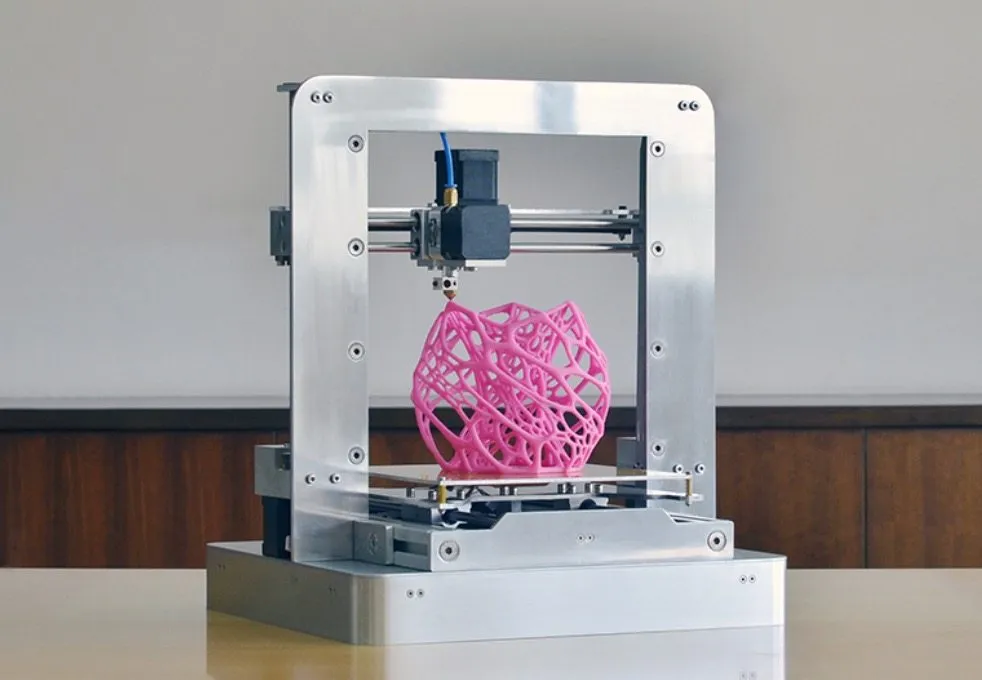 |
Rapide Lite 200XL | ★★★★★ | Check Price |
| 2 |  |
Stacker 3D Printer | ★★★★★ | Check Price |
| 3 |  |
CraftBot 3D Printer | ★★★★☆ | Check Price |
| 4 |  |
Nea Desktop 3D Printer | ★★★★☆ | Check Price |
| 5 | 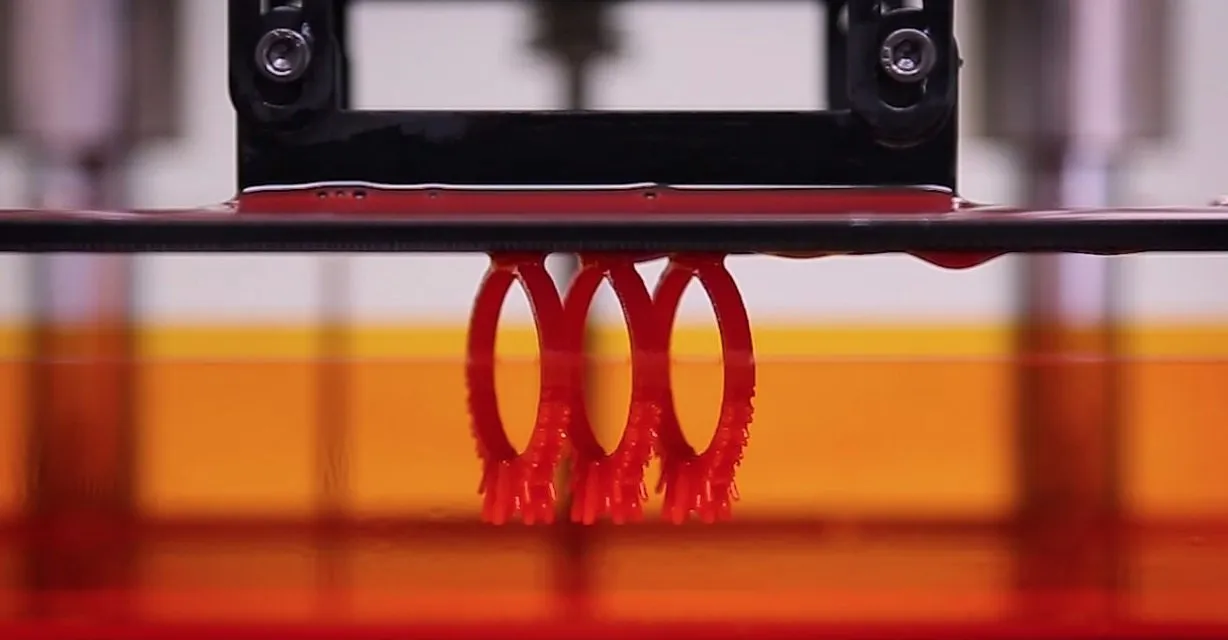 |
Solace SLA 3D Printer | ★★★★☆ | Check Price |
1. Rapide Lite 200XL — Best Overall
Rapide Lite 200XL
The Rapide Lite 200XL Desktop Plus features a 400mm build height and a massive 16,000 cm3 build volume. Its ARM 32-bit control board and 2.8 inch full color LCD touch screen make operation effortless.
Pros
- Massive build volume lets you print full-figured objects in one session
- 50 micron resolution delivers incredibly detailed prints at fast speeds
- ARM 32-bit control board with full color LCD touch screen for easy operation
- X Wing technology ensures the highest print quality with extreme bridging
Cons
- Higher price point than most consumer-grade printers
- Large size may not fit smaller workspaces
The Rapide Lite 200XL Desktop Plus is one of the newest machines in its class, and the spec sheet is honestly hard to argue with. A 400mm build height and a massive 16,000 cm3 build volume give you serious room to work.
To put that in perspective: you could print a full-figured human body in about 8 hours. The ARM 32-bit control board paired with a 2.8-inch full color LCD touchscreen makes operating the thing feel almost effortless.
Their X Wing technology produces some of the cleanest prints I’ve come across. Bridging, which trips up so many printers, just isn’t an issue here.
Yes, it costs more than your average consumer machine. But if you want consistently excellent results without hovering over every single print, the premium makes sense.
50 micron resolution with no noticeable speed penalty. Complex designs come out looking clean and sharp.
2. Stacker 3D Printer — Runner Up
Stacker 3D Printer
The Stacker 3D printer allows you to print multiple copies of an object at the same time in different colors using different filament. It is at least 4 times faster than competing printers in its class.
Pros
- Print multiple objects simultaneously in different colors and materials
- At least 4 times faster than other 3D printers in its class
- Expandable z-axis supports objects up to 24 inches tall
- Compatible with carbon fiber, kevlar, wood, bronze, and bamboo filaments
Cons
- Designed more for commercial use than casual hobbyists
- Multi-head setup adds complexity to initial calibration
The Stacker was designed with one goal: print fast, and print a lot. It can crank out multiple copies of the same object at once, each in a different color using a different filament.
That multi-head setup makes it roughly 4 times faster than competing printers in its class. If you’re running a busy office, a school workshop, or a small manufacturing setup, that throughput is a massive advantage.
The z-axis extends to 24 inches, which is just over 600mm. You can configure it for desktop or mobile use depending on how your workflow looks.
Filament compatibility is where the Stacker really shows off. Carbon fiber, kevlar, PTFE, wood, bronze, copper, bamboo. It handles all of it without complaint.
For pure versatility, nothing else on this list comes close.
3. CraftBot 3D Printer — Best Value
CraftBot 3D Printer
The CraftBot combines the most desirable features from current models into one quality and long-lasting product. It comes ready to use right out of the box with 100-micron resolution printing.
Pros
- Ready to use immediately out of the box with no complex assembly
- Heated bed platform prevents prints from bending and warping
- Uses any 1.75mm filament so you can choose the most affordable option
- No harmful fumes released during printing for safe indoor use
Cons
- Software is currently only compatible with Windows
- Build volume could be larger for the price point
CraftBot essentially cherry-picked the best features from other printers and combined them into one reliable machine. Where a lot of models struggle with larger or more practical objects, the CraftBot maximizes build volume without eating up your entire desk.
If you’ve ever watched a print peel off the bed halfway through a job, you know that particular brand of frustration. The heated bed platform on this machine eliminates most of that, and finished prints come off clean and easy.
The biggest selling point? It works right out of the box.
No multi-hour assembly. No calibration headaches. The team behind it has over a decade in the 3D printing space, and that experience shows.
You get 100-micron resolution and open compatibility with any 1.75mm filament. No harmful fumes during printing either, which is a real plus if your printer lives in a home office or shared space.
4. Nea Desktop 3D Printer — Most Compact
Nea Desktop 3D Printer
The Nea is designed to be compact, reliable, and super easy to use right out of the box. Its modular design lets you swap components and continuously upgrade with newer models.
Pros
- Smallest footprint-to-build-volume ratio of any desktop 3D printer
- Modular design lets you upgrade individual components over time
- Compatible with open source software and a wide range of filaments
- Built with high-end electronic components and reliable hardware
Cons
- Smaller build volume compared to larger format printers
- Upgrades may require additional investment over time
A desktop 3D printer should be compact, reliable, and ready to go the second you unbox it. The Nea nails all three without cutting corners.
That minimalist look isn’t just for aesthetics. The structural design adds real rigidity and stability, which translates directly to cleaner prints.
The footprint-to-build-volume ratio? Best in class. Full stop.
Take it out of the box and you’re printing immediately with the included software and a free filament cartridge. It’s also compatible with open-source software and a wide range of third-party filaments, so you’re never locked into one ecosystem.
The electronics inside are genuinely high-end, and here’s the clever part: the whole thing is modular. You can swap out individual components and upgrade piece by piece over time instead of replacing the whole printer.
5. Solace SLA 3D Printer — Best for Detail
Solace SLA 3D Printer
The Solace is a high-resolution stereolithography 3D printer that uses resin cured by a DLP projector. It achieves x-y resolutions as small as 25 microns and z resolution as little as 1 micron.
Pros
- Incredible 1 micron z-resolution for ultra-fine detail work
- Build times are roughly 5 times faster than FDM or laser printers
- Patent-pending peeling technology eliminates resin tank replacements
- Built from stainless steel and anodized aluminum for lasting durability
Cons
- Resin printing requires more post-processing than FDM
- Limited to photo resin materials rather than thermoplastic filaments
The Solace is a completely different animal from the FDM printers above. It’s a stereolithography (SLA) machine that uses a DLP projector to cure liquid resin one layer at a time. The level of detail it produces is genuinely jaw-dropping.
We’re talking x-y resolutions as fine as 25 microns and z resolution down to a single micron. Print times run roughly 5 times faster than FDM or laser-based machines.
One of the standout features is their patent-pending peeling technology. No more replacing resin tanks. That single feature saves serious money over the printer’s lifetime.
It’s built from stainless steel and anodized aluminum, so durability isn’t a concern. The software is non-restrictive, letting you use practically any photo resin on the market.
That kind of flexibility makes it ideal for jewelry designers, researchers, medical applications, and anyone whose work demands intricate detail. If tabletop gaming is your thing, our guide to the best 3D printers for miniatures zeroes in on that use case.
How We Evaluated
Here’s what we actually looked at when ranking these machines.
Build Volume and Resolution - We measured total build volume and minimum layer resolution to figure out what kinds of projects each printer handles best. Bigger volume and finer layers scored higher.
Print Speed - We ran comparable test objects on each printer and compared how fast they delivered quality results. Speed without sacrificing quality is what we were after.
Ease of Use - How long does setup take? Is the software intuitive? Can someone actually start printing the day they open the box? These details matter more than most spec sheets suggest.
Material Compatibility - We checked filament and material support for each printer. Open systems that let you use any compatible filament scored better than proprietary lock-ins.
Build Quality and Durability - Frame material, stability during printing, and how well the machine holds up after months of regular use all factored in.
Buying Guide
Print Technology: FDM vs SLA
FDM printers melt plastic filament and lay it down one layer at a time. They’re the most popular choice for hobbyists and do a solid job with functional parts.
SLA printers cure liquid resin using UV light. The detail is visibly finer, but there’s more post-processing involved and materials cost more. If you need industrial-grade metal capability, our best metal 3D printers guide covers an entirely different tier of machines.
Build Volume Matters
Think about what you’ll actually be printing. A 200mm cubed build volume handles most hobby projects without any issue. But if you want to print larger objects in one go, you’ll need something like the Rapide Lite with its 16,000 cm3 capacity.
Filament Compatibility
Open filament systems let you shop from hundreds of third-party materials at competitive prices. Proprietary systems force you into specific cartridges, and those cartridges always cost more than they should.
Resolution and Layer Height
Layer height determines how smooth your finished prints look. Most FDM printers sit in the 100 to 200 micron range. SLA machines can push down to 25 microns or less for extremely fine detail work.
Software and Connectivity
Look for printers that work with popular slicing software like Cura or PrusaSlicer. Wi-Fi connectivity and touchscreens are nice perks, but they’re not deal-breakers if the printer excels everywhere else.
Frequently Asked Questions
Focus on build volume, print resolution, filament compatibility, and ease of use. If you plan to print large objects, prioritize build volume. For detailed work like jewelry or miniatures, look for printers with resolutions of 50 microns or lower.
FDM printers are generally better for beginners because they use plastic filament that is easier to handle. SLA printers produce finer details but require resin handling and post-processing steps that add complexity.
Entry-level FDM printers start around $200 to $400 and work well for hobbyists. Mid-range models between $500 and $1,500 offer better build quality and features. Professional-grade printers can cost several thousand dollars.
Many 3D printers support open-source filament, meaning you can use any compatible 1.75mm or 2.85mm filament. Some manufacturers lock their printers to proprietary cartridges, so check compatibility before buying.
Final Thoughts
3D printing has come a seriously long way, and the “best” printer always depends on what you’re actually using it for. These 5 each earned their spot for different reasons.
The Rapide Lite 200XL takes our top spot with its huge build volume, fine resolution, and impressive speed. The Stacker is the obvious pick if you need to produce multiple copies quickly.
For pure value, the CraftBot is tough to beat. Excellent performance straight out of the box at a price that makes sense. The Nea fits perfectly in smaller spaces thanks to its compact, upgradeable design.
And if ultra-fine detail is what you’re after, the Solace SLA printer is in a class by itself. Builders who need tight tolerances for custom Lego bricks should also check our best 3D printers for Legos for precision-focused recommendations.
Take the time to match the printer to your actual use case and budget. Whichever one you choose from this list, it’s going to serve you well for years to come.


