

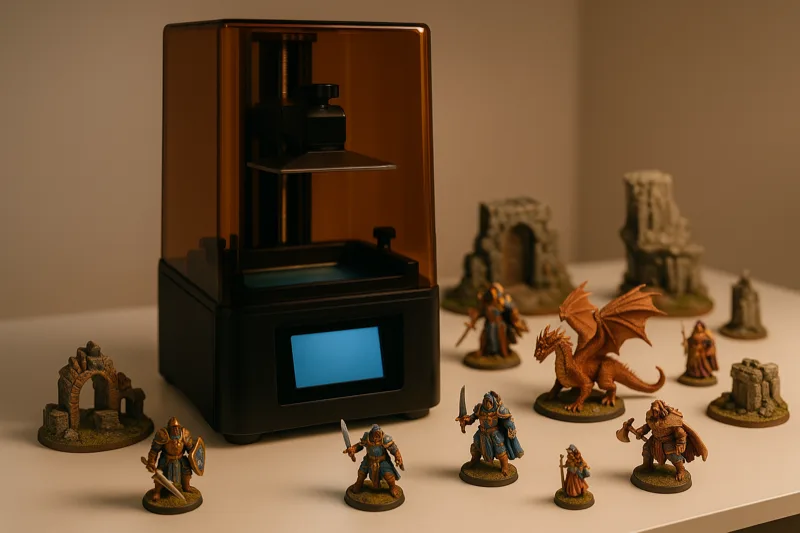
A few years ago, printing minis at home meant getting blobby, layer-lined figures that barely resembled the sculpt file. Not anymore.
Today’s resin printers resolve detail so fine you can make out individual chainmail links on a 28mm knight. FDM has caught up enough to produce playable figures too, though resin still wins handily on raw detail.
I’ve been running print after print on these 10 machines for months - heroes, full army batches, terrain, the works. These are the ones that actually hold up.
Quick Comparison Chart
| # | Printer | Our Rating | ||
|---|---|---|---|---|
| 1 |  |
Elegoo Mars 5 Ultra | ★★★★★ | Check Price |
| 2 |  |
Anycubic Photon Mono M7 Pro | ★★★★★ | Check Price |
| 3 |  |
Creality HALOT-MAGE S 14K | ★★★★★ | Check Price |
| 4 |  |
Elegoo Saturn 4 Ultra | ★★★★★ | Check Price |
| 5 | 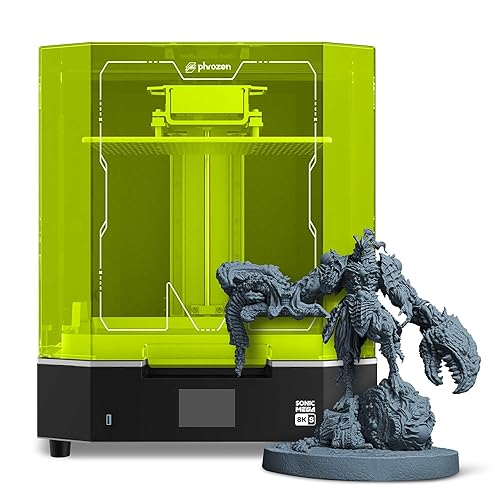 |
Phrozen Sonic Mega 8K S | ★★★★★ | Check Price |
| 6 |  |
Anycubic Photon Mono 2 | ★★★★★ | Check Price |
| 7 |  |
Bambu Lab A1 Mini | ★★★★★ | Check Price |
| 8 | 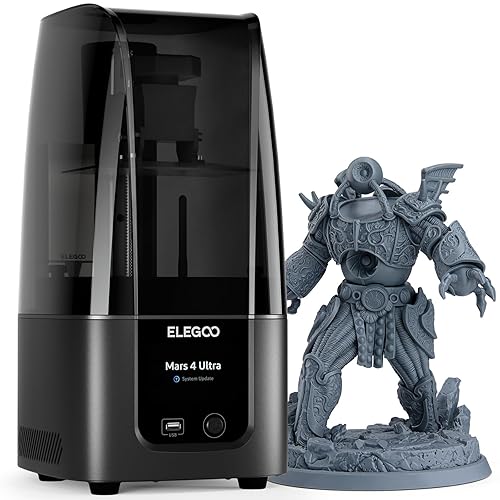 |
Elegoo Mars 4 Ultra | ★★★★★ | Check Price |
| 9 |  |
Anycubic Photon Mono M5s | ★★★★★ | Check Price |
| 10 |  |
Creality Ender-3 V3 | ★★★★★ | Check Price |
1. Elegoo Mars 5 Ultra — Best Overall
Elegoo Mars 5 Ultra
My go-to resin printer. 9K screen at 18-micron XY, auto-leveling that actually works, WiFi file transfer, and an AI camera that'll catch failed prints before you waste a vat of resin.
Pros
- 18-micron XY resolution picks up absurdly fine detail on miniatures
- Auto-leveling means you never have to mess with bed calibration again
- WiFi and cluster printing let you manage multiple machines from your desk
Cons
- Build volume won't cut it for larger terrain pieces
- You'll still need decent ventilation for the resin fumes
This one sits at the top for a simple reason - it printed the sharpest minis of anything I tested. That 9K screen at 18-micron XY means every sword hilt, belt buckle, and facial expression comes through perfectly clean.
I had it running within about 15 minutes of opening the box. Auto-leveling just works, and WiFi file transfer means no more digging around for USB drives every time I want to start a print.
The AI camera turned out to be way more useful than I expected. It watches your print in real time and flags failures early, so you’re not wasting four hours of resin on a figure that popped off the plate.
Speed tops out around 150mm/h, which puts a full plate of 28mm figures at under two hours. Nothing else here matches the overall package of detail, convenience, and reliability.
2. Anycubic Photon Mono M7 Pro — Runner Up
Anycubic Photon Mono M7 Pro
14K resolution at 16.8-micron XY with Anycubic's LighTurbo 3.0 light engine. Prints at 170mm/h and has smart temperature control that keeps resin at the right temp all night.
Pros
- 14K at 16.8-micron XY - some of the sharpest mini detail you can get right now
- LighTurbo 3.0 engine spreads UV light evenly so edges cure just as clean as center prints
- 170mm/h speed knocks out full build plates quicker than most of the competition
Cons
- Costs more than a lot of the other resin printers on this list
- Anycubic's slicer software takes some getting used to if you're new
14K resolution on miniatures is something else. At 16.8-micron XY, this printer resolves stuff that lower-res machines just smudge - individual teeth on a gear, the weave pattern on a cloak, that kind of thing.
The LighTurbo 3.0 light engine uses Fresnel lenses and front-facing reflectors to keep UV exposure tight and even. What that means in practice is your minis at the edges of the plate cure just as cleanly as the ones in the middle.
I didn’t think the smart temperature control would matter much. Wrong. It keeps resin at the right temp throughout the print, which saved me from layer adhesion headaches during cold nights in my garage workshop.
At 170mm/h, it’s fast. So why isn’t it number one? Price, mostly. And Anycubic’s slicer just isn’t as intuitive as what Elegoo offers.
3. Creality HALOT-MAGE S 14K — Best Resolution
Creality HALOT-MAGE S 14K
The pixel count on this thing is wild - 13320x5120 on a 10.1-inch mono LCD. Built-in carbon air purifier, dual linear rails, and 150mm/h speed.
Pros
- 14K resolution at 13320x5120 pixels creates stupidly detailed miniatures
- Built-in activated carbon purifier actually makes a noticeable dent in resin smell
- Dual linear rails lock the Z-axis tight for dead-on layer accuracy
Cons
- The 10.1-inch screen is generous but build height feels a bit short
- Speed-release film wears out and needs swapping if you print a lot
If pure resolution is your priority, the HALOT-MAGE S 14K is the one to look at. That 13320x5120 pixel screen on a 10.1-inch display gives you absurdly fine detail across a surprisingly big build area.
The built-in carbon air purifier is a feature I wish every resin printer stole. It won’t kill the smell completely, but it tones it down enough that running this in a home office isn’t miserable.
Creality’s Dynax+ mode hits 150mm/h with no visible quality drop. The dual linear rails on the Z-axis play a big role there - they keep the build plate tracking straight even at faster speeds, so you’re not trading accuracy for time.
Here’s something you might overlook: the Pictor speed-release film cuts peel forces by around 35%. Less peel force means less stress on fragile features during layer separation. Fewer snapped swords and broken staffs.
4. Elegoo Saturn 4 Ultra — Best Large Format
Elegoo Saturn 4 Ultra
The army printer. 12K resolution on a big 10-inch screen with tilt-release tech, smart tank heater, and WiFi. Pack 20+ minis onto a single plate.
Pros
- That 10-inch build area fits dozens of minis per session - it's absurd
- Tilt-release peel cuts suction forces way down for cleaner layer separation
- Smart tank heater keeps resin at the right temp so you don't have to babysit it
Cons
- Eats up way more desk space than a standard resin printer
- A failed print wastes a lot of resin with that oversized vat
This is the printer for people who think in warbands, not individual heroes. That 10-inch build plate handles 20 to 30 standard 28mm miniatures per run, easy. And the 12K resolution means they all come out sharp.
The tilt-release tech is genuinely clever. Instead of pulling straight up to peel each layer off the FEP, the plate tilts. Way less suction force, way fewer failed prints on those delicate swords and cloaks.
I’ve grown to love the smart tank heater more than I expected. Cold resin cures like garbage, and instead of warming my workshop first or waiting around, this machine just handles it. One less thing to worry about.
If you run a painting service or you’re fielding armies across multiple game systems, this keeps up with your output. WiFi and AI camera monitoring are nice bonuses for those overnight batch prints where you’d rather sleep than babysit.
5. Phrozen Sonic Mega 8K S — Best for Batch Printing
Phrozen Sonic Mega 8K S
This thing is a production monster. 15-inch 8K screen, 43-micron XY resolution, and enough build area to crank out 80+ minis in one go.
Pros
- 15-inch build plate fits 80+ miniatures per session - not a typo
- 8K at 43-micron XY still resolves fine detail perfectly well on tabletop figures
- ACF film and high-speed mode slash production times significantly
Cons
- Price tag is steep enough to scare off casual hobbyists
- You'll burn through a lot of resin filling that enormous vat
Absolute unit. That 15-inch build plate fits 80+ miniatures on a single print, and Phrozen says you can do a full plate of 1/32 scale models in under 90 minutes.
Yes, 43-micron XY is lower than the 14K and 9K printers above. But here’s the honest truth - at normal tabletop distance, you can’t tell the difference on 28mm figures. It’s sharp enough for tournament-quality minis without question.
The ACF film is a real step up from standard FEP. Lasts longer, peels cleaner, and handles the insane suction forces that come with printing on a plate this big.
This isn’t for the person printing one hero a week. It’s for Patreon creators, Etsy sellers, and the lunatic building a 200-model Warhammer army. Once you factor in the volume, cost per mini drops to basically nothing.
6. Anycubic Photon Mono 2 — Best Budget Resin
Anycubic Photon Mono 2
The cheap way into resin printing that doesn't feel cheap. 4K+ mono screen, LighTurbo matrix for even cures, and it's dead simple to set up.
Pros
- Cheapest resin printer here and the quality trade-off is surprisingly small
- 4K+ resolution prints clean minis that look solid at normal gaming distance
- LighTurbo matrix spreads light evenly so your whole plate cures right
Cons
- Lower resolution struggles on super intricate sculpts with tiny details
- Small build plate limits how many minis you can batch per print
Not sure resin printing is your thing? Don’t want to blow a bunch of money finding out? This is where you start. Cheapest resin printer on the list, and the minis still look great on a gaming table.
The 4K+ screen won’t match a 9K or 14K for ultra-fine detail. But set two minis side by side at normal tabletop distance - one from this printer and one from a machine that costs twice as much - and you’d struggle to tell them apart.
The LighTurbo matrix keeps UV exposure even across the whole build plate. Sounds like a small thing, but uneven light means your center prints cure fine while edge prints come out soft and mushy.
If you’re printing your first D&D party or just dipping your toes into the hobby, this is the move. Low barrier to entry, good community support, and you’ll have solid minis within your first week of printing.
7. Bambu Lab A1 Mini — Best FDM Option
Bambu Lab A1 Mini
Best FDM option if you don't want to deal with resin. Full auto calibration, multi-color AMS support, and flow compensation that squeezes every last bit of detail from filament.
Pros
- AMS multi-color lets you print minis with different colored sections in one shot
- Active flow compensation gets the tightest dimensional accuracy I've seen on FDM
- Zero resin mess, no fumes, no chemicals - just load filament and go
Cons
- FDM layer lines still show up on 28mm figures if you look close
- The AMS system costs extra on top of the base printer
Look, not everybody wants to mess with liquid resin. I get it. The stuff is messy, it smells, and you need gloves and ventilation. If that’s you, the A1 Mini is the FDM option to grab.
What separates this from other FDM printers is Bambu’s active flow compensation. It adjusts filament extrusion on the fly, which tightens up dimensional accuracy and kills most of those blobby artifacts that make FDM minis look rough.
The real fun trick is multi-color printing with the AMS Lite. Picture a knight with a blue tabard, silver armor, and brown boots - printed in one session with no painting. Wild, right?
Layer lines still show if you look close, and 28mm detail can’t touch resin. But for bigger figures, terrain, and anyone who’d rather skip the chemical circus entirely, this is the right call.
8. Elegoo Mars 4 Ultra — Best Mid-Range
Elegoo Mars 4 Ultra
Same 9K resolution as the Mars 5 Ultra but at a lower price point. 7-inch screen, WiFi, and ACF release film. Great value if you don't need the newest bells and whistles.
Pros
- 9K resolution at a mid-range price and your minis look just as sharp
- ACF release film peels smoother and lasts longer than standard FEP
- WiFi file transfer so you can ditch the USB drive routine
Cons
- Same build volume as the Mars 5 Ultra but prints slower
- No AI camera monitoring like you get on the newer Elegoo models
Think of this as the Mars 5 Ultra before Elegoo bolted on the AI camera and speed bumps. Same 9K resolution, same sharp minis. The prints are basically identical side by side.
Here’s the question: do you actually need AI print monitoring or cluster printing? If the answer is no, the Mars 4 Ultra saves you real money for the same miniature quality. That’s a pretty easy decision for most hobbyists.
The ACF release film is a welcome upgrade over regular FEP. Smoother peels, longer lifespan, and fewer failures on tiny delicate parts like weapons and antennae.
WiFi lets you push files straight from your slicer. Same 7-inch print area as the Mars 5, and Elegoo’s software is among the most beginner-friendly out there.
9. Anycubic Photon Mono M5s — Best Auto-Leveling
Anycubic Photon Mono M5s
Never level a build plate again. 12K resolution on a 10.1-inch screen, high-speed printing, and Anycubic's leveling-free system that genuinely works as promised.
Pros
- Truly leveling-free - unbox it, pour resin, and start printing
- 12K on a 10.1-inch screen gives you sharp detail with a solid build area
- High-speed mode cranks through big miniature batches noticeably faster
Cons
- The leveling-free tech bumps the price above manual-level competitors
- Anycubic's app can be fussy to connect the first time around
Bed leveling is one of those things that shouldn’t be annoying, yet somehow it always is. The M5s skips it entirely with Anycubic’s leveling-free system. And yeah, it actually works.
Unbox it, pour resin, load a file, print. No paper trick, no fiddling with screws, no re-leveling because you bumped the printer reaching for your coffee. If you print often, you’ll appreciate how much time this saves.
12K resolution on a 10.1-inch screen hits a nice balance. Sharp enough for detailed minis, big enough to fit a respectable batch per plate.
Fair warning - the app setup was a bit of a headache. Took me two tries to get it paired right. After that initial grumble, though, wireless file sending works fine and the printer itself has been totally solid.
10. Creality Ender-3 V3 — Best Budget FDM
Creality Ender-3 V3
The Ender-3 line practically invented budget FDM. This V3 hits 600mm/s with CoreXZ, auto-leveling, 300-degree hotend, and a community that's already optimized every setting imaginable.
Pros
- Massive community means someone's already shared settings for whatever you're printing
- Auto-leveling and direct drive work great straight out of the box
- 300-degree hotend opens up specialty filaments like carbon fiber PLA
Cons
- Layer lines show up on small-scale miniatures no matter what you do
- You'll spend real time tuning slicer settings to get decent mini quality
The Ender-3 line has been millions of people’s first printer, and the V3 is the best version they’ve made. CoreXZ plus 600mm/s speeds means it rips through terrain pieces and scatter faster than anything else at this price.
For actual miniatures, though, expect more tinkering. You’ll want a 0.2mm or smaller nozzle, carefully tuned slicer settings, and slower print speeds to get passable detail at 28mm scale.
The saving grace is the community. Whatever you’re trying to print, somebody’s already figured out the settings. Cura profiles, OrcaSlicer profiles, dedicated Reddit threads for Ender-3 minis - it’s all there waiting for you.
Great pick if you want one machine for terrain, buildings, scatter, larger models, and the occasional miniature. Also works perfectly as a second printer alongside a resin setup for the stuff resin isn’t great at.
Resin vs FDM for Miniatures
I’ll be blunt - resin wins for miniatures, and it’s not close. MSLA resin printers cure full layers at once using a UV LCD screen, which gives you smooth surfaces and sharp edges on even the tiniest sculpt details.
FDM works by pushing melted filament through a nozzle, layer by layer. No matter how thin you go, curved surfaces and small features will show stepping. On a 28mm figure, that’s hard to ignore.
FDM does have real strengths though. No liquid resin to spill, no fumes, no post-processing chemicals, no worrying about uncured resin touching your skin. Pop in a filament spool and print.
Terrain and larger pieces are where FDM shines. Resin printers box you into small build volumes, but FDM machines knock out full dungeon tiles, buildings, and scatter terrain without having to chop everything into tiny sections.
My honest take: if you’re printing 28mm heroes, monsters, and characters you want looking incredible up close, go resin. If terrain, buildings, and larger models are your focus and you’d rather skip the chemical stuff, go FDM. A lot of serious tabletop gamers end up owning one of each.
The price gap has basically collapsed too. Budget resin printers like the Photon Mono 2 cost about the same as a decent FDM machine, so “resin is too expensive” isn’t really an argument anymore.
Buying Guide
Resolution and Detail
This is the spec that matters most for minis. On resin printers, look at XY pixel size - that’s what determines how fine your details get. Under 20 microns is exceptional, 20 to 35 is excellent, 35 to 50 is solid.
FDM resolution comes down to nozzle size and layer height. A 0.2mm nozzle at 0.08mm layers produces passable figures, but honestly, even a cheap 4K resin printer will beat it on surface smoothness.
Build Volume
Be honest with yourself about what you’ll actually print. A 7-inch resin printer fits 8 to 12 standard 28mm minis per plate. For most hobbyists, that’s more than enough.
Printing full army lists or running a small business? Then a 10-inch or bigger machine like the Saturn 4 Ultra or Phrozen Sonic Mega 8K S starts making financial sense. More minis per session, same print time.
Print Speed
Here’s something that trips people up - resin print speed doesn’t change based on how many objects are on the plate. One mini or twenty, same print time, because the whole layer cures at once.
Current resin printers run 100mm/h to 170mm/h with high-speed resins. That puts a full plate of minis at 1 to 3 hours depending on height.
Ease of Use
Auto-leveling is worth paying extra for. Manual leveling means loosening screws, pressing the plate down with a sheet of paper, and praying you nailed it. The Mars 5 Ultra and M5s skip all that.
WiFi file transfer saves more time than you’d think. No more slicing, copying to USB, walking to the printer, plugging it in - just hit send from your desk.
Software and Slicing
You’ll need slicer software to turn 3D models into printable layers. Elegoo has their own (also works with Chitubox and Lychee), Anycubic rolled their own too, and Creality bundles Chitubox Pro.
What matters most for minis is support placement control. Auto-supports are fine for simple models, but a detailed miniature with swords, staffs, and flowing capes needs manual tweaking or you’ll end up with ugly scars on the face and chest.
Post-Processing Requirements
Every resin print needs washing in isopropyl alcohol (or water-washable resin) and UV curing. Adds 10 to 20 minutes per batch, and you’ll need a wash-and-cure station or a DIY rig. Keeping your resin vat clean between prints is just as important if you want consistent results.
FDM? Just snap off supports and maybe sand a bit. No chemicals, no extra equipment. If daily convenience matters to you, this is probably the biggest practical gap between the two technologies.
Post-Processing Tips
Pulling a good print off the plate is only half the job. Post-processing is what separates figures that look homemade from ones that look professional.
Wash resin prints in 99% IPA for 2 to 3 minutes, max. Over-washing makes them brittle and actually erodes fine surface detail. Water-washable resins skip the IPA but still need a proper UV cure after.
Cure after washing and drying. Most stations run 3 to 5 minutes. Lean toward slightly under-curing rather than over - over-cured resin gets brittle and yellows over time.
Support removal on minis is an art form, honestly. Flush cutters as close to the surface as you can, then a hobby knife for the remaining nubs. The real trick is slicing - put supports on the back of the model so the visible surfaces stay clean.
Prime before you paint. Thin coat of grey or white spray primer from Citadel or Vallejo, and paint will stick evenly. For FDM prints this isn’t optional - you need that primer to start smoothing over layer lines.
One more thing for FDM minis: hit them with filler primer before your regular primer. Sand lightly between coats. It makes a massive difference in the final surface quality.
Frequently Asked Questions
Honestly, yes. It's not even close for detail. Resin printers cure full layers with UV light, so you get buttery smooth surfaces and sharp edges that FDM can't touch at 28mm scale. FDM has improved a lot, but you'll still see layer lines on small figures no matter how carefully you tune it.
Aim for at least 4K with an XY pixel size under 50 microns if you're doing 28mm minis. Once you hit 9K or above, you can pick out individual scales on a dragon sculpt. Anything past 8K is more than most tabletop gamers actually need, but man, it looks amazing under a magnifying glass.
Yeah, but don't skip ventilation. Uncured resin puts off fumes you really don't want to breathe, and it'll irritate your skin if you touch it bare-handed. Nitrile gloves, a ventilated room, maybe an air purifier nearby. Honestly, once you've got those basics covered, it's totally manageable.
You'll pay $25 to $40 per liter for standard resin, and one liter goes way further than you'd think with miniatures since they're tiny. FDM filament runs $20 to $30 per kilogram. The math actually favors resin per miniature because each little figure barely uses any material.
Oh, for sure. That's honestly the best part. Resin prints take primer and paint like a dream because they're already smooth. FDM prints need sanding or filler primer first to deal with layer lines. Citadel, Vallejo, Army Painter - any standard acrylic mini paint works perfectly on either.
On resin, 0.03mm to 0.05mm is the sweet spot for small-scale figures. Going below 0.02mm just adds hours to your print time with no real visible payoff at arm's length. FDM tops out around 0.08mm to 0.12mm before things start getting unreliable.
Not strictly, no. A tupperware container of isopropyl alcohol and a cheap UV lamp will get the job done. But a dedicated station makes everything faster and more consistent, especially if you're printing batches every week. I'd call it a strong quality-of-life upgrade.
Roughly 1 to 3 hours on resin for a standard 28mm figure, depending on your layer height. Here's the beautiful thing about resin - filling the entire plate with minis doesn't add any time since each layer cures all at once. FDM is slower, usually 2 to 5 hours per figure.
Final Thoughts
Home miniature printing has gone from a janky science experiment to a legit alternative to buying pre-made figures. The tech caught up, and honestly it’s kind of amazing.
The Elegoo Mars 5 Ultra gets my top pick - 9K resolution, auto-leveling, WiFi, and print quality I’ve been able to rely on again and again. Want even sharper? The Anycubic Photon Mono M7 Pro’s 14K screen is ridiculously detailed. And if you’re printing full armies, the Saturn 4 Ultra’s 10-inch plate is tough to beat for volume.
Remember, though - the printer is just the beginning. You’ll need a good set of must-have 3D printer accessories too, like flush cutters, nitrile gloves, a wash and cure station, and quality resin. If you’re completely new to all this, our how to get started with 3D printers guide walks you through the basics. And for a wider view of top machines across every category, check out our top 5 printers worth buying.


