

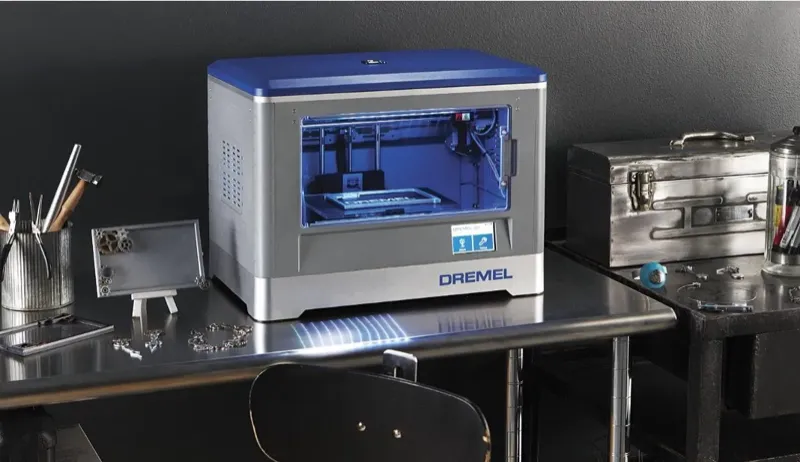
Before I buy any printer, I track down the worst review I can find. It’s a habit at this point — gives me realistic expectations before I hand over my money.
With the Dremel Idea Builder 3D Printer, the mix of glowing recommendations and blunt warnings actually sold me on it.
Right out of the box, I hit some weird quirks running it from my desktop PC. Switching over to a Dell Venue cleared up most of the problems. I tested it on several different machines to isolate the issue, and I’ll break that down later.
Overview
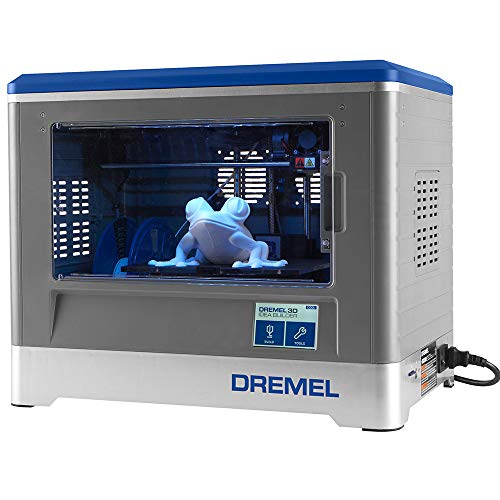
Dremel Idea Builder 3D Printer
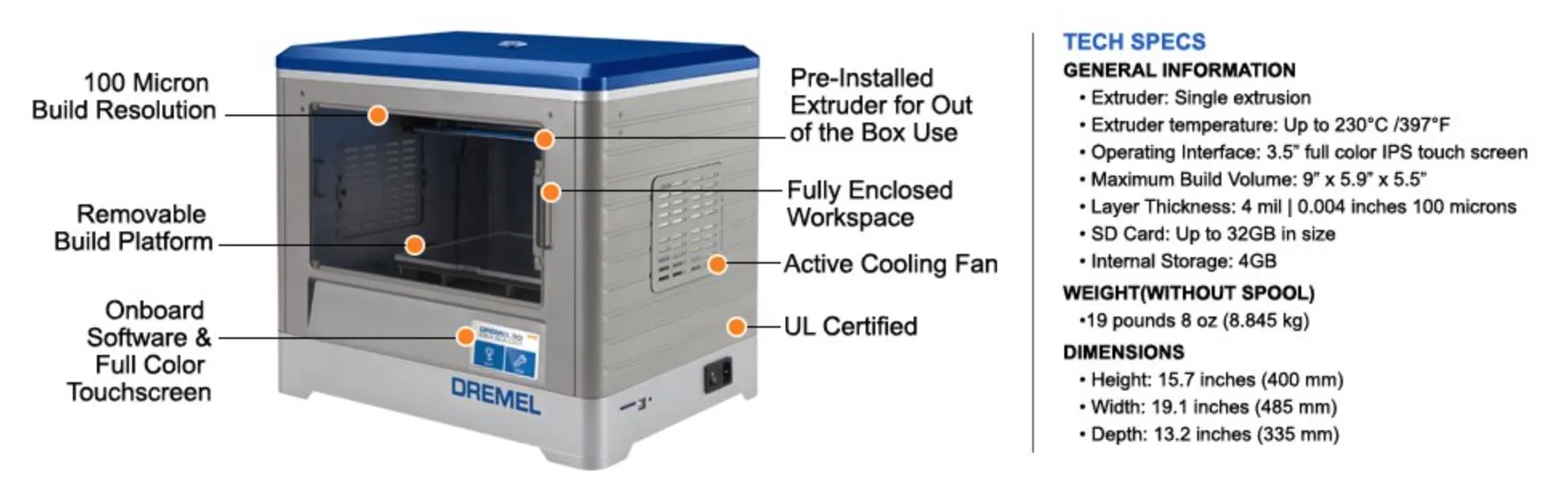
An enclosed printer that's been absurdly reliable -- over 200 prints without a single jam. Three quality modes, removable build plate, and US-based support that actually picks up the phone.
Pros
- Exceptional reliability with zero jams or failures
- US-based customer support with immediate response
- Advanced infill settings save time and material
Cons
- Software incompatible with Intel Graphics and Windows 8
- Proprietary spools required
Before I pulled the trigger on the Dremel, I was seriously weighing two other options:
Photo Gallery
Key Specifications
| Spec | Detail |
|---|---|
| Print Speeds | Good (120), Better (100), Best (80) |
| Filament Type | PLA (proprietary spools) |
| Build Plate | Removable snap-in design |
| Software | Dremel 3D (partnered with Meshmixer) |
| Connectivity | USB |
| Price Range | Mid-range |
What Compelled Me To Purchase The Dremel?
So why the Dremel Idea Builder 3D Printer? A few things pushed me in this direction, and honestly, some of it came down to red flags on the competition.
The FlashForge Dreamer reviews looked suspicious. Most reviewers only had that single product review on their accounts. Nothing else. That always makes me wonder if the reviews are organic or manufactured.
Solidoodle had a different problem. They were on their 5th generation, but the customer service complaints kept stacking up. Not a great sign.
Dremel’s reviews felt different. A number of Amazon reviewers had received early units for testing before launch, and those reviews were detailed and consistent. I kept going back and rereading them until the printer finally became available.
I’m not the type to jury-rig a printer to make it work. I wanted something a regular hobbyist could use without burning through expensive materials or spending weekends troubleshooting.
Let’s be real — most people buying 3D printers aren’t engineers. They don’t want to pay premium prices for a hobby machine. With proprietary spools, Dremel’s are actually the cheapest option out there. Still more than generic, sure, but I didn’t want to hack the printer to accept third-party filament. The 3D Systems Cube goes even further by building the print head directly into each cartridge.
Customer support location mattered to me too. Dremel and Solidoodle are both US-based. FlashForge runs out of China. The Afinia H480 is another solid US-based option with a strong warranty if that’s a priority.
When something breaks — and eventually it will — I want to pick up the phone and talk to someone in my time zone without a language barrier.
On the speed front, Dremel gives you three fixed settings: “Good 120,” “Better 100,” and “Best 80.” That’s it.
FlashForge and Solidoodle offer wider ranges (60-150 and 40-120), but both companies basically warned that cranking up the speed tanks quality. How much? They wouldn’t say. I could’ve emailed support to pin them down, but the whole approach felt like a shrug. That bugged me.
What Has The Dremel Delivered Thus Far?
Dremel’s customer support has been outstanding. Chat, email, phone — every channel is fast, thorough, and staffed by people who clearly know the product.
This is the kind of thing that makes or breaks a printer purchase.
I mentioned I was burning through filament quicker than expected. Their response? “We’ll send you a free sample package.” No questions. No hoops to jump through. It just showed up at my door.
For print quality across the three speed settings, I ran a controlled test — same model, printed three times, once per setting.
Good: about 1 hour. Better: around 90 minutes. Best: roughly 2 hours.
My honest take? If you’re churning out prints and don’t need crisp detail, “Good” is plenty. “Better” barely looks different. But “Best” is where the magic happens when detail matters. It won’t disappoint you. For even sharper output, the MakerBot Replicator 2 prints at 100 microns with impressively clean edges.
Between November 5th, 2024 and January 1st, 2025, I pushed out over 200 models. I re-level about every 15 prints, or whenever I notice adhesion starting to slip.
The plate drifts because of the snap-in design — pop it out, pop it in, no tools required. Some people hate that it loosens over time. I actually prefer it, because replacing the plate is effortless.
Here’s the trick I learned: instead of prying a finished print off while the plate is still in the machine, remove the whole plate first. Since I started doing that, I almost never need to re-level. Just snap it back and go. If you’d rather skip manual leveling altogether, the LulzBot Mini auto-calibrates before every single print.
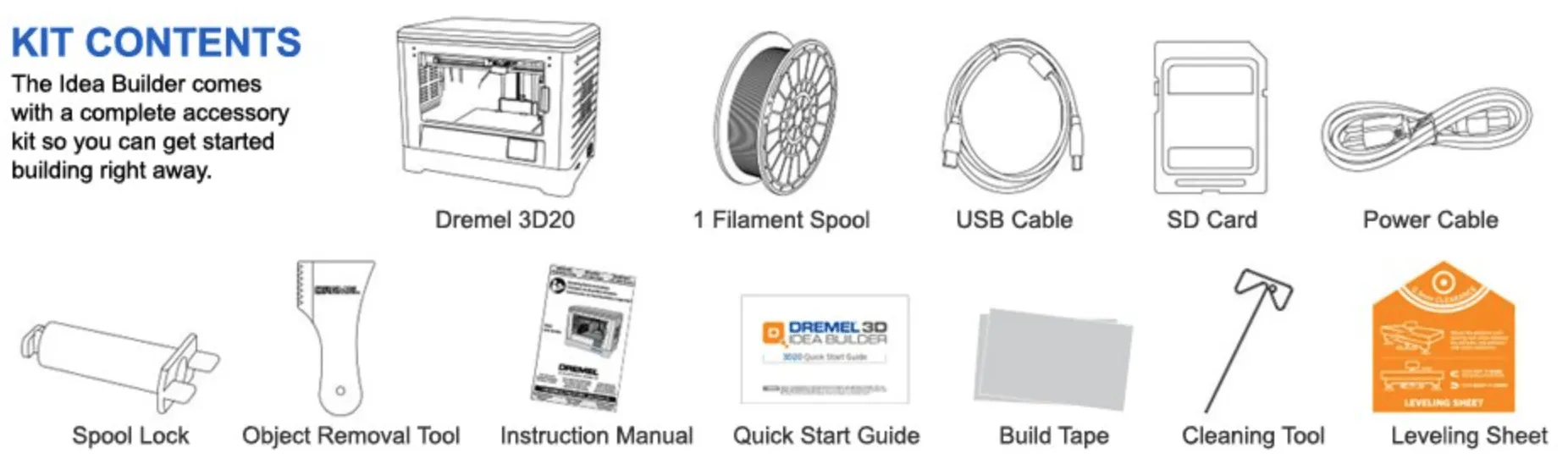
I usually use Blue Tape for PLA, but the Dremel Idea Builder 3D Printer didn’t need it. The included Dremel tape lasted about 40 builds before I swapped in the backup sheet they include.
If Dremel’s tape ever gets hard to find, blue painter’s tape works fine. Quick tip though: when leveling with Dremel’s tape, use a business card as your thickness gauge. It’s thicker than what you’d use with Blue Tape. Switch tapes? Switch to their leveling paper or standard 20-lb paper.
Now, the software issue. Dremel’s software can throw Network Errors on certain machines. Specifically, it won’t play nice with on-board Intel Graphics or Windows 8. Frustrating, but at least it’s a known issue you can work around.
For models, I’ve printed exactly one thing from Dremel’s library. Everything else came from Thingiverse, independent designers, or stuff I built myself in Google SketchUp.
Dremel partners with Meshmixer, which is fantastic for cleaning up downloaded files that have problems. If you design in SketchUp, run your models through Meshmixer before printing to clean up geometry and finalize the details.
Advanced Settings
Dig into “Advanced Settings” and you unlock a lot more control. The setting I mess with most? Infill. By a mile.
Infill is the honeycomb density inside your print. For display pieces or shelf models, low infill is all you need. Nobody’s stress-testing a decorative print.
Functional stuff though — tools, mounts, anything that takes abuse — crank the infill up.
I tested this on a squirrel model at Best quality. Dropped infill from 35% to 15% and shaved a full 30 minutes off, landing at 1 hour 56 minutes total.
The real surprise? The weight dropped noticeably, but the quality looked identical. The CraftBot gives you even finer infill control through CraftWare if you want to geek out on this stuff.
I couldn’t spot a visual difference at all. And naturally, lower infill means your filament lasts longer too.
Final Notes
I’ve been running my Dremel Idea Builder 3D Printer almost daily for a solid month now. Burned through a full spool of white, half-rolls of white and black, and a full spool of translucent.
Not a single jam. Not one malfunction. Zero foul-ups.
I do take care with filament loading — I push a bit extra through from the control panel until I see a clean, steady flow. And I wipe down the print head before every session. Small habit, but it makes a difference. Easy to skip when you’re itching to start a print, though.
The Dremel hits a sweet spot in the mid-range tier. It’s accessible enough for someone brand new to 3D printing, but it still delivers when you push the quality settings. If your budget is tighter, the M3D Micro puts out surprisingly good PLA prints at a lower price point.


