

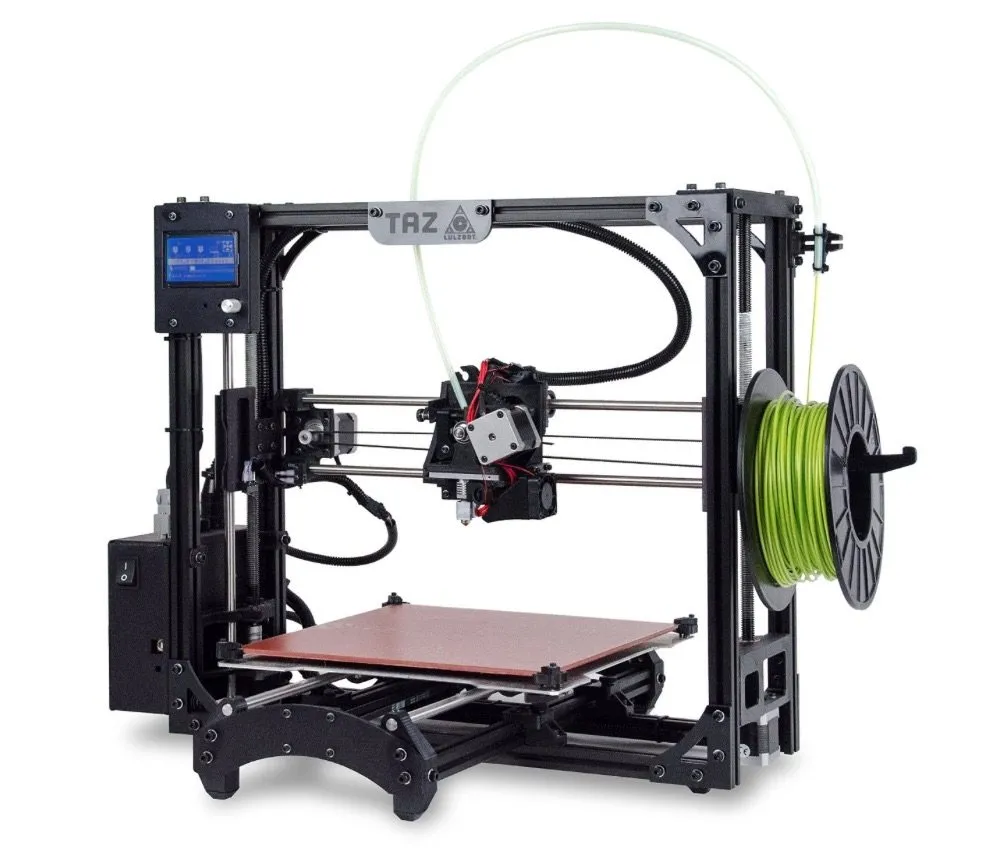
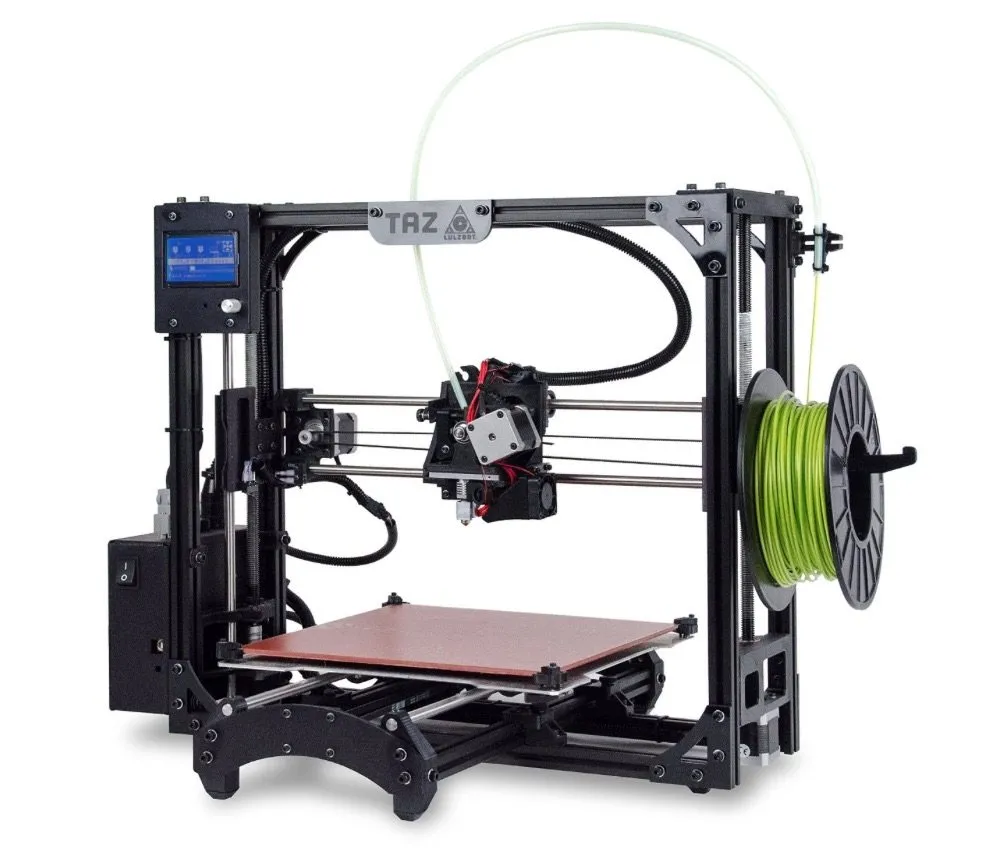
Out of every 3D printer I’ve owned, the LulzBot TAZ 5 3D Printer sits at the top. Not close. Not tied. At the top.
This 5th generation is a serious upgrade in nearly every way. The price tag stings, no doubt about that. But you’re getting what you pay for.
It might be the fastest FDM printer I’ve ever used, and it backs that speed up with excellent print quality and consistent performance. That said, it’s not perfect.
Setup is more manual than it should be for a machine at this price, and there are a couple of quirks you’ll bump into. But taking everything together, it’s really hard to walk away disappointed.
Overview
Photo Gallery
Key Specifications
| Spec | Detail |
|---|---|
| Build Volume | 11.7 x 10.8 in print area |
| Layer Height | 0.075mm to 0.35mm |
| Nozzle Diameter | 0.5 mm |
| Print Head Temp | Up to 300°C (527°F) |
| Print Bed Temp | Up to 120°C (248°F) |
| Filament Type | PLA, ABS, HIPS, Nylon, Polycarbonate, Ninjaflex |
| Print Bed Material | PEI (plastic-coated glass) |
| Price Range | Premium |
The Design
The second you open the box, you know you’re looking at serious hardware. There’s an old engineering saying that structure determines function, and the TAZ 5 is proof.
Aluminum frame throughout. Rigid, durable, but not ridiculously bulky. That said, this is not a small printer.
It stands 27 inches tall and 21 inches wide, so clear some real estate on your desk. The print bed slides back and forth while it works, which eats up even more space. If you’re tight on room, the M3D Micro is about the size of a toaster. But big printers make big prints. That’s the deal.
The print area itself is generous: 11.7 x 10.8 inches. The bed is PEI, a plastic-coated glass that takes the extreme heat from the extruder without warping or degrading.
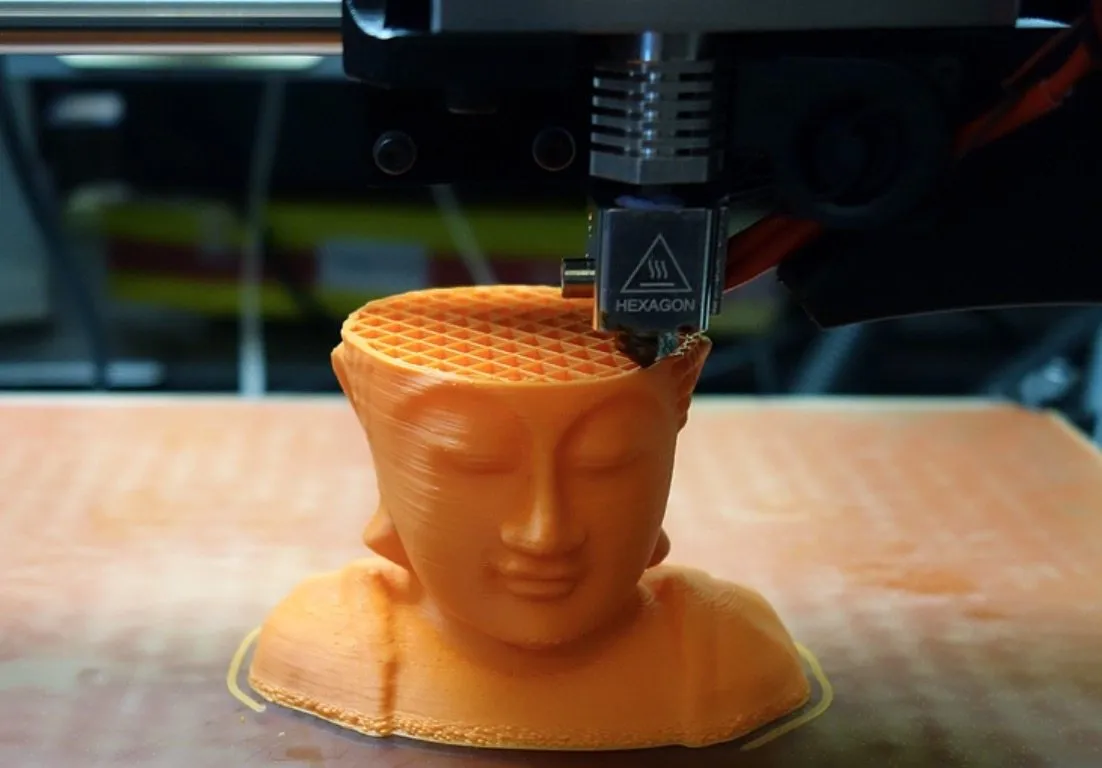
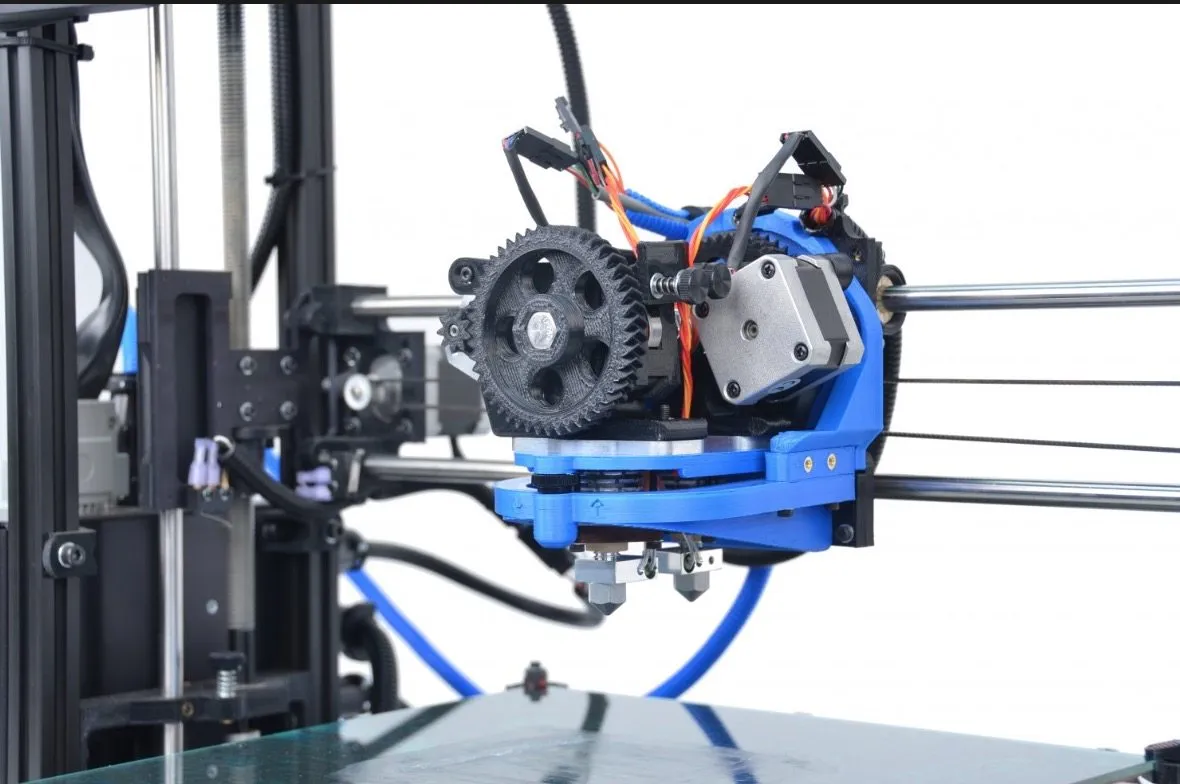
Unlike most printers where the head only moves in one direction or stays put while the bed does all the work, the TAZ 5’s print head moves both vertically and horizontally. Layer height goes from an ultra-fine 0.003 in (0.075mm) up to 0.0138 in (0.35mm).
That range gives you serious flexibility. Super detailed work or fast rough prints, your call. The metal print head uses a hexagonal nozzle that deposits the filament.
Here’s the thing about the nozzle: at 0.5 mm, it’s wider than the 0.35 mm standard on most machines. More material flows through, which is a big part of why this printer is so fast.
The tradeoff? Harder to keep things neat. You’ll sometimes get stringy bits or thin plastic strands clinging to finished prints. They scrape or pull off easily though, so it’s a minor annoyance at worst.
A Wide Range Of Print Materials
Most printers top out at ABS and PLA. The LulzBot TAZ 5 3D Printer handles polycarbonate, nylon, and a bunch of other materials that cheaper machines simply can’t touch. It all comes down to temperature, and the TAZ runs hot.
The bed hits 120 degrees Celsius (248 Fahrenheit). The print head maxes out at 300 degrees Celsius (527 Fahrenheit). LulzBot doesn’t just tolerate material experimentation, they actively encourage it and provide detailed instructions for each material they support.
Polycarbonate and nylon are especially cool because you can actually make dishwasher-safe items. Cups, utensils, that sort of thing.
One material that really stood out during testing was HIPS (high impact polystyrene). Incredibly lightweight, holds up well, and prints beautifully. The CraftBot also does nice work with HIPS, though you’ll need to push the extruder past 220 degrees for clean results.
We ran most of our tests in HIPS and got clean prints the vast majority of the time. The TAZ also handles Ninjaflex for flexible prints, which is great.
The catch with Ninjaflex is that it tends to gunk up the print head. LulzBot sells a print head built specifically for flexible filaments, or you can go all-in with the dual extruder add-on that lets you run two materials at the same time.
Print Quality - Extremely Impressive But Not Without Flaws
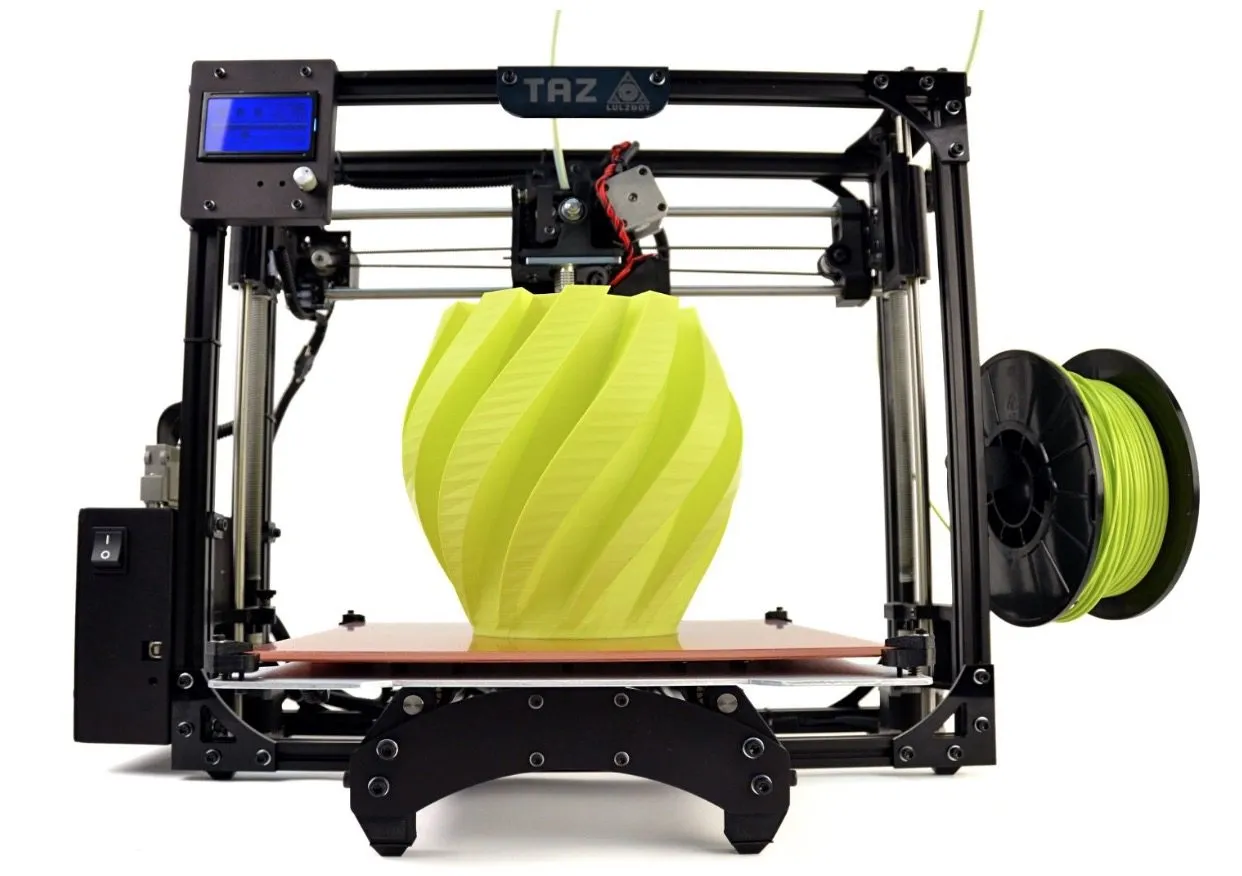
There’s honestly not a lot to criticize about the TAZ 5’s output. Most of what we printed came out smooth, detailed, and clean.
Not perfect though. We saw thin strands clinging to the outside of a few prints. And occasionally, sections would sag slightly and leave small holes that shouldn’t have been there.
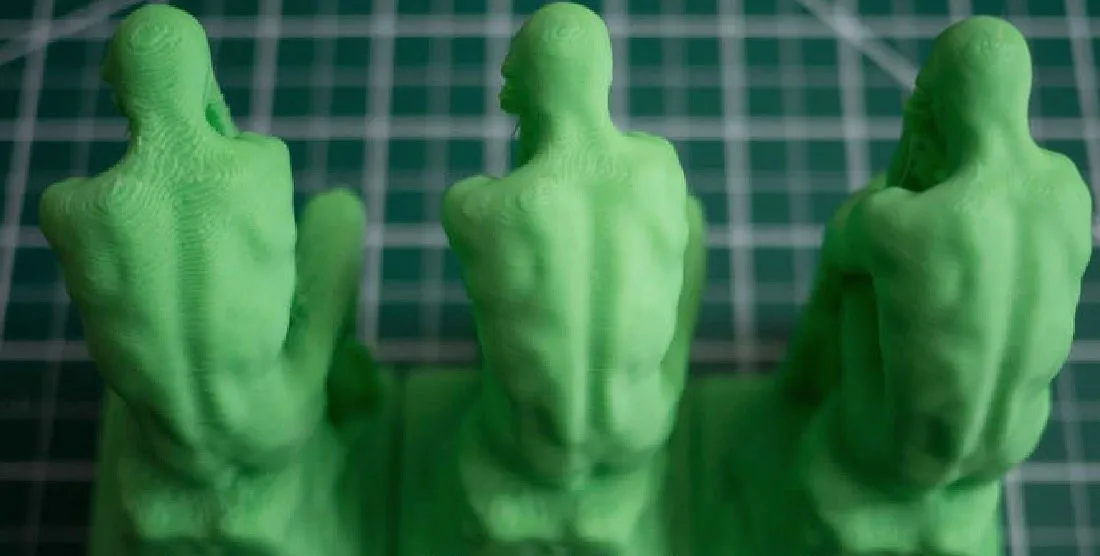
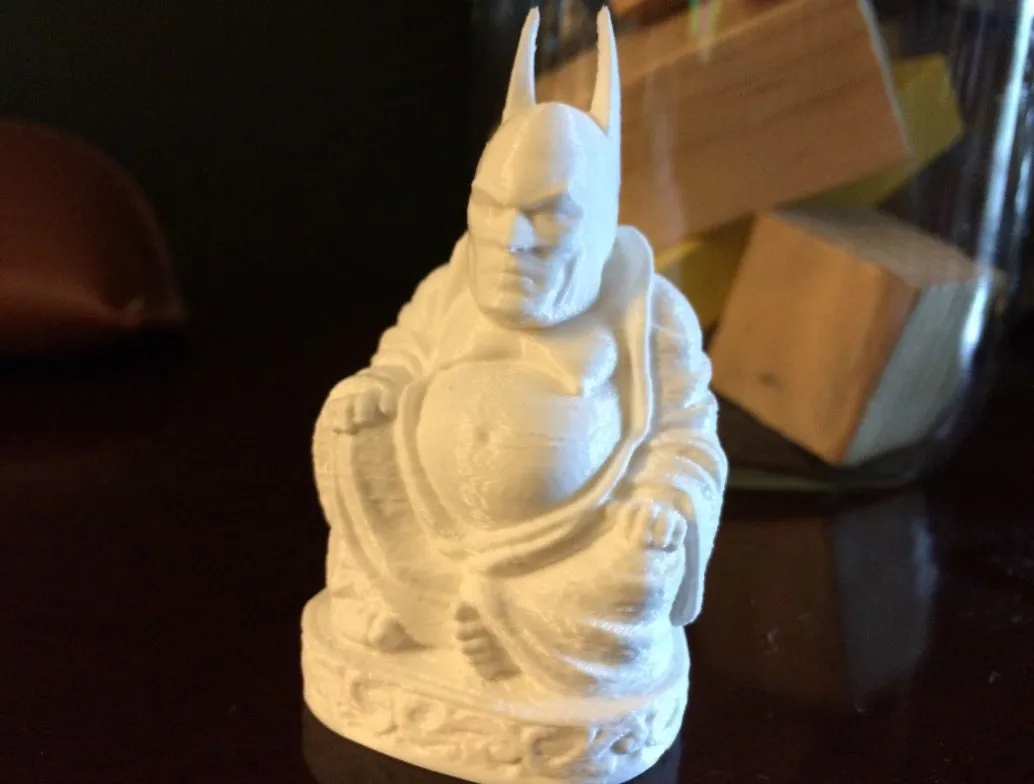
Those issues aside, the curves this machine produces are genuinely impressive. You can tell the printer has precise control over how plastic flows. It just looks intentional.
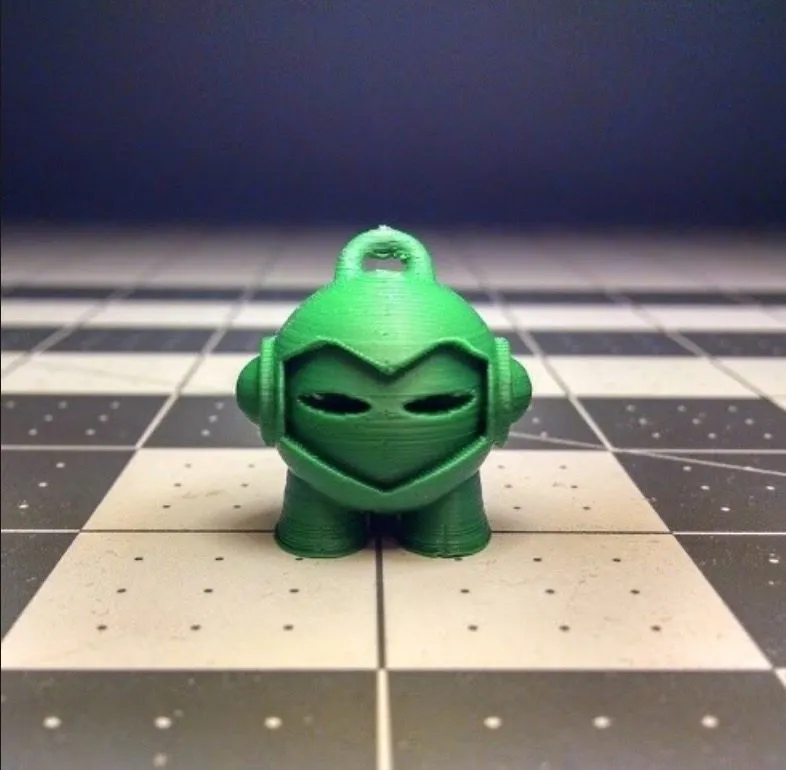
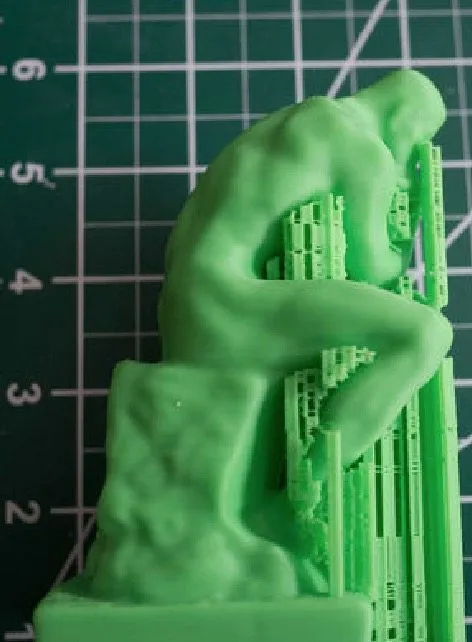
Crank it up to the highest quality setting and the detail is remarkable. Check the far right image below to see what I mean.
Support material is another area where the TAZ shines. Overhanging sections print cleanly, and the supports peel off without leaving much of a trace. The CEL Robox achieves similarly clean support removal with its dual nozzle system at a lower price.
Quick context: the TAZ 5 is an FDM (fused deposition modeling) printer. It melts filament and fuses layers on top of each other. The bottom layer always spreads a bit since it’s being heated against the bed, and it flattens slightly under the weight of everything above it.
You might need tweezers for stray filament wisps or scissors for light cleanup, but nothing major. After a bunch of experimenting, we landed on a trick that made a real difference: dropping the bed temperature from the default 110 degrees Celsius (230 Fahrenheit) down to 90 degrees (194 Fahrenheit).
That single change reduced slumping, cut cleanup time, and improved detail across the board. Wish we’d found it sooner.
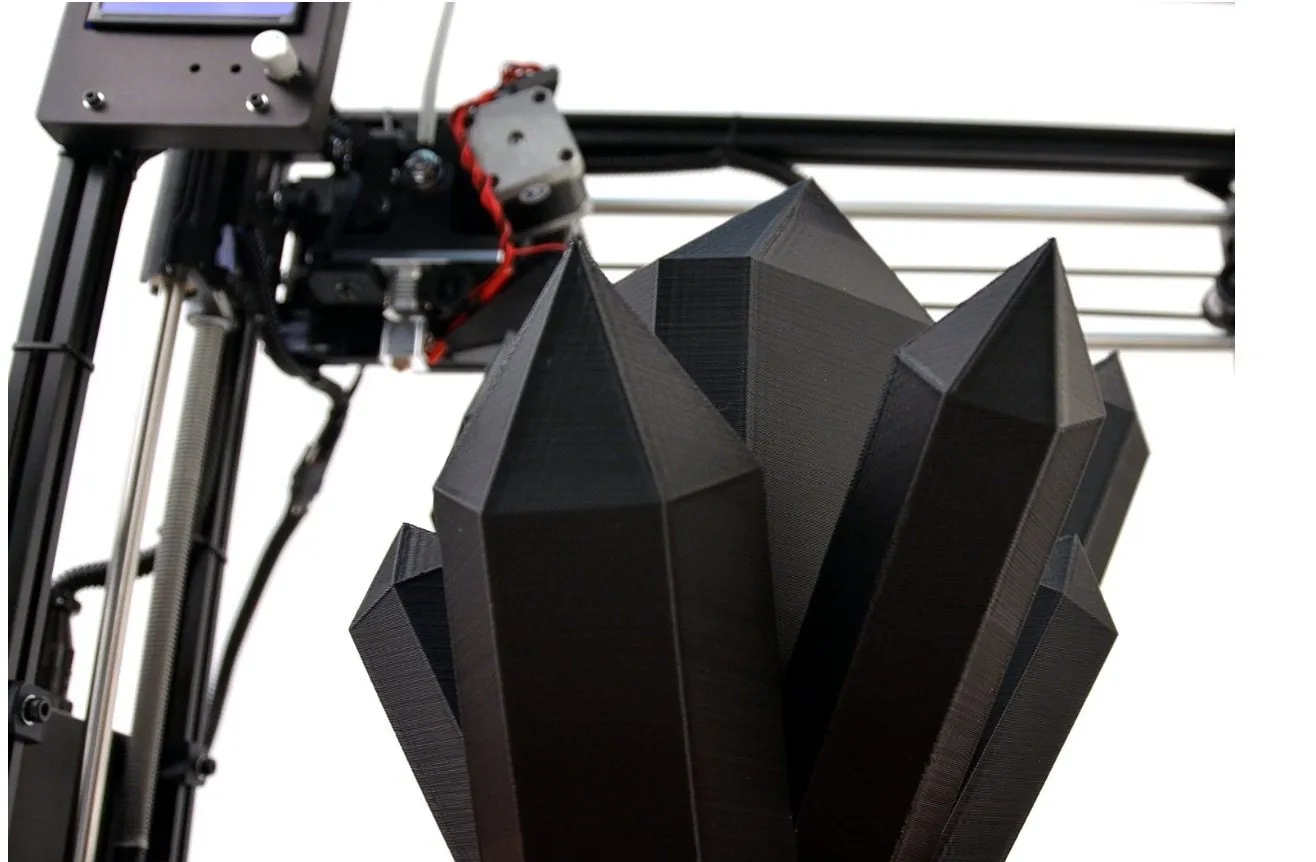
Geometric sculptures were some of our best prints on the LulzBot TAZ 5 Desktop 3D Printer. Edges came out sharp and clean, though you’ll usually spot thin whiskers between pointed tips.
Not a real problem. They pull off in seconds and are more of an annoyance than anything. A few edges came out slightly rough, but that was rare.
The Assembly
You’d think by now every printer would ship fully assembled. Not quite. The TAZ 5 arrives partially put together.
Most of the work is straightforward: mount a part, turn a thumbscrew, plug in a cable. We went from open box to first print in about an hour. Way faster than building a HICTOP Prusa I3 from scratch, which took me 15 hours. LulzBot deserves credit for making assembly relatively painless.
Here’s what bugged us though. The TAZ Mini has auto bed leveling. The nozzle touches each corner, checks the height, and calibrates itself. Beautiful.
The TAZ 5? Nope. You’re down there with thumbscrews, manually adjusting the height at each corner, moving the print head around, and tightening things until the calibration feels right.
It’s baffling that the cheaper model has this feature and the more expensive one doesn’t.
Once you’ve got it level, you run a test print to make sure everything’s working. Not difficult, just tedious compared to what the Mini does automatically.
We also noticed there’s no cleaning brush in the box for wiping the nozzle. That sounds like a tiny oversight, but even a speck of leftover filament on the nozzle can mess up a print from the very first layer.
Just get in the habit of cleaning it yourself before each job. LulzBot says they’re working on adding auto-leveling and a cleaning system to future versions.
Given their open-source approach, those upgrades should come faster than with most manufacturers.
The Interface And Controlling The Prints
Two ways to control this printer. There’s an LCD screen on the front with a dial on the side, and then there’s LulzBot’s free Cura software for Windows, Mac, and Linux.
The LCD gives you real-time print progress and status. The dial lets you navigate menus and run prints without a computer connected at all.
Menus are intuitive. Temperature, quality settings, filament loading, unloading, it’s all there and easy to find. You will spend some time clicking through settings to get your preferences dialed in, but that’s true of any capable printer.
If you just want to skip the tweaking and start printing, the SD card route is dead simple. Pop in the included card, pick a model from the LCD, press a couple buttons, and the printer runs on LulzBot’s pre-configured optimal settings.
Cura handles STL and OBJ files and gives you basic editing tools: scaling, repositioning, queuing multiple models in a single job. The estimated print times are usually accurate, and you get a preview of what the print process will look like before it starts. The FlashForge Creator Pro offers a similar workflow through MakerWare and Simplify3D if you’re already familiar with those.
When you’re ready, set your extruder and bed temps from the screen and hit go. Progress tracking is just a simple bar on the LCD. Nothing fancy, but it works.
The Print Process
No 3D printer is flawless. Even the most expensive machines on the market have off days. But the TAZ 5 gets about as close to reliable as I’ve seen.
Thirty-plus prints in, I’ve had exactly one failure. Material didn’t stick to the layer beneath it about halfway through. That’s it. Every other print finished clean, and removing them from the PEI bed was smooth.
That consistency held across HIPS, ABS, and PLA. You do have to pry prints off the bed, but that’s standard with any FDM printer. The Dremel Idea Builder makes removal a bit easier with its snap-out build plate.
When something does go wrong, look at what you changed before blaming the machine. The TAZ 5 is mechanically consistent. If a print fails, it’s almost always a setup or calibration issue on the user’s end.
Hard to hear sometimes, but that’s been my experience.
The Print Speed
Speed is where the TAZ 5 really flexes. Hands down one of the fastest FDM printers I’ve ever used. Our 4.5-inch test model finished in just under 2 and a half hours on the fastest setting.
To put that in context: the same model on the UpBox took about 5 hours. The Orion Delta needed 6.5 hours. When we switched the TAZ 5 to its highest quality setting, it took just under 7 hours.
Longer, sure. But the output at that setting was significantly better than either competitor. And here’s the kicker: the Orion and UpBox were both running at their lowest quality settings and still took longer than the TAZ at high quality.
Push those machines to high quality and you’re easily looking at 10+ hours. The TAZ 5 beats them at every single quality level.
Final Thoughts
There’s a reason the LulzBot TAZ 5 Desktop 3D Printer is one of the most popular machines in the hobbyist and prosumer space. It’s fast, detailed, and handles more materials than most of its competition.
Every issue we ran into was minor. A quick cleanup or a small settings tweak fixed things. My biggest complaint is still the missing auto bed leveling, a feature that exists on the cheaper Mini but somehow didn’t make it into this model.
LulzBot says it’s coming in future versions. For now, it’s a small annoyance on an otherwise excellent machine. If you’re serious about this hobby and want speed, material versatility, and consistent quality, the TAZ 5 is very hard to beat.


