

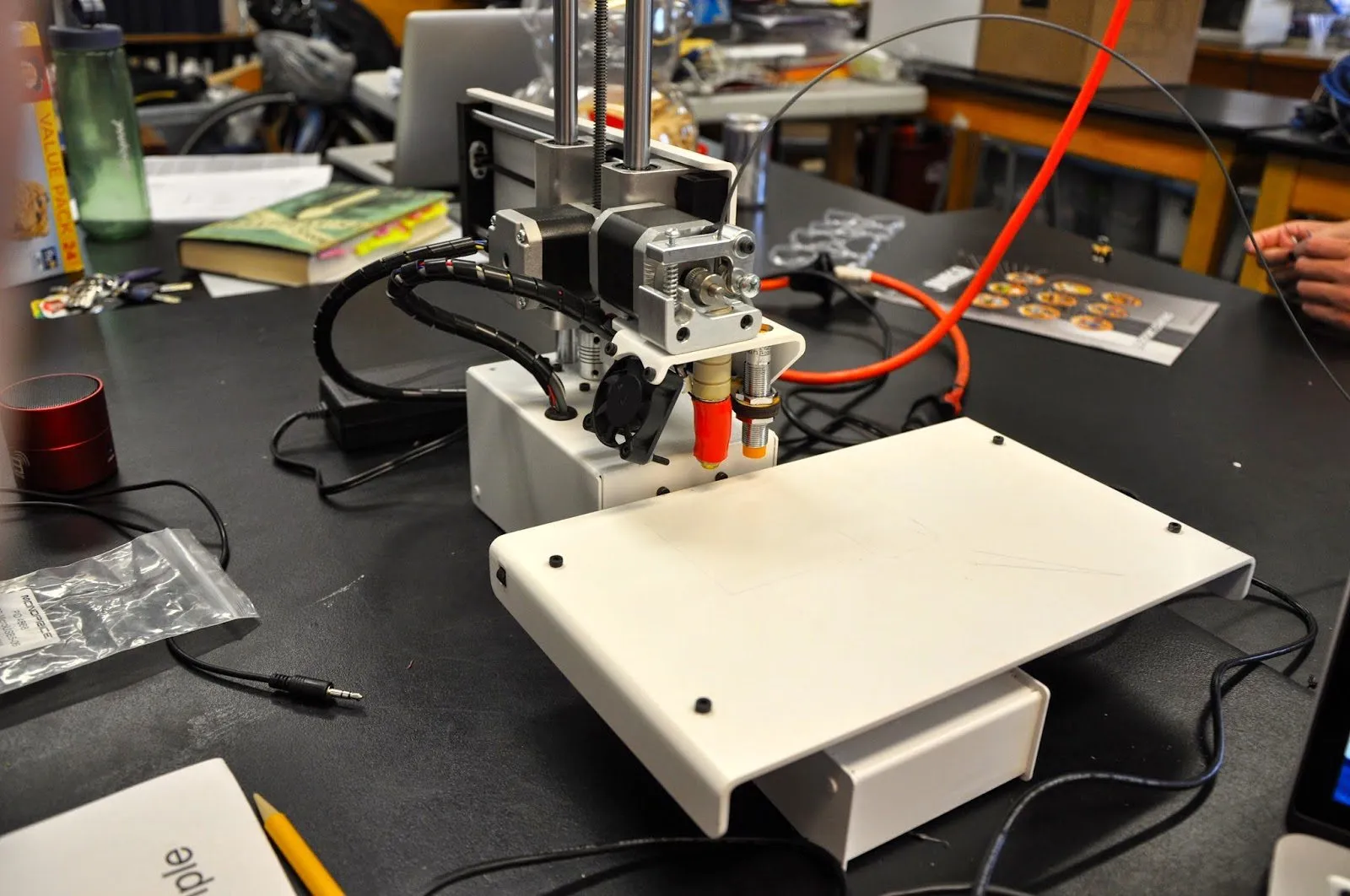
The Printrbot Metal Simple 3D Printer is Printrbot’s all-metal successor to the popular Simple Wood 3D Printer.
Naming got a bit confusing here. Printrbot renamed the old wood model to the Simple Maker’s Edition but kept “Simple” on this one too. To avoid the confusion, most people just call the metal version the “Simple Metal.”
Overview

Printrbot Metal Simple 3D Printer Kit
An all-metal, US-made printer kit that feels like it could survive a drop off the desk. Auto-leveling, 100-micron resolution, and hardware quality that's genuinely impressive for the price.
Pros
- Exceptional hardware quality that feels unbreakable
- Auto-leveling eliminates manual bed adjustment
- Excellent print quality for a budget printer
Cons
- No heated bed limits filament options to PLA
- Some kit parts may need minor modification
Despite the shared name, these two printers have way less in common than you’d think.
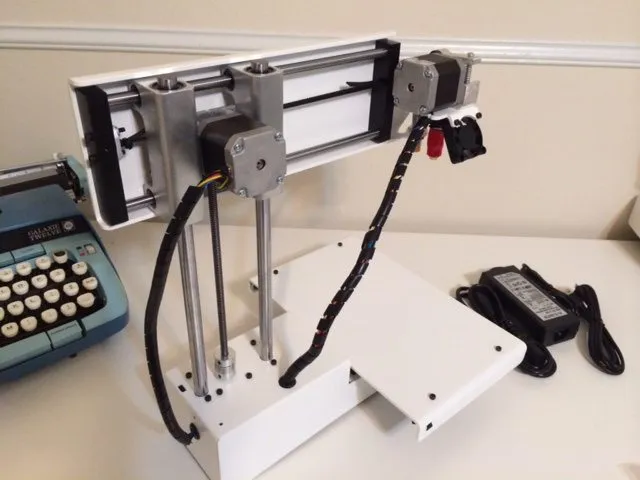
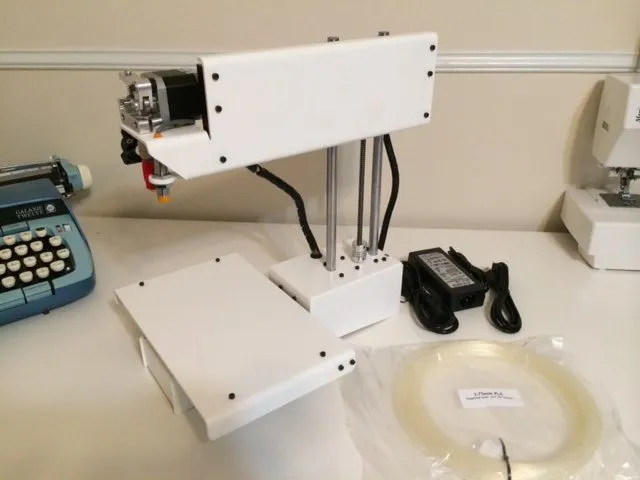
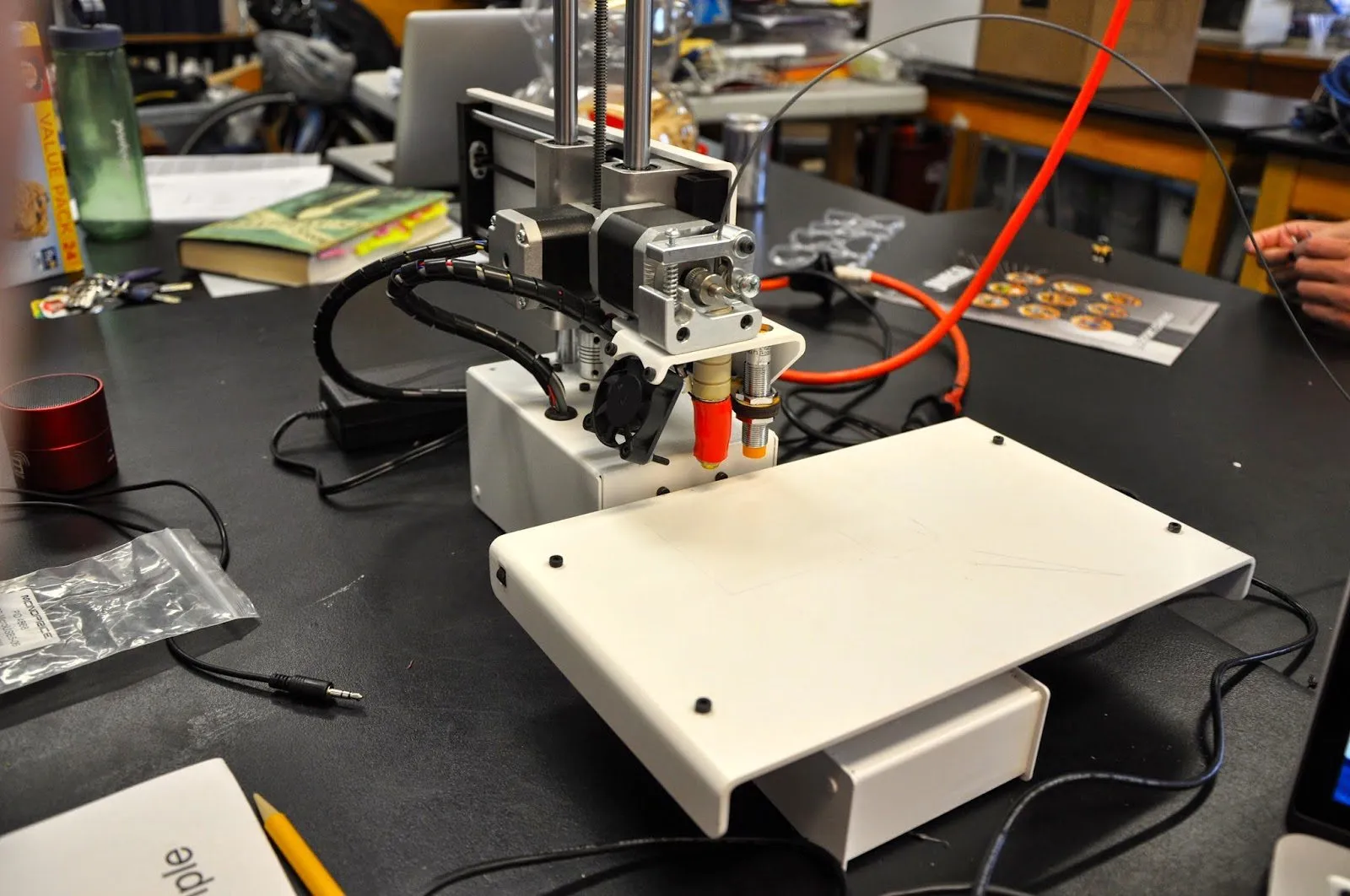
The Simple Metal is essentially a ground-up redesign. Very few parts carry over from the Simple Wood. The basic layout stays the same though: the bed slides on the x-axis while the extruder handles Y and Z.
That layout is deliberate. It makes the printer lighter and more compact than traditional box-style designs.
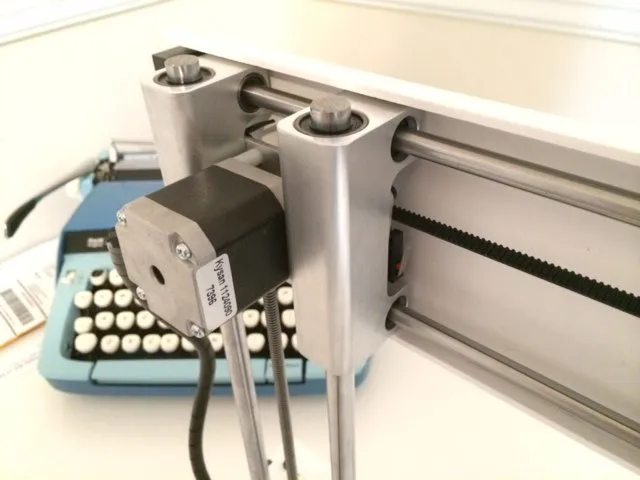
The trade-off? A cantilever effect along the Y-axis that could theoretically cause flex and rigidity problems. Printrbot addressed this with thick rods that basically eliminate flex entirely. Smart engineering.
The hot end runs a 0.4mm nozzle with print resolution up to 100 microns. On casual prints that number might not mean much, but the moment you start pushing for quality, you’ll notice the difference. The Printrbot Simple Metal takes this even further with 50-micron resolution and WiFi connectivity.
Build area is 150mm by 150mm by 150mm, using 1.75mm PLA on a GT2 belt. There’s no heated bed included, which means ABS is off the table unless you modify it. Worth knowing before you buy.
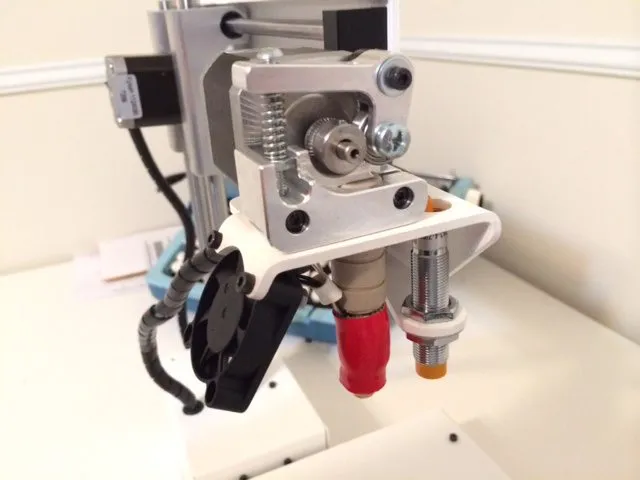
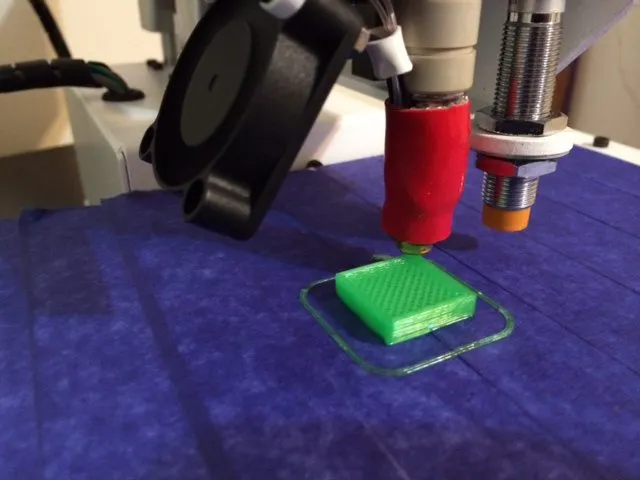
The auto-leveling system is a real standout. You won’t find it on other printers at this price. A non-contact probe measures three corners of the print bed automatically, and the machine adjusts the hot end along the z-axis to stay level throughout the entire print. No manual leveling. Ever.
Photo Gallery
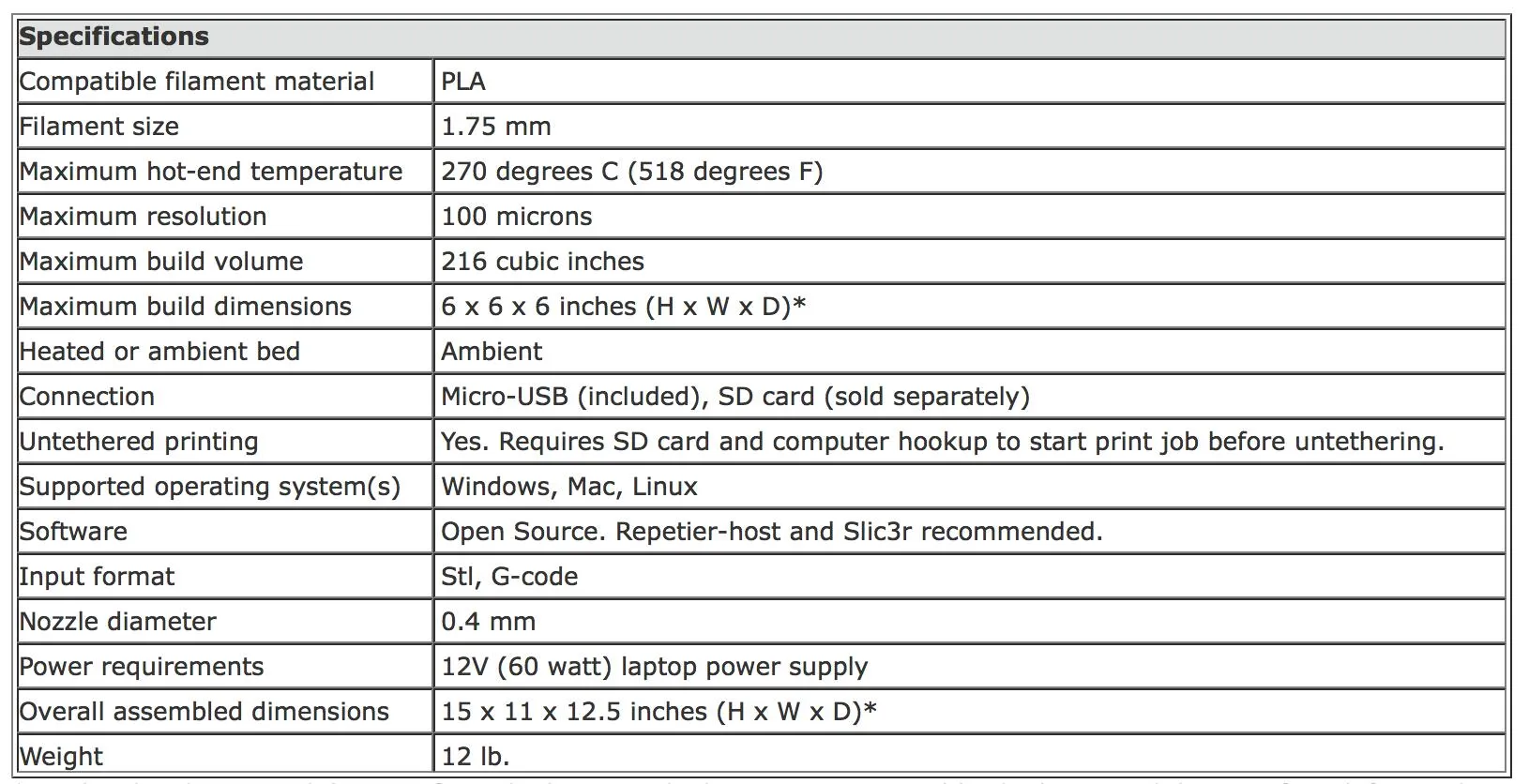
Key Specifications
| Spec | Detail |
|---|---|
| Build Volume | 150 x 150 x 150 mm |
| Layer Resolution | Up to 100 microns |
| Nozzle Diameter | 0.4mm |
| Filament Type | 1.75mm PLA |
| Auto-Leveling | Yes, non-contact probe |
| Frame | All-metal construction |
| Made In | USA |
| Price Range | Budget |
Hardware Quality
If there’s one thing the Printrbot Metal Simple 3D Printer absolutely nails, it’s hardware quality.
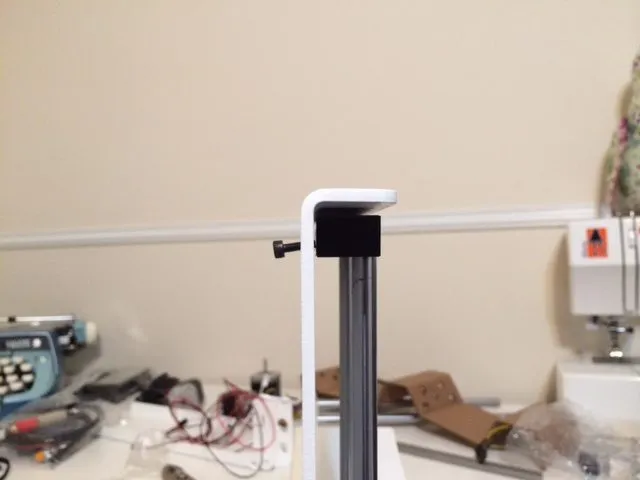
Every inch of this thing is built from durable, high-quality materials with tight manufacturing tolerances. It’s made in the US, and you can tell. The formed sheet metal and CNC milling speak for themselves.
Most budget 3D printers are reasonably sturdy overall but have a few cheap parts that drag down the whole experience. The MakerGear M2 is one of the few machines that matches this build quality with its welded stainless steel frame.
The Simple Metal doesn’t have any weak links. It’s rigid, tough, and honestly feels like you could knock it off the desk and it’d survive.
That build quality alone is a massive selling point. Other printers at this price might match it spec for spec, but none of them feel this solid in your hands.
Assembly
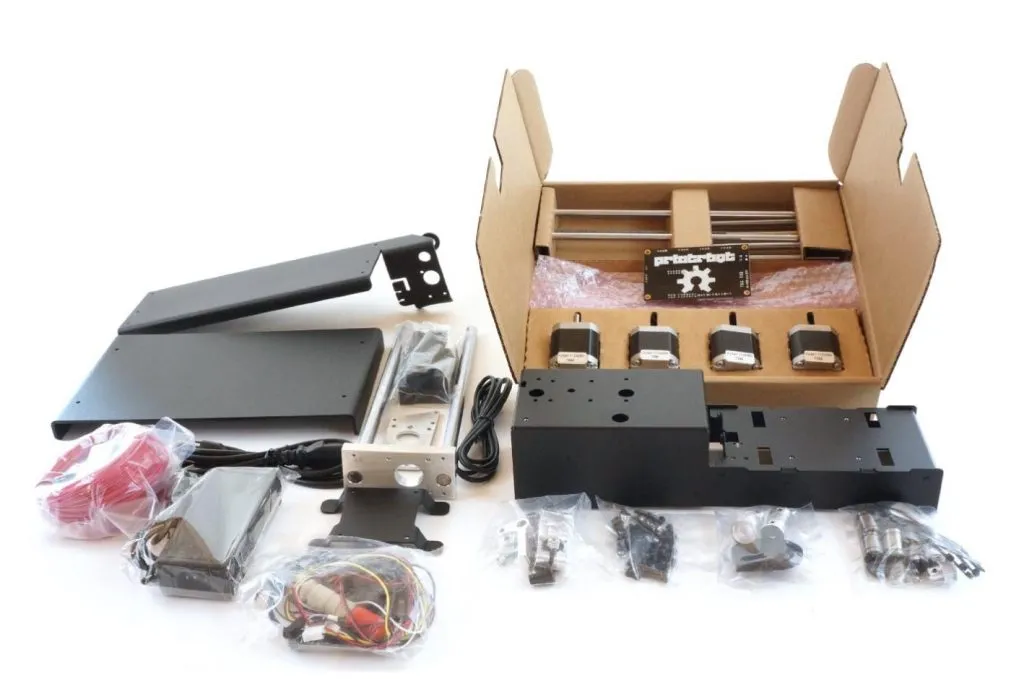
The Printrbot Metal Simple 3D Printer Kit takes about 4 to 5 hours to put together. Don’t rush it. One small misalignment can mess up your prints down the road.
Could you power through it faster? Probably. But precision matters more than speed here. The assembly instructions start out a little vague, though they make more sense once you’re actually holding the pieces.
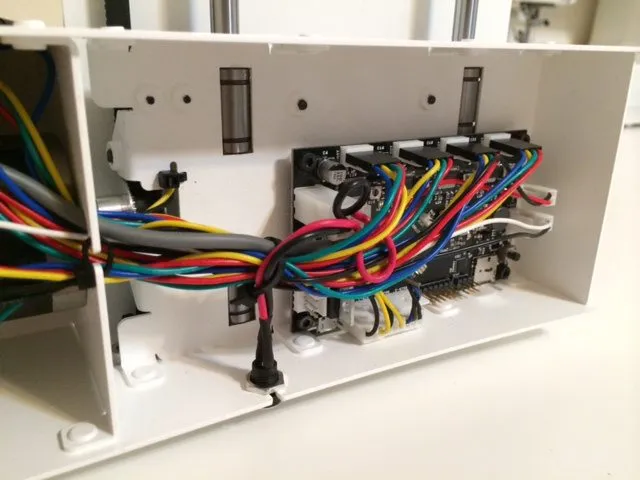
There’s nothing wildly complex. You’re basically screwing parts onto a central frame and connecting three major assemblies that form the printer’s skeleton.
Sounds easy enough. And mostly, it was. I did run into a few snags though. A couple of parts seemed slightly off and didn’t quite line up.
I ended up doing some minor mods to get everything flush. Forum posts confirmed this is a fairly common experience, though plenty of buyers have assembled theirs without issues.
My guess? It’s still a relatively new design and they’re working through minor production kinks. If that sounds like a hassle you’d rather avoid, grabbing the pre-assembled version is probably the smarter move.
Setup
If you’re new to 3D printer software and firmware, block off some serious time for setup. This is not a plug-and-play machine.
It took me a solid 10 hours of tinkering to get everything running and to wrap my head around the software. Your experience may differ wildly. If plug-and-play is more your speed, the UP Mini has you printing within minutes of unboxing.
I’ve talked to people who got it working in a couple of hours. It really depends on your background and how systematically you approach things.
The auto-leveling system demands the most attention during setup. It needs finesse and patient fine-tuning to get right.
Once it’s dialed in though, it runs great. Just check it periodically until you’re confident in the calibration.
For software, Repetier and Slic3r are the way to go. The included setup guide walks you through all the necessary print settings step by step.
The setup is manageable overall, but prior experience with 3D printers will definitely save you time.
Print Quality
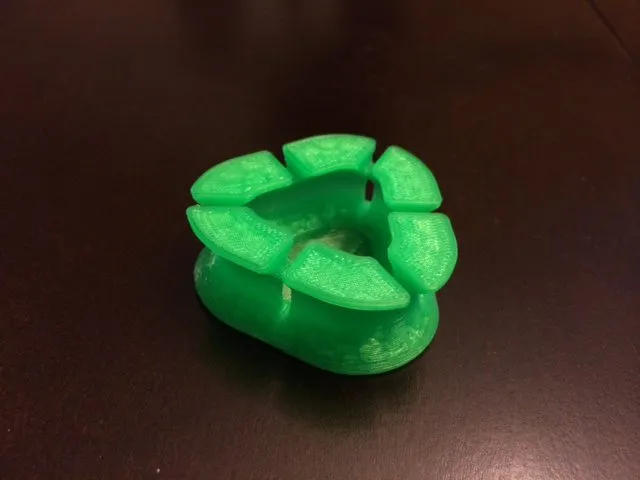
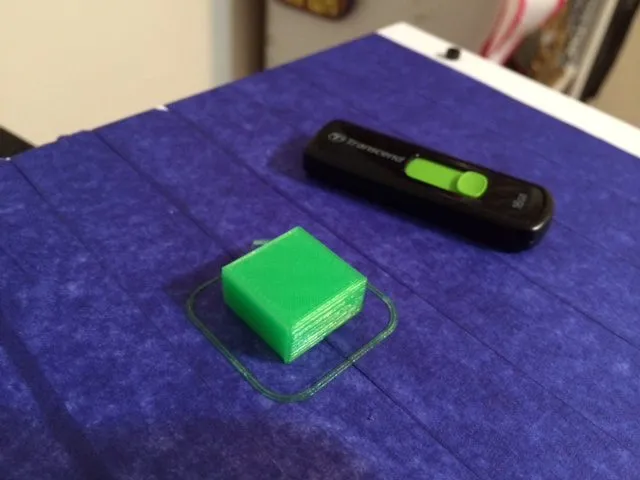
Nice specs on paper don’t always mean good prints in real life. But here? They actually do. The Printrbot Metal Simple 3D Printer produces results that genuinely stand out in its price class.
I’ve used professional-grade printers at a previous job, but this is my first personal machine. I’m sure I can coax even better output with more fine-tuning, but what I’m getting already is hard to complain about. The Printrbot Play delivers similar quality in a smaller, cheaper package if desk space is tight.
Edges come out clean, and you won’t think twice about adding small details like ridges and indentations to your designs. On other budget printers, I’d hesitate to try that.
Really intricate models might push past what this machine can handle. It’s a hobby printer, after all. But for the price, you absolutely will not be disappointed.
Value
Let’s be honest, the kit price is what pulls most people toward the Printrbot Metal Simple 3D Printer. It’s one of the cheapest printers you can buy.
The main competition at this price is the XYZprinting DaVinci 1.0 and the RepRap Prusa i3.
The Prusa i3 looks great, but RepRap printers can be maddening for beginners. Everything is open source and community-driven, so what you actually receive has little connection to any original manufacturer’s vision. That’s great for tinkerers, but it doesn’t exactly reassure someone who’s never touched a 3D printer.
With so many variations floating around, it gets confusing fast.
The DaVinci 1.0 swings the other way entirely. It’s designed to be dead simple and ready to print out of the box.
The catch? Everything’s closed-source. You’re locked into their software and their filament cartridges, and those cartridges aren’t cheap.
Great for beginners, sure. But it leaves zero room to grow. You’re doing things their way or not at all.
The Printrbot threads the needle between these two extremes. Approachable enough for a beginner, but with room to grow into more ambitious projects as your skills develop. That makes it perfect for people who want an entry point, not a dead end. The QIDI Tech I strikes a similar balance between accessibility and capability, with the added bonus of dual extruders for multi-color work.
Frequently Asked Questions
No, not without modifications. The Printrbot Metal Simple does not have a heated print bed, so it is limited to PLA filament out of the box.
The kit version takes about 4 to 5 hours to assemble. Some parts may need minor modification to fit properly, which is a known issue with newer models still working out final adjustments.
Yes. The auto-leveling system uses a non-contact probe to measure three corners of the print bed and automatically adjusts the z-axis while printing, requiring no manual adjustments.
Final Thoughts
If you need a printer that works the second it arrives, keep looking. This isn’t that kind of machine.
But if you enjoy the process of building something with your hands and figuring out how it works, the Printrbot Metal Simple 3D Printer is genuinely rewarding. The assembly itself was the most enjoyable part, and there’s a real satisfaction to getting it running and watching that first print come off the bed.
For beginners and hobbyists who want solid build quality and real print results without breaking the bank, this is an excellent pick. The FlashForge Finder is another beginner-friendly option worth a look if you prefer an enclosed design.


