

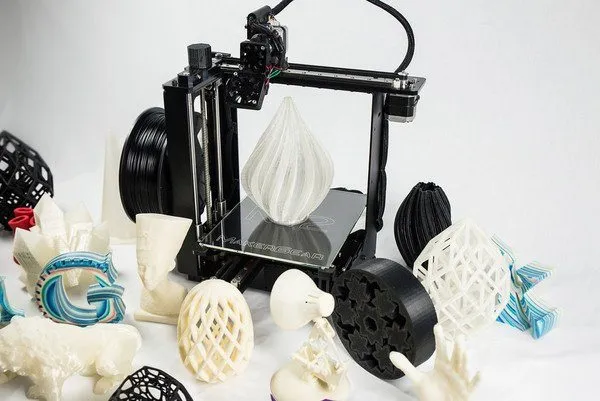
The MakerGear M2 3D Printer was one of the best values in 3D printing when it launched. Honestly? It still is.
Overview

MakerGear M2 3D Printer
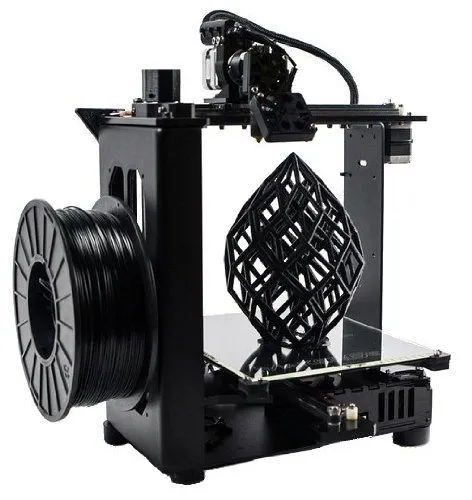
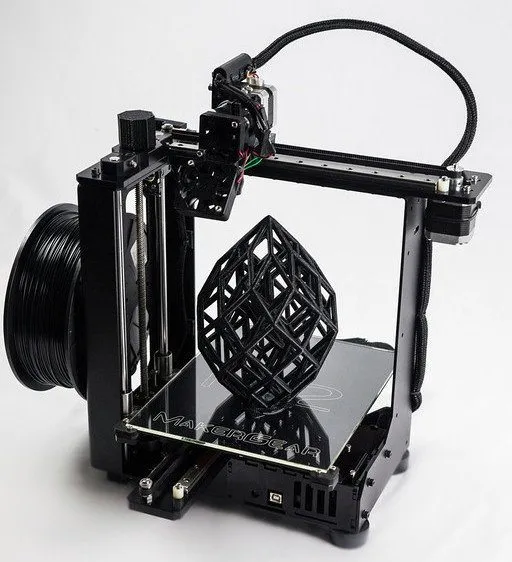
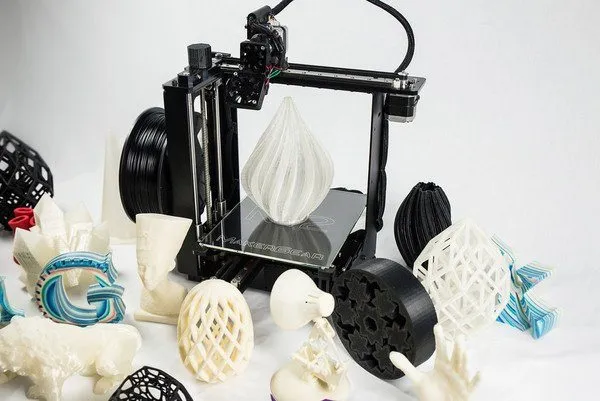
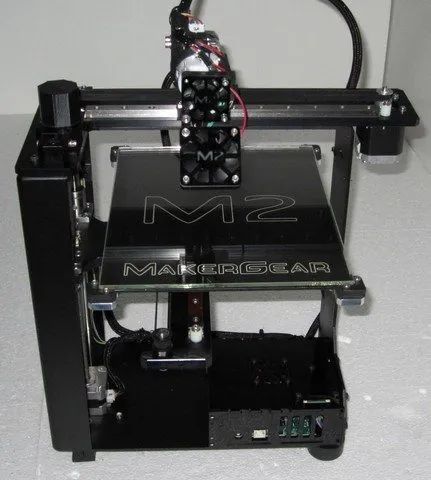
Built like a tank with a welded steel frame, heated bed, and print quality that matches the build quality. A serious machine for serious makers.
Pros
- Exceptional build quality and durability
- Excellent print quality with fine resolution
- Outstanding customer support
Cons
- Higher price than most entry-level printers
- Open frame design may not suit all environments
First thing you notice out of the box is that black steel frame. It just feels right. Solid, heavy, built to work. Z-axis resolution spans 0.05 to 0.3 mm in 0.01 mm increments, so you’ve got nice granularity.
Build volume is 8 x 8 x 10 inches. Runs both PLA and ABS at 1.75 mm thickness, which gives you good flexibility from day one. If you need even more room, the Robo 3D R1 Plus has an 8 x 9 x 10 inch bed at a lower price.
Controls are simple. USB cable to the G-code controller, print files stored on an SD card. That setup means you can kick off a job and walk away. I’ve started prints from the office and let them run while I’m out. Super convenient.
MakerGear includes their own printing software, but you’re not stuck with it. Any compatible slicer or management software will work.
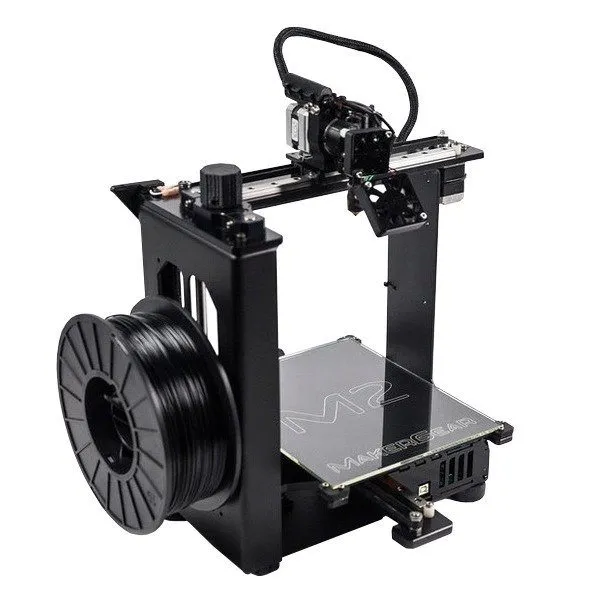
The open frame design means everything is accessible. Need to tweak something mid-print? Just reach in. Most 3D printers are enclosed to keep temperatures stable, but the MakerGear’s open approach works surprisingly well across different skill levels. If you’d prefer enclosed, the UP Mini keeps heat contained and little hands safe.
Beginners or experienced users, either way you can jump right in and start printing.
One caveat: if you’re the kind of person who loves endlessly tweaking and modifying your setup, you might eventually want more advanced options. The LulzBot TAZ 5 is worth a look if deep customization is your thing.
Photo Gallery
Key Specifications
| Spec | Detail |
|---|---|
| Build Volume | 8 x 8 x 10 inches |
| Layer Resolution | 0.05 - 0.3 mm |
| Filament Type | ABS, PLA (1.75 mm) |
| Connectivity | USB, SD Card |
| Heated Bed Temp | Up to 110°C |
| Price Range | Premium |
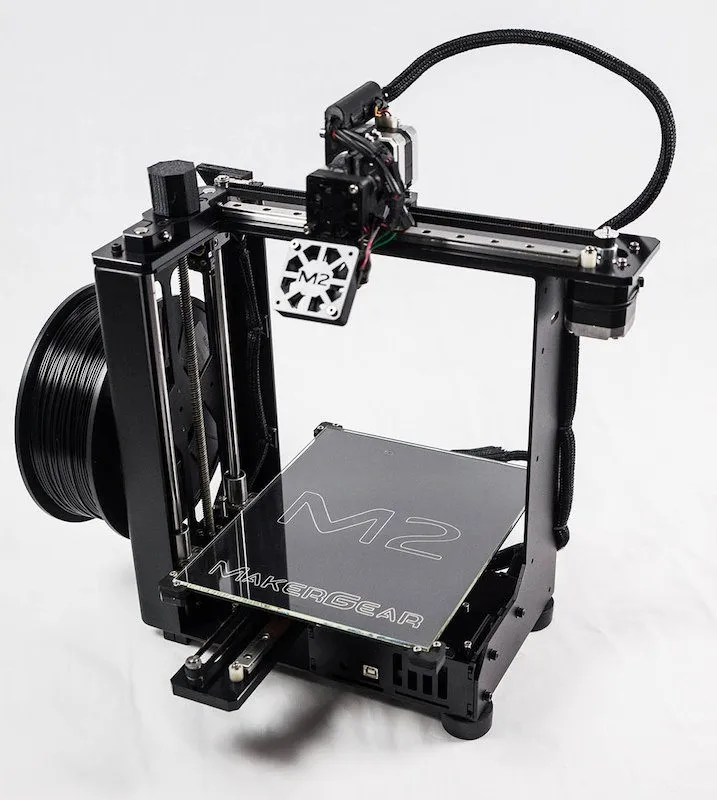
The Heated Metal Build Platform
The heated bed maxes out at 110 degrees Celsius. Take care of it, because it’s what keeps your prints thermally stable throughout the build.
Underneath, there are anodized aluminum axis mounts with ball bearings. In practice, that means precise, smooth movement when printing anything with fine detail.
The difference is immediately noticeable if you’ve used cheaper setups. Budget machines like the Monoprice Maker Select use simpler bed designs that work fine for getting started but can’t match this level of precision.
Nice bonus: MakerGear throws in 1 kg of 1.75 PLA filament in the box. I almost forgot to order filament separately, so I was glad to see it in there. You can start printing right away.
Build Quality & Durability
My MakerGear M2 3D Printer is still running strong after nearly two years of constant use. I’ll be honest, I almost bought a MakerBot 2 instead. There were so many new machines launching at the time that choosing one felt overwhelming.
But something about the MakerGear caught my attention, so I went with my gut. Best decision I could have made.
This machine is built to last. I’m confident it’ll still be running years from now.
A few small components are 3D printed, but the vast majority is metal. Welded stainless steel frame. Heated aluminum bed. Linear rails. No plastic parts, no wood. When you pick this thing up, it feels like a real tool, not a hobby gadget.
I’ve got access to a bunch of other printers at our studio, and most machines in this price range end up being more trouble than they’re worth. Mediocre print quality, constant recalibration, always something.
The M2 surprised me. I haven’t had to fiddle with anything between prints. Quality stays high without me babysitting it. That’s rare.
Is it more expensive than entry-level options? Definitely. But the price jump from here to the next tier up is steep, so this sits in a really smart spot. If you want something mid-range with WiFi at a lower price, the Printrbot Simple Metal is worth a look.
Incredible Support
I’ve dealt with a lot of customer support teams in this industry. MakerGear’s is the best. Full stop. That’s not taking a shot at other brands. Most are decent.
But MakerGear is on another level.
What really caught me off guard is how small the company is. And yet they responded to every single email within hours. Not days. Hours. Every time.
Knowing that kind of support is one message away makes a real difference when you’re troubleshooting at 11 PM.
Print Quality & Software
One word: great. The print quality delivers exactly what you’d expect at this price point.
I’ve run the same models on the M2 and other machines side by side, and it holds up every time. The Ultimaker 2 is one of the few printers that can match it in output quality, though you’ll pay more for that one.
The MakerGear M2 3D Printer is basically plug-and-play. Huge selling point if you’re just getting started and don’t have experience running a printer yet.
The price is higher than entry-level machines. I won’t pretend otherwise. But if you’re serious about 3D printing and want something that’ll still feel current a few years from now, this is it.
It’s built to outlast the cheaper models that keep hitting the market every year.
Frequently Asked Questions
The MakerGear M2 uses 1.75 mm PLA or ABS filament. It comes with 1 kg of PLA filament included in the box to get you started.
Yes. The MakerGear M2 is versatile enough for both beginners and experienced users. Its plug-and-play functionality makes it easy to get started.
The MakerGear M2 is extremely durable. It features a welded stainless steel frame, heated aluminum bed, and linear rails with no plastic or wood components.
Final Thoughts
Yeah, it’s a higher-end hobbyist machine. There’s a reason for that though.
Print quality is noticeably better than cheaper alternatives. Precision is tighter. The heated bed is built to take years of abuse. And the overall construction just inspires confidence.
Remote printing via SD card is a great bonus, and the MakerGear support team has been fantastic every time I’ve needed them. If you’re buying your first printer and you’re serious about the hobby, this is one of the safest picks you can make.
Two years of heavy use and I haven’t regretted it for a second. The FlashForge Creator Pro is another durable workhorse to consider if you want dual extruders at a comparable price.


