

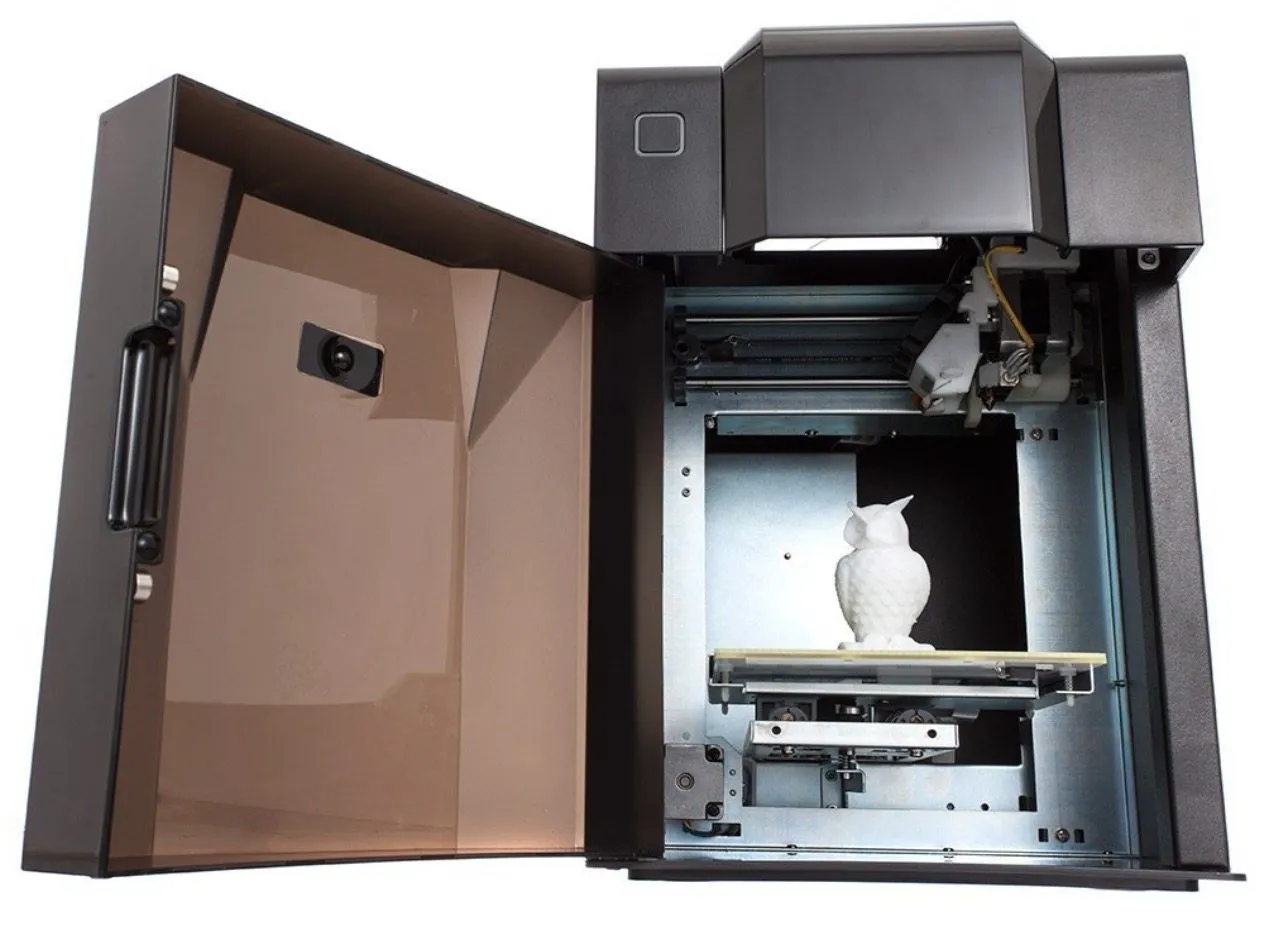
The UP Mini Fully Assembled 3D Printer has been on the market for a while now. I’ve worked as an industrial designer for years and have spent plenty of time with different 3D printers. This one is easily among the best pre-assembled options for what it costs.
Print quality holds up well, and the software is about as simple as it gets. I won’t hand it a perfect score because I’m pretty demanding when it comes to printing capabilities, but if you’re just getting your feet wet in 3D printing, this is a really smart place to start.
Two weeks in, I’d already cranked out a pile of prints and was genuinely pleased with every single one.
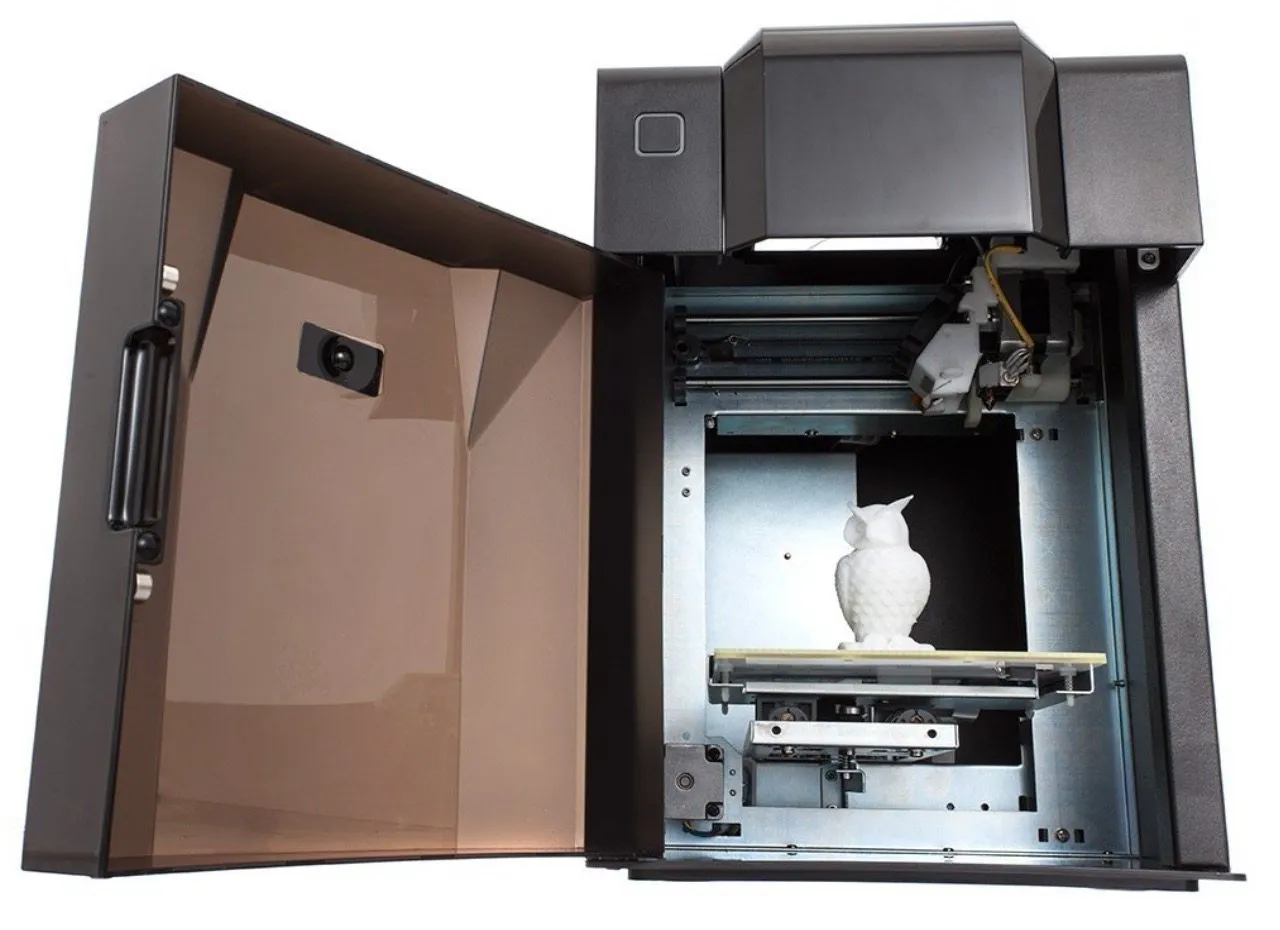
The enclosed design is what clinched it for me. Most printers sit wide open, and with a five-year-old running around my house, that’s a problem. Having everything sealed inside a metal case meant I didn’t have to stress about curious fingers reaching toward hot components or moving parts.
You’ll need to tweak calibration now and then. That’s just part of owning any printer. But every print I’ve run on this machine has come out successfully. I really do love this thing.
Overview

UP Mini Fully Assembled 3D Printer
A pre-assembled enclosed printer that's been rock-solid for over a year of daily use. Modern design, minimal calibration needs, and genuinely beginner-friendly.
Pros
- Enclosed design keeps children safe
- Extremely durable with minimal calibration needs
- True plug-and-play setup
Cons
- Small build volume (120 x 120 x 120 mm)
- Minimum print detail size of 2 mm
The UP Mini Fully Assembled 3D Printer is ready to roll straight out of the box. Build volume comes in at 4.75 x 4.75 x 4.75 inches (120 x 120 x 120 mm).
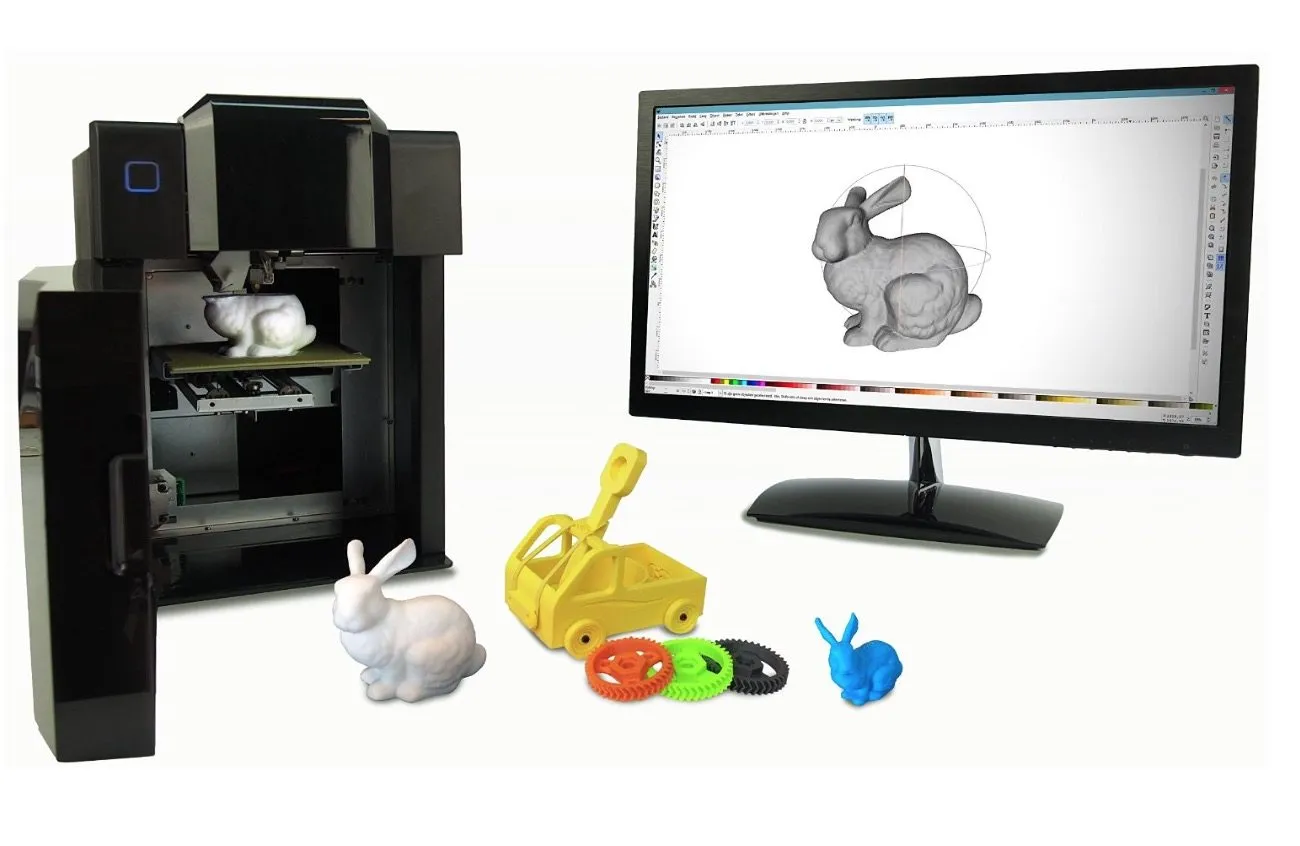
The software runs on both Windows and Mac and accepts STL files from any standard CAD program, so you won’t run into compatibility headaches. Since it shows up fully assembled inside that metal case, there’s barely any setup involved.
Plug it into your computer with the USB cable and start printing. That’s it.
Something I didn’t anticipate mattering this much: the metal enclosure blocks drafts. Even a small breeze hitting the print bed can mess with temperature consistency and wreck your output. The Ultimaker 2 uses a similar enclosed approach with side panels that do a great job holding heat.
The enclosure also keeps noise levels down and traps ABS fumes, which ended up being a bigger deal to me than I originally expected.
Photo Gallery

Key Specifications
| Spec | Detail |
|---|---|
| Build Volume | 120 x 120 x 120 mm |
| Bed Temperature | Up to 51.4°C |
| Filament Type | ABS, PLA (1.75 mm) |
| Connectivity | USB |
| Minimum Print Size | 2 mm |
| Price Range | Mid-range |
Pros & Cons
Pay attention to the bed temperature. The UP Mini maintains thermal stability nicely and tops out at 51.4 degrees Celsius.
That’s definitely hot enough to burn you, but it’s par for the course with 3D printers. A perforated cell board underneath gives you a solid, sturdy base to print on.
Inside the case, metal guide rails and precision slide bearings produce smooth, consistent movements during every print. The belt-driven motors are NEMA-rated, which is what you want.
Design-wise, this printer punches above its weight. It looks genuinely modern and manages heat well internally. The XYZ Da Vinci 1.0 follows a similar enclosed philosophy and has been running daily in our shop for over a year with zero problems.
There’s an LED power button on the top left of the door that kicks the printer into initialization mode. It cycles each axis through its full range and then parks itself at the home position for calibration. While printing, the LEDs flash blue and red so you can tell at a glance that it’s working.
A plastic panel above the door lifts up to give you access to the nozzle and filament loading area. USB Type-B ports are on the side. Power switch is around back.
The whole package is sleek enough to sit on any desk or shelf without looking like a piece of lab equipment.
Before your first print, you’ll need to install the print head, cell boards, and connect the cable pins. Everything’s wrapped in foam for shipping, and the instructions cover each step clearly.
The biggest drawback is the small build volume. If you need more space to work with, the Robo 3D R1 Plus gives you an 8 x 9 x 10 inch build area. Fine detail below 2 mm is going to require a pricier, more specialized machine.
But for anything above 5 mm, the results are really impressive.
Print Quality
At the end of the day, print quality is the thing that matters most with any 3D printer. The minimum detail threshold here is 2 mm, so really intricate, delicate features are going to need a more capable machine.
For anything 5 mm and up, though, the output is seriously impressive.
I’ve been running this printer for a solid year now, through plenty of trial and error, and it hasn’t given me any real headaches. Out of every printer I’ve owned, this is definitely one of the toughest. The MakerGear M2 is right there with it in terms of durability, thanks to that welded stainless steel frame.
Calibration stays put. No overheating. No nozzle clogs. That kind of reliability takes the stress out of printing and makes it actually enjoyable.
I’ve pushed it through 10-hour sessions on back-to-back days without a single hiccup. And since it’s enclosed and portable, I can set it up in whatever room I feel like working in.
You’ll need 1.75 mm ABS or PLA thermoplastic filament. Both are sold separately. After testing both materials and reading through a bunch of owner reviews, I’d highly suggest going with ABS.
Most of the complaints I’ve come across from other owners center on PLA-related issues. Worth noting though: ABS fumes aren’t great for you.
The enclosure helps contain them, but I went ahead and stuck a small carbon scrubber on top for some extra peace of mind. A little exhaust fan wouldn’t be a bad addition either.
Who Is This For?
This printer is a natural fit for beginners and families. The enclosure keeps kids away from hot components, and the plug-and-play setup doesn’t require any technical background whatsoever.
It’s also great for anyone who wants something quiet and portable that fits on a desk without taking over the room. The FlashForge Finder is another enclosed, family-friendly option worth considering. But if your main priority is skipping assembly and printing right away, the UP Mini is tough to beat.
Frequently Asked Questions
Yes. The enclosed metal case protects children from moving parts and hot components. It also reduces ABS fume emissions and operational noise.
The UP Mini uses 1.75 mm ABS or PLA filament, sold separately. We highly recommend using ABS for the best results.
Extremely durable. After a full year of heavy use with lots of trial and error, there have been no significant issues. It has the lowest need for calibration adjustment of any printer we have tested.
Final Thoughts
Getting the print table centered was a minor annoyance. Mine was slightly off on the x-axis straight out of the box, which meant prints were landing too close to the front edge.
Bigger models would curl up because of the misalignment. Easy enough to fix, though.
I recentered the heating table during calibration and every print came out perfectly after that.
Quick tip: ignore the pp3dp.com link the box tells you to visit. Go to up3dusa.com instead. It’s way easier to navigate and has everything you actually need: a test bunny file, the software, the full manual, and all drivers.
I get why this printer doesn’t land on every “top 10” list out there. Its limitations are real, and they come down to the price bracket it sits in.
But for someone who’s just starting out or wants absolutely zero assembly hassle, the UP Mini Fully Assembled 3D Printer is one of the strongest options in its price range. Clean design, fast setup, reliable prints. If you’re trying to spend even less, the Monoprice Maker Select puts out solid work at a lower price point.
I’m genuinely happy with this purchase.


